Server & Network Racks Simplified: How to Choose the Right Size from 2U to 42U

Why Rack Selection Is an Infrastructure Decision, Not a Hardware Decision

A server rack or network rack is not simply a shelf for equipment. It is a structured housing system that determines how equipment is organized, cooled, powered, cabled, accessed, and expanded over the life of the installation.The consequences of a rack that is the wrong size, the wrong depth, or the wrong type for the environment are not immediately visible. They accumulate. Equipment gets stacked outside the rack because internal space ran out. Cable management becomes a tangle that makes troubleshooting difficult. Airflow is blocked by oversized or incorrectly positioned equipment. Expansion requires either a second rack or a complete reorganization of the first one.These are not minor inconveniences. In a server room or network closet supporting CCTV, PA systems, access control, and other ELV infrastructure, a poorly organized rack is a maintenance liability and a fault-diagnosis challenge.This guide covers rack sizing from 2U to 42U, what the specifications mean in practical terms, how to match rack size and type to the equipment it will house, and what to account for when planning a rack installation in an Indian building environment.Avtron Technology server and network racks in 2U to 42U sizes, showcasing different rack sizes in a modern blue-and-white setting.

What the U Measurement Means and Why It Matters

U stands for rack unit. It is the standard unit of measurement for the height of rack-mounted equipment and for the internal space available within a rack enclosure.One rack unit, abbreviated as 1U, is equal to 44.45 millimeters or 1.75 inches. This measurement defines the height of a single horizontal slot within a 19-inch rack frame. Equipment designed for rack mounting is manufactured in multiples of this unit height: a 1U device occupies one slot, a 2U device occupies two slots, and so on.The total rack height is expressed in the same unit. A 12U rack has 12 rack units of usable internal space. A 42U rack has 42. When planning a rack installation, the total U count of the equipment to be housed must be calculated and matched to a rack with sufficient internal space, with headroom for future additions.The U measurement is standardized across manufacturers. A 1U device from any manufacturer will physically fit in a 1U slot in a rack from any other manufacturer that meets the 19-inch standard, assuming the device width and depth are within the rack’s specifications.

The Standard Form Factor: What 19 Inch Means in Practice

The 19-inch rack standard refers to the width of the mounting rails within the rack, measured between the inner edges of the two vertical mounting rails. This is the width that rack-mounted equipment is designed to fit.The external width of the rack cabinet itself is wider than 19 inches, typically 600 mm to 700 mm, to accommodate the mounting rails, side panels, and any additional features such as cable management panels or ventilation. When planning rack placement in a server room or network closet, the external rack dimensions are what determine whether the cabinet physically fits in the available space.The 19-inch standard is the dominant form factor for server, network, and ELV equipment. Almost all commercial switches, patch panels, NVRs, PA amplifiers, UPS units, and server equipment are manufactured to fit this standard. Equipment that does not conform to the 19-inch form factor requires shelf-mounted or free-standing placement rather than rack mounting.

Rack Types and Where Each One Belongs

Open Frame Racks: An open frame rack consists of two or four vertical mounting rails without enclosing side panels, front doors, or rear doors. Equipment is accessible from all sides. Open frame racks are suited to network closets and server rooms with controlled access, where security and dust protection are managed at the room level rather than the rack level. They provide excellent airflow and easy cable access.Enclosed Rack Cabinets: An enclosed rack cabinet adds front and rear doors, side panels, and typically top and base panels to the open frame design. The enclosure provides physical security for the equipment, dust protection, and a more organised appearance. Enclosed cabinets are the standard choice for server rooms, data rooms, and any location where the rack is accessible to personnel beyond the technical team.Wall Mount Racks: Wall mount racks are fixed directly to a structural wall, eliminating the floor footprint of a floor-standing cabinet. They are available in shallow depths and small U counts, typically 4U to 16U, and are suited to network distribution points, small branch office network closets, and ELV equipment rooms where floor space is limited. They are not appropriate for heavy server equipment or deep UPS units.Floor Standing Racks: Floor standing racks are free-standing cabinet structures, typically ranging from 18U to 47U, designed to house server, storage, network, and ELV equipment in server rooms, data centers, and large network equipment rooms. They support significantly higher equipment weights than wall mount racks and accommodate the depth required for servers, patch panel arrays, and large UPS units.
Rack TypeTypical U RangeBest Application
Open frame rack12U to 47UControlled-access server rooms, network rooms
Enclosed rack cabinet6U to 47UServer rooms, data rooms, general equipment rooms
Wall mount rack4U to 16UNetwork closets, branch offices, ELV distribution points
Floor standing cabinet18U to 47UServer rooms, data centers, large ELV installations

Choosing the Right Rack Size: From 2U to 42U

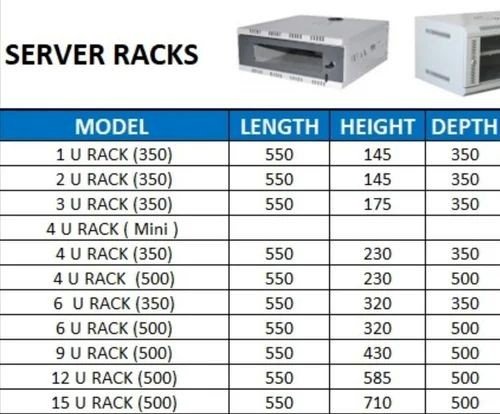
Rack size selection should be based on a counted equipment inventory, not an estimate. Every device to be rack-mounted has a defined U height. The total of all device heights, plus allowance for patch panels, cable management units, blank panels, and future expansion, determines the minimum rack U count required.Small installations: 4U to 12U A small network closet serving a single floor or a branch office, housing a network switch, a patch panel, a small NVR, and a PoE injector, typically falls within the 4U to 12U range. Wall mount racks are appropriate at this scale.Medium installations: 12U to 24U A medium installation serving a complete office floor, a small data room, or a building ELV equipment room, housing multiple switches, a patch panel array, a firewall, NVR units, and a small UPS, typically requires 12U to 24U. A floor-standing enclosed cabinet of this size occupies a manageable floor footprint and provides room for structured cable management.Large installations: 24U to 42U A large server room or data room housing servers, storage arrays, multiple network switches, a full patch panel installation, UPS units, and ELV system equipment requires 24U to 42U Rack. At this scale, multiple racks organized in a defined layout are often more practical than a single large rack, allowing equipment to be logically grouped and independently managed.
Rack SizeApproximate Use Case
4U to 6USingle-purpose network point, small ELV closet
6U to 12UBranch office, floor-level network distribution
12U to 18USmall server room, building ELV equipment room
18U to 24UMedium office or multi-floor network room
24U to 36ULarge office, hospital or hotel network room
36U to 42UData center row, large enterprise server room

What Goes Inside a Rack and How Much Space It Uses

Understanding the U height of common rack-mounted equipment helps in planning rack capacity accurately.
Equipment TypeTypical U Height
1G network switch (24 port)1U
10G core switch1U to 2U
Patch panel (24 port)1U
Cable management panel1U
NVR (4 to 8 bay)1U to 2U
NVR (16 bay and above)2U to 4U
1U server1U
Tower server on shelf2U to 4U
Rack-mount UPS (1kVA)2U
Rack-mount UPS (3kVA)4U to 6U
PA amplifier rack unit1U to 2U
KVM switch1U
Blank filler panel1U per blank
Blank filler panels should be counted in the equipment inventory. Empty rack slots without filler panels disrupt front-to-rear airflow, creating hot spots within the rack that degrade equipment performance and service life.

Depth, Load Capacity and Ventilation: The Specifications That Are Often Overlooked

Depth Rack internal depth is as important as U count. Standard enclosed rack cabinets are available in depths of 600 mm, 800 mm, and 1000 mm. Servers and UPS units with deep chassis require racks of 900 mm to 1000 mm internal depth. Network switches and patch panels fit within 600 mm. A rack that is too shallow for the equipment it houses forces cables to be routed externally and may prevent rear door closure.Load Capacity: Every rack has a rated static load capacity. A 42U rack loaded with servers, storage arrays, and a large UPS can weigh several hundred kilograms. Confirm that the rack’s load rating exceeds the combined weight of all equipment to be installed, with a safety margin. Wall mount racks have significantly lower load ratings than floor standing cabinets and should not be used for heavy equipment.Ventilation: Rack-mounted equipment generates heat. Ventilation in an enclosed rack cabinet is managed through perforated front and rear doors, roof-mounted exhaust fans, and the maintenance of cold aisle and hot aisle separation in multi-rack installations. A rack with solid front and rear doors and no active ventilation will accumulate heat that reduces equipment reliability and service life.

Power Distribution and Cable Management Inside the Rack

Power Distribution Units: A rack-mounted power distribution unit (PDU) distributes mains power to multiple rack-mounted devices from a single connection point. PDUs are available in basic strip format and in metered or switched variants that allow individual outlet monitoring and remote control. For server rooms and data rooms where power visibility is a requirement, a metered PDU provides consumption data per outlet.Cable Management: Horizontal cable management panels route and organize patch cables between patch panels and switches. Vertical cable management channels route power cables and structured cabling along the sides of the rack interior without blocking equipment airflow. Cable management is not an aesthetic consideration. A rack with unmanaged cabling is a fault-diagnosis and maintenance challenge that increases downtime when a cable needs to be traced or replaced.Labelling: Every patch panel port, every cable, and every power outlet in a rack should be labelled consistently with the device or location it connects to. This is the single most time-saving practice in rack management and the one most frequently skipped during initial installation.

Rack Placement and Environmental Requirements

Floor Loading: A fully loaded 42U rack can weigh 500 kg or more. Confirm that the floor in the proposed rack location can support this load before installation. Raised floors in server rooms are rated for specific distributed and point loads. Rack base spreader plates distribute point loads over a larger floor area and are recommended for heavy installations on raised floors.Clearance: Allow a minimum of 1 meter of clearance at the front of each rack for equipment installation and servicing. Rear clearance of 600 mm to 1 meter allows access for cable management and rear-mounted connections. Racks placed against walls without rear clearance create cable management problems and restrict maintenance access.Ambient Temperature: Rack equipment operates within defined temperature ranges. The room ambient temperature should be maintained within the operating range of the most temperature-sensitive device in the rack. For most server and network equipment, a room temperature of 18 to 27 degrees Celsius is the standard operating range.Avtron is a technology manufacturing organization with established presence across security, surveillance, and communication infrastructure in India. For ELV security projects that include rack and structured cabling infrastructure, Avtron’s technical team and ADIT’s integration capability support end-to-end project planning and deployment.

What Indian Server Room and Network Closet Deployments Must Account for

Cooling reliability: Server rooms in India operate in an environment where ambient temperatures outside the room are frequently high. Air conditioning in the server room is not a comfort provision. It is a critical infrastructure requirement. A server room without reliable cooling will experience equipment failures that are not recoverable through rack or equipment specification changes.Power supply quality: Voltage fluctuations, brief outages, and frequency variations affect rack-mounted equipment across many Indian cities and industrial areas. A rack-mounted UPS providing clean, regulated power to all critical equipment in the rack is a standard requirement, not an optional addition.Dust management: In construction-phase installations and in industrial or semi-urban environments, dust ingress into the server room and rack enclosure accelerates fan bearing wear and causes thermal issues on circuit boards over time. Enclosed rack cabinets with filtered front panels provide a practical level of dust protection in these environments.Earthing and bonding: Improper earthing of rack enclosures is a common source of equipment damage and data integrity issues in Indian installations. The rack frame, all equipment chassis, and the building earth should be properly bonded. This is a safety and equipment protection requirement that should be confirmed during installation commissioning.

Avtron’s Rack and ELV Infrastructure Range

Avtron supplies rack cabinets, open frame racks, and wall mount racks alongside its AI camera, NVR, VMS, IP PA, and EVAC/PAVA product range for complete ELV infrastructure deployments. Whether a project requires a small wall mount rack for a network distribution point or a floor-standing 42U cabinet for a full server room, Avtron’s rack range supports the physical infrastructure layer on which ELV security systems are housed and managed.

Avtron Technology rack size guide featuring server and network racks from 2U to 42U, highlighting equipment capacity, depth and load, airflow, and expansion.

Planning a Rack Installation for Your Server Room or Network Closet?

Selecting the right rack for a server room, network equipment room, or ELV security installation requires a counted equipment inventory, an understanding of depth and load requirements, and an environmental assessment of the space. Getting these decisions right at the planning stage prevents the reorganization, expansion problems, and maintenance challenges that result from a rack specification that does not match the installation it is meant to support.If you are planning a rack installation as part of a new build, a fit-out, or an ELV security project, Avtron’s technical team can provide product guidance and specification support.

Frequently Asked Questions

Q1. What does 1U mean in a server rack? 1U equals 44.45 mm, the standard height of one rack-mounted equipment slot.Q2. What rack size is right for a small office network room? A 12U to 18U floor-standing or wall-mount rack suits most small office installations.Q3. Can a wall mount rack hold a server? Only if the server weight is within the rack’s rated load capacity, typically limited.Q4. Why are blank panels important in a rack? Blank panels maintain airflow direction and prevent hot spots inside the rack.Q5. What is the standard internal width of a 19-inch rack? The mounting rail spacing is 19 inches, with external cabinet width typically 600 mm.

Why Cat6 Cabling Matters: How the Right Structured Cabling Prevents CCTV & PA Failures

AVTRON Cat6 structured cabling for CCTV and PA systems, showing a blue Cat6 Ethernet cable with RJ45 connector connected to a PoE managed switch, CCTV dome camera, and wall-mounted PA speaker.

The Infrastructure Problem Nobody Talks About

When a CCTV camera produces intermittent footage, the camera is replaced. When a PA speaker drops audio, the amplifier is checked. When an IP PA system loses connection to a zone, the network switch is restarted. In most cases, the investigation stops there.

What is less often examined is the cable connecting these devices to the infrastructure that powers and networks them. Cabling is invisible once installed. It sits inside walls, above ceiling tiles, and under raised floors. It is not easy to inspect, not easy to replace, and not easy to diagnose as the source of a problem when a device at one end and a switch at the other both appear to be functioning.

Yet structured cabling is the layer on which every IP-based CCTV camera, every IP PA speaker, every access control reader, and every networked ELV device depends. When it is planned and installed correctly, it provides a reliable, long-service infrastructure that supports the security systems above it. When it is not, the consequences appear gradually and are expensive to resolve.

This guide addresses why Cat6 cable is the appropriate specification for modern ELV security deployments, how cabling quality directly affects CCTV and PA system performance, and what to account for when planning cabling infrastructure for a new or upgraded installation.

CAT6 cables connected to network switches in a structured cabling setup, supporting reliable CCTV and PA system connectivity.

What Structured Cabling Is and What It Is Not

Structured cabling is a standardized approach to designing and installing the physical cabling infrastructure of a building or facility. It defines how cables are routed, terminated, labelled, and managed, and it specifies the performance standards that cables and connectors must meet.

The defining characteristic of structured cabling is that it is planned and installed as a system, not as a collection of individual point-to-point cable runs assembled over time. A structured cabling system has a defined architecture, a logical cable management scheme, and a documentation standard that allows any connection in the system to be traced, tested, and serviced.

What structured cabling is not is ad hoc cabling. Many facilities accumulate cabling infrastructure over years, with devices connected as they are added, cables run without a routing plan, and no consistent documentation of where cables go or what they connect. This approach produces an installation that functions at first and degrades over time, with faults that are difficult to locate and a physical infrastructure that cannot easily accommodate expansion or upgrade.

For ELV security systems, which include CCTV cameras, IP PA speakers, access control readers, fire alarm panels, and intercoms, a structured cabling approach is not optional for installations above a minimal scale. It is the foundation on which reliable system performance depends.

Why Cat6 Is the Relevant Standard for Modern ELV Systems

Category 6 (Cat6) cable is a twisted pair copper cable standard that supports data transmission at up to 10 Gbps over distances up to 55 metres, and 1 Gbps over the standard 100-metre horizontal cable run. It meets the performance requirements of IEEE 802.3 PoE and PoE+ standards and provides sufficient bandwidth headroom for high-resolution video streams, IP audio delivery, and simultaneous data and power delivery over a single cable.

For modern ELV security deployments, the relevant question is not whether Cat6 is adequate. It is whether a lower specification cable will create problems now or in the near future.

Cat5e, the previous generation standard, supports 1 Gbps at 100 metres and meets basic PoE requirements. In a CCTV deployment with a small number of standard-definition cameras, Cat5e may perform adequately at the time of installation. In a deployment with multiple high-resolution AI cameras, a Cat5e installation under full network load may begin to exhibit packet loss, latency, and PoE instability that is difficult to attribute to the cable without systematic testing.

The cost difference between Cat5e and Cat6 cable in a standard installation is modest. The cost of recabling a facility because the original specification was inadequate is not.

How Poor Cabling Causes CCTV System Failures

CCTV system failures that originate from cabling are among the most difficult to diagnose because they manifest as device or network problems rather than cable problems.

Intermittent video loss: A camera that drops its video feed periodically and reconnects without manual intervention is a common symptom of a marginal cable connection or a cable that is performing at the edge of its rated specification. The camera appears to function normally when tested in isolation. The problem recurs under load or under temperature conditions that affect cable performance.

Image quality degradation: High-resolution IP cameras transmit large data streams. A cable that is performing below its rated throughput, due to poor terminations, excessive length, or physical damage from bending or pinching during installation, may support the camera connection while dropping enough data to produce visible image degradation, including artefacts, pixelation, and motion blur.

POE instability: IP cameras are typically powered through the same Cat6 cable that carries their data, using Power over Ethernet. A cable with high resistance due to poor conductor quality, substandard terminations, or excessive length causes a voltage drop along the cable that reduces the power available at the camera end. This produces symptoms including cameras that restart unexpectedly, cameras that fail to initialize in cold conditions, and cameras that operate normally on the bench but intermittently in the installed position.

NVR disconnections: A network video recorder that periodically loses connection to one or more cameras, requiring a network restart or camera reboot to restore, is often attributed to NVR software or switch configuration. In many cases, the root cause is a cable that is marginally within specification under normal conditions but outside it under peak load or adverse temperature conditions.

How Poor Cabling Causes PA System Failures

IP PA and SIP-based PA systems are network-connected devices that face the same cabling dependencies as CCTV cameras, with additional sensitivity to latency and jitter that does not apply to video in the same way.

Audio dropout and interruption: An IP PA speaker or SIP horn speaker that experiences periodic audio dropout during an announcement is almost always experiencing packet loss on its network connection. Audio streams are sensitive to packet loss in a way that web browsing and file transfers are not. A cable that drops a small proportion of packets may not impair general network use noticeably while producing audible dropout in an IP audio stream.

Announcement delay: Network latency caused by a marginal cable connection or a poorly terminated patch panel introduces delay into the announcement delivery chain. In a zoned PA system where the same announcement is being delivered to multiple speakers simultaneously, inconsistent latency across cable runs of different quality causes announcements to arrive at different speakers at slightly different times, producing an echo or phasing effect across the coverage area.

Speaker offline status: An IP PA speaker or SIP horn speaker that appears offline on the management interface but is physically present and powered is frequently the result of a POE issue on the cable serving that speaker. The speaker does not receive adequate power to complete its initialization sequence and therefore does not register on the network.

Cat5e vs Cat6 vs Cat6A: What the Difference Means in Practice

SpecificationCat5eCat6Cat6A
Maximum data rate1 Gbps10 Gbps (55m) / 1 Gbps (100m)10 Gbps (100m)
Bandwidth100 MHz250 MHz500 MHz
PoE support802.3af (15.4W)802.3at PoE+ (30W)802.3bt PoE++ (60W to 90W)
Crosstalk performanceAdequate for standard useImproved alien crosstalk reductionFull alien crosstalk shielding
Recommended forLegacy upgrades and low-density standard-def CCTVStandard ELV security deploymentsHigh-density AI camera and PoE++ deployments
Cable diameterThin, easy to routeStandardLarger, requires more conduit space

For most ELV security deployments including AI cameras, IP PA systems, access control, and intercoms, Cat6 is the appropriate standard. Cat6A is relevant for high-density deployments where multiple high-power PoE devices share cable bundles and alien crosstalk between adjacent cables becomes a practical concern.

PoE and Why Cable Quality Determines Whether It Works

Power over Ethernet is the delivery of DC electrical power along the same Cat6 cable that carries network data. It allows a CCTV camera, IP PA speaker, access control reader, or VoIP phone to be powered from the network switch rather than from a separate power supply at the device location.

PoE depends on the cable’s resistance characteristics. Every meter of cable introduces a small amount of resistance. Over a 100-metre cable run, this resistance results in a voltage drop between the switch and the device. The PoE standard accounts for this drop within defined limits — but only if the cable meets its rated specification.

Cable that uses copper-clad aluminum (CCA) conductors rather than solid copper conductors has significantly higher resistance than the standard specifies. CCA cable is less expensive than solid copper and is available from a range of suppliers. It may pass a basic continuity test but fails to meet the resistance specification that POE depends on. In a CCTV or PA installation using CCA cable on longer runs, POE instability, device restarts, and inconsistent performance are predictable outcomes.

Specifying solid copper Cat6 cable from a supplier with verifiable conductor material is not a preference. It is a requirement for a POE-dependent ELV installation to perform reliably over its service life.

Planning a Structured Cabling System for ELV Security Deployments

Define the device inventory first: Before routing a single cable, establish the complete inventory of ELV devices to be installed. Every camera, every PA speaker, every access control reader, and every intercom requires a dedicated cable run. The device inventory determines the number of cable runs, the location of distribution points, and the size of the patch panels and switches required.

Design cable routing before construction is complete: Cable routing should be designed during the construction or fit-out planning stage, not after walls are closed and ceilings are installed. Retrofitting cable routes through a completed building is expensive and often results in compromises in cable quality due to tight bends, improper support, and excessive pull tension during installation.

Use dedicated conduit for ELV cabling: ELV security cables should be routed in dedicated conduits separate from power cables. Running Cat6 data cables parallel to 230V power cables for extended distances introduces electromagnetic interference that degrades signal quality and can affect POE performance.

Label and document every cable run: Every cable run should be labelled at both ends with a consistent identification scheme, and the routing, length, and termination point of every cable should be documented. This documentation allows faults to be located systematically and supports future expansion without requiring physical cable tracing.

Test every cable run after installation: A cable that passes a visual inspection may still fail to meet Cat6 performance standards if it was damaged during installation through excessive pulling tension, tight bend radii, or compression damage. Every cable run should be tested with a cable certifier against the Cat6 standard before the ELV devices are connected.

Avtron is a technology manufacturing organization with established presence across security, surveillance, and communication infrastructure in India. For structured cabling projects supporting Avtron ELV security system deployments, Avtron’s technical team and ADIT’s installation capability provide end-to-end project support from cabling design through to device commissioning.

Common Cabling Mistakes That Create Long-Term Problems

Using substandard cable to reduce cost: The cable itself is a small proportion of the total cost of an ELV security installation when labour, devices, and commissioning are accounted for. Using substandard cable to reduce material cost while leaving labour and device costs unchanged is a poor trade-off that creates long-term reliability problems for a marginal initial saving.

Exceeding maximum cable run length: The 100-metre maximum cable run for Cat6 includes the patch cords at both ends. A cable run of 95 metres plus two 3-metre patch cords exceeds the standard. In a CCTV installation, this may not cause an immediate visible problem but creates a marginal connection that degrades under temperature variation and load.

Over-bending cable during installation: Cat6 cable has a minimum bend radius that must not be exceeded during installation. Cables pulled sharply around corners, through tight conduit bends, or secured with over-tightened cable ties may pass an initial test but develop increased crosstalk and signal loss over time as the twisted pair geometry is distorted.

Leaving cable runs unterminated or improperly terminated: A cable that is not terminated correctly at the patch panel or wall outlet will not meet Cat6 performance specifications regardless of the cable quality. Termination technique, pair untwisting length, and connector type all affect the final performance of the cable run.

Not accounting for future expansion: An installation that uses exactly the number of cable runs required for the current device count provides no capacity for future expansion. Installing spare cable runs to potential device locations during the initial installation, while walls and ceilings are accessible, is significantly less expensive than adding them later.

What Indian Installations Must Account for Specifically

Temperature variation in cable performance: Cable performance degrades at elevated temperatures. In non-climate-controlled facilities across India where ambient temperatures can reach 45 to 50 degrees Celsius, cable resistance increases and POE efficiency decreases relative to performance at standard test conditions. This makes the margin between a marginal cable run and a failing one narrower in Indian summer conditions than laboratory specifications suggest.

Humidity and moisture ingress: In coastal locations and high-humidity environments, moisture ingress into improperly sealed cable terminations and wall outlets causes corrosion over time. This manifests as increasing contact resistance at termination points, producing intermittent connectivity that worsens over years.

Rodent damage in industrial and semi-urban locations: Warehouses, industrial facilities, and buildings in semi-urban locations are subject to rodent damage to cabling routed without adequate physical protection. Cable routes in these environments should use steel conduit or armoured cable trunking rather than plastic conduit or open cable trays.

Counterfeit and substandard cable in the supply chain: The Indian cable market includes a proportion of cable that does not meet the Cat6 standard it is labelled as, including CCA conductor cable sold as pure copper Cat6. Specifying cable from verified suppliers with test documentation, and testing every cable run after installation, is the practical safeguard against this risk.

Avtron’s ELV Systems and the Cabling Infrastructure They Depend On

Avtron manufactures AI cameras, PTZ cameras, NVR systems, video management software, IP PA systems, SIP horn speakers, PA amplifiers, and EVAC/PAVA systems for deployment across commercial, institutional, and industrial premises in India. Every IP-based device in Avtron’s product range depends on a correctly specified and installed structured cabling infrastructure to perform as designed.

A Cat6 installation that meets the standard for conductor material, cable performance, termination quality, run length, and bend radius provides the foundation on which Avtron’s ELV security systems deliver reliable performance. A cabling installation that does not meet that standard creates conditions where device performance will be inconsistent, faults will be difficult to diagnose, and the investment in security hardware will not produce the outcome it was designed for.

Planning a Structured Cabling Infrastructure for Your ELV Security Project?

The cabling infrastructure of an ELV security installation is not a variable that can be addressed after the security systems are specified and the devices are selected. It is a design decision that must be made at the planning stage, because the cable specification, routing architecture, and installation quality determine whether the CCTV and PA systems above it perform reliably throughout their operational life.

If you are planning a new ELV security installation or reviewing the cabling infrastructure of an existing one, Avtron’s technical team can provide guidance on cabling requirements specific to the ELV systems being deployed.

AVTRON Cat6 structured cabling comparison showing poor cabling with packet loss and unstable PoE versus organized Cat6 cabling delivering stable PoE, reliable data, and consistent performance.

Frequently Asked Questions

Q1. Is Cat6 cabling necessary for CCTV cameras or will Cat5e work? Cat5e is adequate for low-density standard-definition CCTV at short cable runs. For AI cameras, high-resolution IP cameras, and PoE+ powered devices, Cat6 is the appropriate specification for reliable long-term performance.

Q2. What is the maximum cable run length for Cat6 in a CCTV installation? The maximum horizontal cable run is 100 metres including patch cords at both ends. Runs approaching this limit should be tested after installation to confirm they meet Cat6 performance standards.

Q3. Why does cable quality affect PoE performance for cameras and PA speakers? PoE delivers power over the cable’s copper conductors. Substandard cable, particularly CCA conductor cable, has higher resistance than specified, causing voltage drop that reduces the power available at the device and produces instability.

Q4. How can I tell if my CCTV or PA failures are caused by cabling rather than the devices? Intermittent connectivity that resolves without device replacement, symptoms that worsen in summer heat, and problems that appear on longer cable runs first are indicators of cabling rather than device failure. Cable certification testing confirms whether runs meet the Cat6 standard.

Q5. Should ELV security cabling be run separately from power cables? Yes. ELV Cat6 cabling should be routed in separate conduits from 230V power cables to prevent electromagnetic interference that degrades signal quality and can affect PoE performance.

How Voice Evacuation System Save Lives in Commercial Buildings: What Every Facility Manager Should Know

AVTRON voice evacuation system with PAVA controller, microphone, amplifiers, and speakers for emergency communication.

The Gap Most Buildings Don’t Know They Have

A fire alarm goes off in a large commercial building. Hundreds of people hear the alert. But nobody knows which floor is affected, which exit to use, or whether to evacuate immediately or wait.

In this situation, the sound of an alarm is not enough. People need instructions.

This is the gap that voice evacuation systems address — and it is a gap that exists in more commercial buildings across India than most facility managers realise.

According to the National Fire Protection Association (NFPA), buildings equipped with voice evacuation systems experience significantly faster and more orderly evacuations compared to those using tone-only alarm systems.

The difference is not technical. It is human. People respond to voices. They follow instructions. And in an emergency, that response can determine outcomes.

What Is a Voice Evacuation System?

A voice evacuation system — also referred to as a PAVA (Public Address and Voice Alarm) system or EVAC system — is an engineered audio communication infrastructure designed specifically for emergency scenarios.

Unlike a general PA system, a voice evacuation system is built to:

  1. Deliver clear, intelligible spoken instructions during fire, evacuation, or emergency events
  2. Operate reliably under adverse conditions including power failure
  3. Activate automatically in response to fire alarm triggers or manually by trained personnel
  4. Broadcast zoned announcements — targeting specific floors, wings, or areas independently
  5. Meet defined standards for speech intelligibility, reliability, and backup power

The system consists of three core components: a control unit or amplifier, strategically placed loudspeakers, and an emergency microphone or pre-recorded message library. These work together to ensure that every occupant in every part of a building receives clear, timely instructions.

AVTRON voice evacuation system for clear emergency announcements in a modern office building.

How It Works: From Trigger to Safe Exit

Understanding how a voice evacuation system operates helps facility managers make better decisions about installation, zoning, and maintenance.

Trigger The system activates either automatically — via integration with a fire detection panel — or manually through an emergency microphone at a control station. In most commercial installations, both modes are available.

Zoned Announcement Rather than broadcasting a single message to the entire building simultaneously, a well-designed EVAC/PAVA system divides the building into zones. In a fire event on the fourth floor, the system may immediately announce evacuation on floors three, four, and five — while broadcasting a standby alert to other floors. This prevents simultaneous evacuation panic across a large building.

Message Delivery Pre-recorded messages in the required language or combination of languages are stored in the system. These messages are designed to be calm, clear, and instruction-specific — guiding people to exit routes, stairwells, or assembly points.

Backup Power EVAC/PAVA systems are required to operate independently of the main power supply. Battery backup — typically ensuring a minimum of 30 minutes of continuous operation — is a mandatory design requirement.

Fault Monitoring The system continuously self-monitors for faults — including speaker line failures, amplifier issues, and battery status — and alerts the facility team before a failure can affect emergency readiness.

System StageWhat Happens
DetectionFire panel triggers EVAC system automatically
ZoningAffected and adjacent zones identified
Message BroadcastPre-recorded evacuation instructions played
Parallel MonitoringFault checks run simultaneously
Backup ActivationBattery supply maintains operation if main power fails

Why a Standard PA System Is Not a Substitute

This is a distinction that matters. Many commercial buildings in India have a general-purpose PA system — used for routine announcements, background music, or paging. Facility managers often assume this provides adequate emergency communication capability.It does not — for several reasons.
Standard PA SystemVoice Evacuation (EVAC/PAVA) System
Designed for routine communicationEngineered specifically for emergencies
No mandatory backup power requirementBattery backup is a core design requirement
No fire panel integration as standardIntegrates directly with fire detection systems
No fault self-monitoringContinuous self-monitoring and fault alerts
Speech intelligibility not certifiedMeets defined speech intelligibility standards (STI-PA)
Not compliant with fire safety regulationsMeets NBC 2016 and NFPA 72 requirements
A standard PA system may be functional in normal operations. In an emergency, however, it may fail precisely when it is needed most — due to power loss, lack of zoning capability, or absence of automatic activation.A voice evacuation system is not an upgraded PA system. It is a dedicated life-safety system — engineered, tested, and certified differently.

What Indian Regulations Say (NBC & Fire NOC)

The National Building Code of India 2016 (NBC 2016) includes provisions for public address and voice alarm systems in buildings meeting specific occupancy and height thresholds. Fire NOC requirements issued by state fire departments are increasingly specifying EVAC/PAVA systems as a condition of approval, particularly for:
  1. High-rise commercial and residential buildings
  2. Shopping malls and multiplexes
  3. Hospitals and healthcare facilities
  4. Hotels with above-threshold room counts
  5. Educational institutions and large assembly halls
  6. Industrial and manufacturing facilities above defined floor areas
Facility managers and building owners should verify applicable requirements with their state fire authority and structural consultant — particularly for new builds, major renovations, or occupancy changes. Non-compliance can affect fire NOC renewal, insurance validity, and building use certification.Note: Regulatory requirements vary by state and building type. Always refer to your local fire authority and consult a qualified fire safety consultant for project-specific guidance.
What to Evaluate Before Specifying a System

For facility managers overseeing a new installation or system upgrade, the following parameters are worth reviewing during the specification and procurement process:

Speech Intelligibility Rating (STI-PA) Every loudspeaker and amplifier in the system contributes to how clearly messages are heard in a real environment — with background noise, reverb, and distance factored in. Ask for STI-PA test data for the specific configuration proposed.

Number of Zones Evaluate whether the proposed system supports the number of independent zones your building requires. Larger or multi-wing buildings require more granular zoning.

Backup Power Duration Confirm the system’s battery backup capacity and whether it meets the minimum standby and operational duration specified by applicable codes.

Fire Panel Integration Check which fire detection panels the EVAC system is compatible with — particularly if an existing fire alarm system is already installed in the building.

Self-Monitoring and Fault Reporting A system that detects and reports its own faults allows your team to address issues before an emergency. Confirm how faults are logged, displayed, and communicated.

IP Rating for Speaker Units For installations in parking areas, outdoor zones, or mechanically harsh environments, confirm the IP rating of speaker units to ensure they perform in those conditions.

Avtron’s EVAC/PAVA Systems — Built for Real Conditions

Avtron Technologies manufactures a range of EVAC/PAVA and PA systems designed for deployment in commercial buildings, hospitals, educational institutions, hotels, and industrial facilities across India.

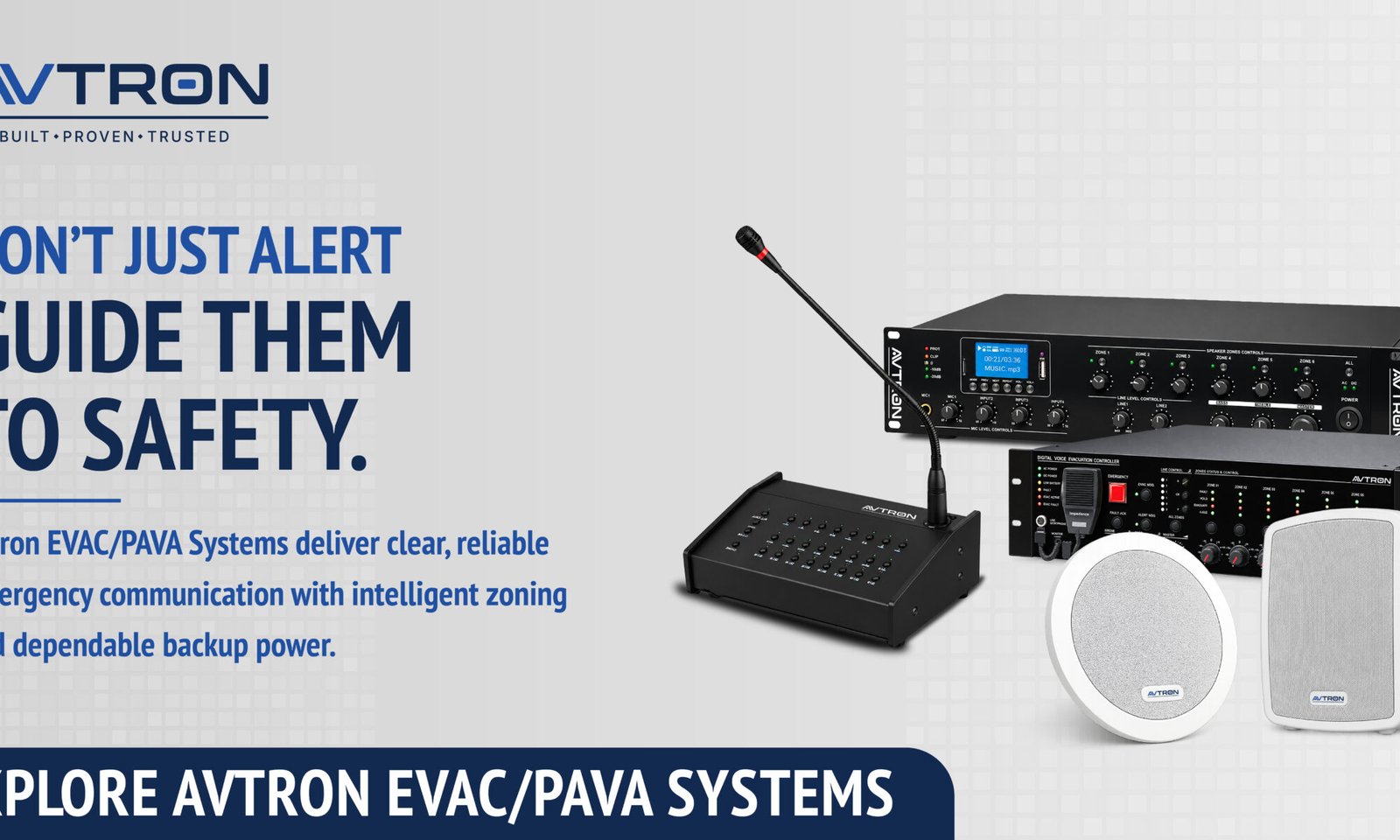
The EVAC/PAVA product range includes digital series evacuation systems, IP PA solutions, analog and IP amplifiers, and a selection of speaker types — including ceiling speakers, horn speakers, fire-resistant speakers, and IP speakers — each designed for specific installation environments.

Avtron’s approach to voice evacuation is grounded in the same principle that governs all its product development: a system must perform reliably in real-world conditions — not just in a demonstration environment.

Avtron is a broader technology manufacturing organization with established presence across security, surveillance, and communication infrastructure in India.

For facility managers and consultants evaluating EVAC/PAVA systems, Avtron’s technical team is available to provide system configuration guidance, zone planning support, and product-specific documentation for project proposals.

Ready to Evaluate a Voice Evacuation System for Your Building?

The information in this guide is intended to help facility managers, building owners, and consultants approach EVAC/PAVA system selection with greater clarity. Every building has a distinct occupancy profile, floor plan, and regulatory context — and the right system configuration depends on those specifics.

If you are in the process of evaluating a voice evacuation system, Avtron’s technical team can provide configuration support, product documentation, and project-specific guidance based on your building type and requirements.

AVTRON voice evacuation system speaker for clear emergency announcements in a hospital corridor.

Frequently Asked Questions

Q1. What is a voice evacuation system, and how is it different from a fire alarm? A fire alarm signals danger through a tone. A voice evacuation system deliver spoken instructions, guiding occupants to specific exits or assembly points calmly and clearly.

Q2. Is a PAVA system mandatory in commercial buildings in India? NBC 2016 and state fire NOC conditions increasingly require it in high-rise buildings, malls, hospitals, and hotels above defined thresholds.

Q3. Can an existing PA system be converted into a voice evacuation system? In some cases, integration units can connect existing PA infrastructure to a compliant EVAC control system, subject to a technical assessment.

Q4. How many zones does a commercial building typically need? Zone count depends on building size, floor count, and occupancy type — typically between 4 and 20 zones for a standard commercial building.

Q5. How often should a voice evacuation system be tested and maintained? A functional test every six months and a full system audit annually is the general recommendation, subject to your supplier’s guidelines and applicable standards.

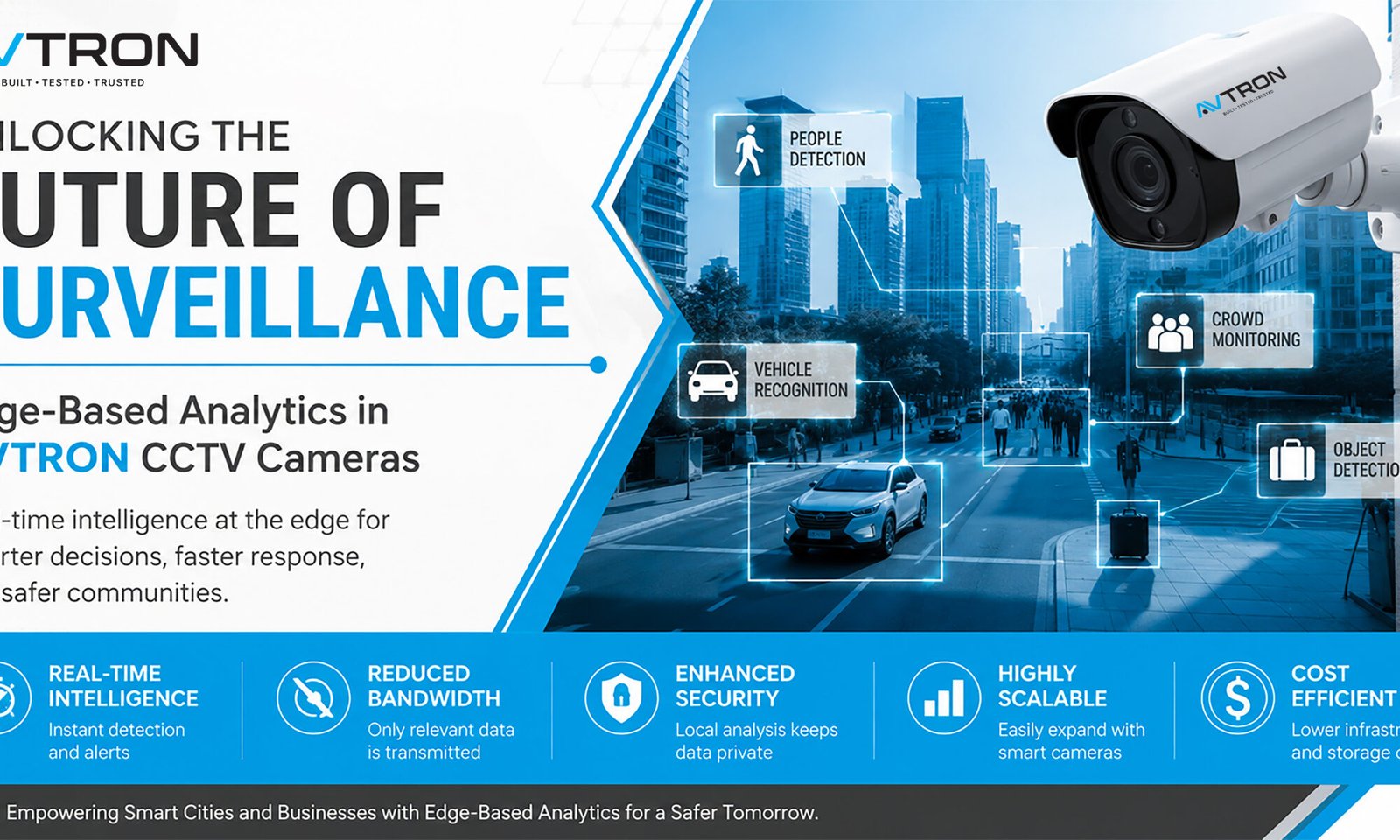
Unlocking the Future of Surveillance: Edge-Based Analytics in AVTRON CCTV Cameras

Edge-Based Analytics in CCTV Cameras with AVTRON AI camera showcasing real-time people detection, vehicle recognition, crowd monitoring, object detection, enhanced security, and intelligent video surveillance for smart cities and commercial applications.
Modern cities and enterprises are experiencing an explosion in data from surveillance cameras. As urban areas grow and safety needs intensify, traditional video analytics—where footage is sent to central servers for processing—can strain bandwidth, introduce delays, and limit real-time response capability. Enter Edge-Based Analytics in CCTV Cameras, a transformative shift in CCTV technology that AVTRON has made central to its newest camera range.

What Is Edge-Based Analytics?

Edge-based analytics refers to the process of analyzing video data directly on the device itself, such as inside the camera, encoder, or a local recording unit, rather than relying solely on distant servers or the cloud. This paradigm leverage advanced processors and AI models embedded in the device, allowing the camera to review footage, detect incidents, and generate actionable insights—all locally, as data is captured. Edge-Based Analytics in CCTV Cameras with AVTRON AI camera featuring real-time people detection, vehicle recognition, crowd monitoring, object detection, and intelligent video surveillance. 
Key advantages of edge analytics include:

  • Reduced latency: Cameras process footage in real-time, enabling instant detection and alerts without the delay of sending data to a server.
  • Bandwidth savings: Only metadata, tags, or brief video clips relevant to incidents are transmitted; routine footage remains stored locally, cutting backhaul costs dramatically.
  • Enhanced privacy and security: Sensitive footage can be analyzed and redacted before it ever leaves the device, reducing exposure and supporting compliance.
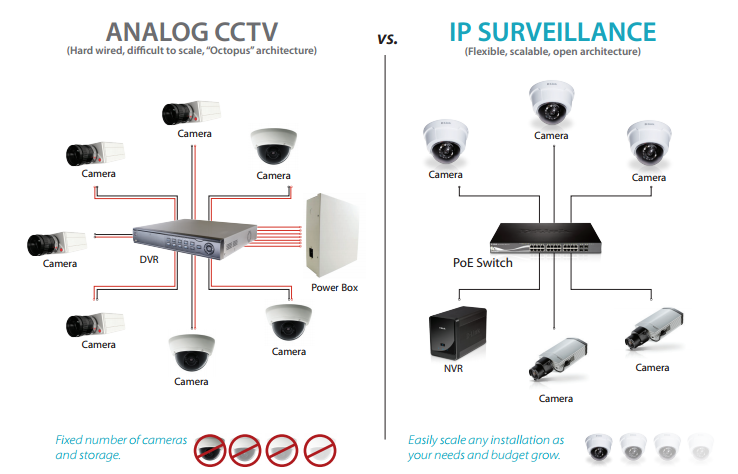
  • Scalability: Deploying smart cameras spreads processing loads across the network, making it easier and more affordable to add coverage.
How Edge Analytics Works in AVTRON Devices

AVTRON’s edge-powered cameras are equipped with AI chipsets and algorithms designed to handle video analysis tasks that previously required heavy server infrastructure. The cameras can:
  • Detect motion, recognize faces or license plates, spot loitering, count people, flag objects left behind, and monitor crowd density—all autonomously at the source.
  • Create real-time notifications for the security team as soon as a problem is identified, so they can take action before things get worse.
  • Store HD footage locally for later review, while sending incident clips and metadata to a central dashboard for oversight and coordination.

Practical Use Cases for AVTRON Edge Analytics

  • Smart City Surveillance: Monitor public squares, traffic intersections, and transportation hubs with little network infrastructure. Real-time analytics help direct law enforcement resources as events unfold, optimizing public safety.
  • Critical Infrastructure: Edge analytics protect vital sites like power substations, water treatment plants, and telecom towers, where unreliable connectivity demands local, autonomous security.
  • Retail & Commercial: Analyze foot traffic patterns, suspicious behaviour, or queue lengths—improving both security and operations insights for managers.
  • Event Security: Temporary deployments at stadiums, festivals, and rallies can rapidly scale up without burdensome servers, thanks to edge analytics.

Advantages Over Traditional Analytics

Centralized (traditional) analytics send all footage to a main server or cloud, offering unified management but raising costs and complexity for large deployments. Edge analytics, by contrast, excel where fast reaction, local privacy control, or low connectivity matter most. This model is ideal for expanding networks, pop-up sites, or mission-critical infrastructure—where seconds can make a difference, and bandwidth may be at a premium.

Why Choose AVTRON Edge Analytics?

AVTRON’s edge-enabled cameras deliver:
  • Real-time intelligence: Local processing and instant alerting for quick incident response.
  • Operational efficiency: Lower bandwidth usage and storage requirements, reducing long-term expenditure.
  • Scalable architecture: Add smart cameras easily as needs expand, without overhauling server infrastructure.
  • Data security: Local analysis and customizable retention policies ensure sensitive footage is protected.

Edge-Based Analytics in CCTV Cameras for smart cities, commercial buildings, and critical infrastructure using AVTRON AI surveillance solutions.

Future proofing Urban Security

AVTRON is dedicated to supporting the smart cities and businesses of the future using edge-based analytics in CCTV Cameras. Our technology empowers rapid decision-making, cost-effective deployments, and safe, reliable monitoring—even in challenging environments. Whether your organization is mapping out a citywide surveillance grid, safeguarding remote assets, or optimizing retail environments, AVTRON’s edge-powered solutions put actionable intelligence right where you need it.

Conclusion:

Ready to transform your security operations? Contact AVTRON today to learn how edge analytics unlocks smarter surveillance and greater peace of mind. Discover our full range of AI-driven cameras and take the next step toward an intelligent, connected future.

Best AI for CCTV Surveillance: Technology, Usage, and Applications

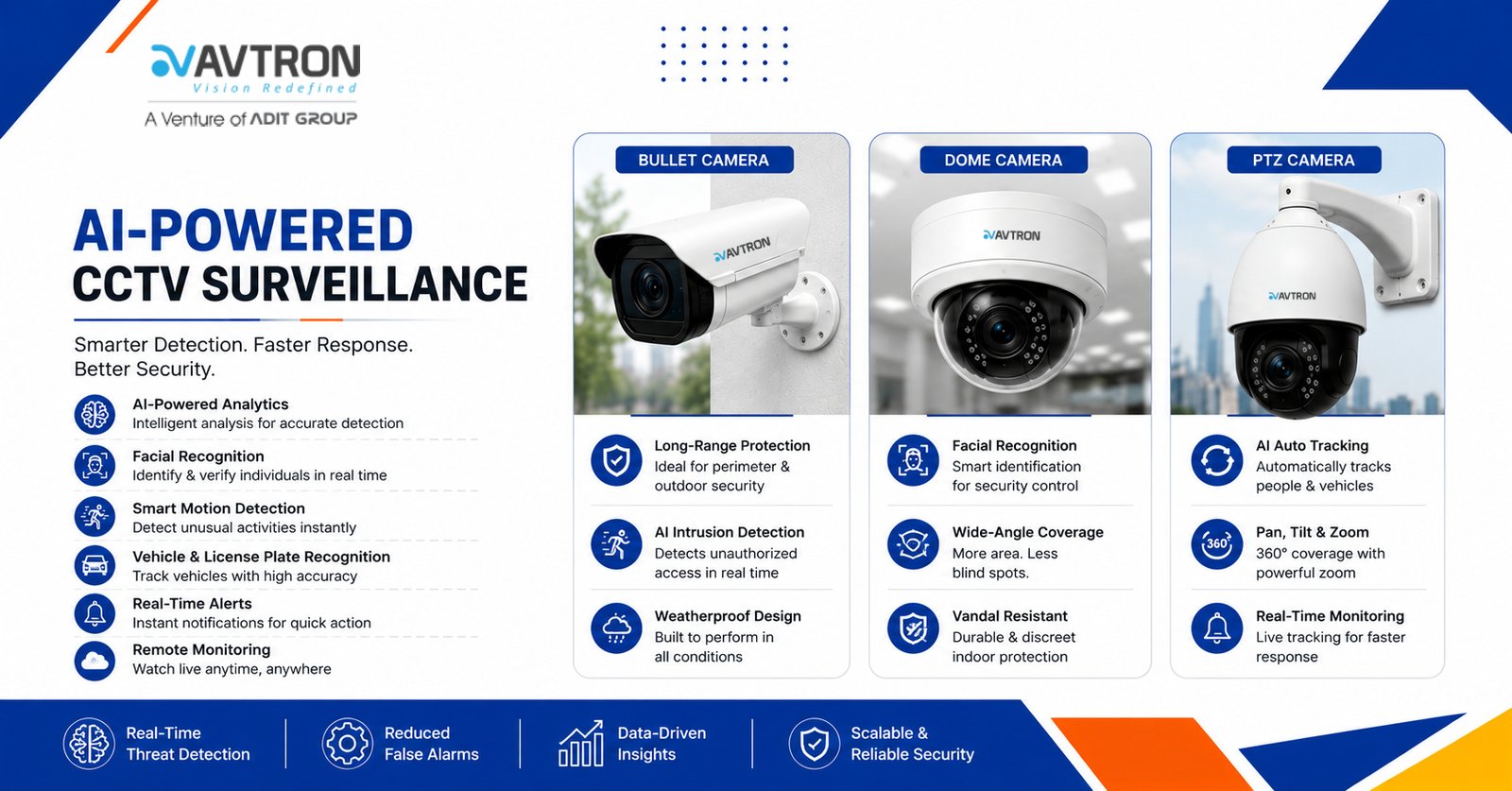
AVTRON AICCTV surveillance System featuring bullet, dome, and PTZ cameras with facial recognition, motion detection, intrusion alerts, and real-time monitoring.
Artificial Intelligence (AI) has significantly transformed CCTV surveillance, making security systems smarter, more efficient, and proactive. Conventional CCTV systems required continuous human observation, which frequently resulted in mistakes and inefficiencies. AI CCTV surveillance system, however, enables real-time analysis, automated threat detection, facial recognition, behavioral analytics, and anomaly detection without human intervention.This article explores the best AI technologies used in CCTV surveillance, how they function, and their real-world applications.

AVTRON AI CCTV surveillance system featuring a smart security camera with facial recognition, motion detection, real-time alerts, and vehicle monitoring.

AI Technologies for CCTV Surveillance

Modern AVTRON AI-powered CCTV systems integrate various technologies to enhance surveillance capabilities. The most effective AI models used in surveillance include:
  1. Deep Learning and Neural Networks
Deep learning, a subset of machine learning, enables CCTV cameras to recognize patterns, identify faces, detect objects, and analyze movement with high accuracy. Convolutional Neural Networks (CNNs) process video feeds in real-time, distinguishing between humans, vehicles, and objects while reducing false alarms.
  1. Computer Vision
Computer vision allows AI-powered surveillance systems to interpret and analyze visual data from CCTV footage. It enables:
  • Facial recognition to identify individuals
  • License plate recognition for vehicle tracking
  • Behavior analysis to detect suspicious activities such as loitering or sudden movements
  • Crowd density monitoring for public safety
  1. Edge AI Processing
Instead of relying solely on cloud-based AI, Edge AI processes data directly on CCTV cameras or local devices, reducing response time and bandwidth usage. This is essential for real-time threat detection in locations with limited internet access.
  1. Natural Language Processing (NLP) and Audio Analytics
AI in CCTV systems is increasingly integrating audio recognition to detect suspicious sounds such as gunshots, screams, breaking glass, or alarms. NLP enables the AI to analyze spoken words in monitored areas, adding another layer of security.
  1. Anomaly Detection with AI Algorithms
AI-powered CCTV systems can learn typical patterns of behavior and identify anomalies, such as:
  • Unusual movements in restricted areas
  • People lingering for extended periods in sensitive locations
  • Unauthorized access to certain zones
  • Detection of unattended objects
  1. AI-Powered Motion Detection and Object Tracking
Traditional motion detection often triggers false alarms from minor movements like falling leaves or small animals. AI-based motion detection improves accuracy by differentiating between relevant and irrelevant motion, ensuring only real threats trigger alerts. AI-based object tracking continuously follows an individual or object across multiple camera feeds.

Usage of AI in AVTRON CCTV Surveillance

AI-enhanced CCTV cameras are widely used for various security and monitoring purposes. Below are the key ways AI is utilized in surveillance systems:
  1. Facial Recognition for Identity Verification
AI-based facial recognition is used in security-sensitive environments such as airports, banks, government buildings, and corporate offices. It helps:
  • Identify authorized personnel and grant them access
  • If someone is trying to enter a restricted location without authorisation, flag immediately.
  • Match real-time footage against a database of known criminals
  1. Perimeter Security and Intrusion Detection
AI-driven surveillance improves security by spotting attacks in areas that are restricted. The system can:
  • Monitor fences, gates, and perimeters for unauthorized entry
  • Send instant alerts to security teams when an intruder is detected
  • Integrate with alarm systems and access control for an automated security response
  1. Traffic and Vehicle Monitoring
AI-based surveillance is widely used in traffic management and vehicle tracking. It can:
  • Recognize and read license plates
  • Identify speeding and reckless driving
  • Detect vehicles in no-parking zones
  • Monitor traffic congestion and provide insights for urban planning
  1. Smart City and Public Safety Surveillance
In smart cities, AI-powered CCTV cameras are being utilised more often to increase public safety. Applications include:
  • Monitoring large crowds to prevent stampedes or security threats
  • Detecting unattended bags or suspicious objects in public places
  • Surveillance in public transport hubs to ensure passenger safety
  1. Workplace and Industrial Surveillance
AI enhances workplace security by:
  • Monitoring employee behavior for compliance with safety protocols
  • Detecting potential workplace hazards such as spills or fire risks
  • Ensuring secure access control in restricted areas
  • Enhancing warehouse security by tracking inventory movements
  1. Home and Small Business Security
For homeowners and small businesses, AI-powered CCTV cameras provide:
  • Smart motion detection that differentiates between humans and animals
  • Automatic alerts to mobile devices in case of unusual activity
  • Integration with smart home systems for enhanced security
  1. Crime Prevention and Law Enforcement
Law enforcement agencies use AI surveillance for:
  • Tracking criminals in real-time
  • Analyzing crime patterns for predictive policing
  • Providing video evidence for legal proceedings
  • Monitoring high-risk areas to prevent illegal activities
  1. Healthcare and Patient Monitoring
AI-powered CCTV systems are also used in healthcare facilities to:
  • Monitor patient movement in hospitals and nursing homes
  • Detect falls or unusual behavior in elderly care facilities
  • Ensure compliance with hygiene protocols in medical environments

Advantages of AI-Powered AVTRON CCTV Surveillance

  • Real-Time Threat Detection: AI instantly identifies security threats, reducing response time.
  • Reduced False Alarms: Advanced motion detection and object classification minimize unnecessary alerts.
  • Cost-effective security: lowers operating costs by eliminating the need for sizable security staff.
  • Scalability: AI-powered CCTV systems can be expanded and integrated with other security technologies.
  • Data-Driven Insights: AI analytics provide valuable insights for crime prevention and urban planning.

 Advanced AI CCTV surveillance System for Intelligent Security, face recognition, human detection, smart tracking, cloud connectivity, and remote monitoring for enhanced security.

Conclusion

AI has transformed AVTRON CCTV surveillance, making it more efficient, accurate, and intelligent. AI CCTV surveillance system improve security in residences, workplaces, public areas, and law enforcement by utilizing deep learning, computer vision, and real-time analytics. The ability to detect threats in real-time, analyze human behavior, and integrate with smart technologies makes AI an indispensable tool for modern security. However, ethical considerations and regulatory compliance must be prioritized to ensure a balance between safety and privacy.As AI technology continues to evolve, CCTV surveillance will become even more advanced, offering improved security solutions for individuals, businesses, and governments worldwide.

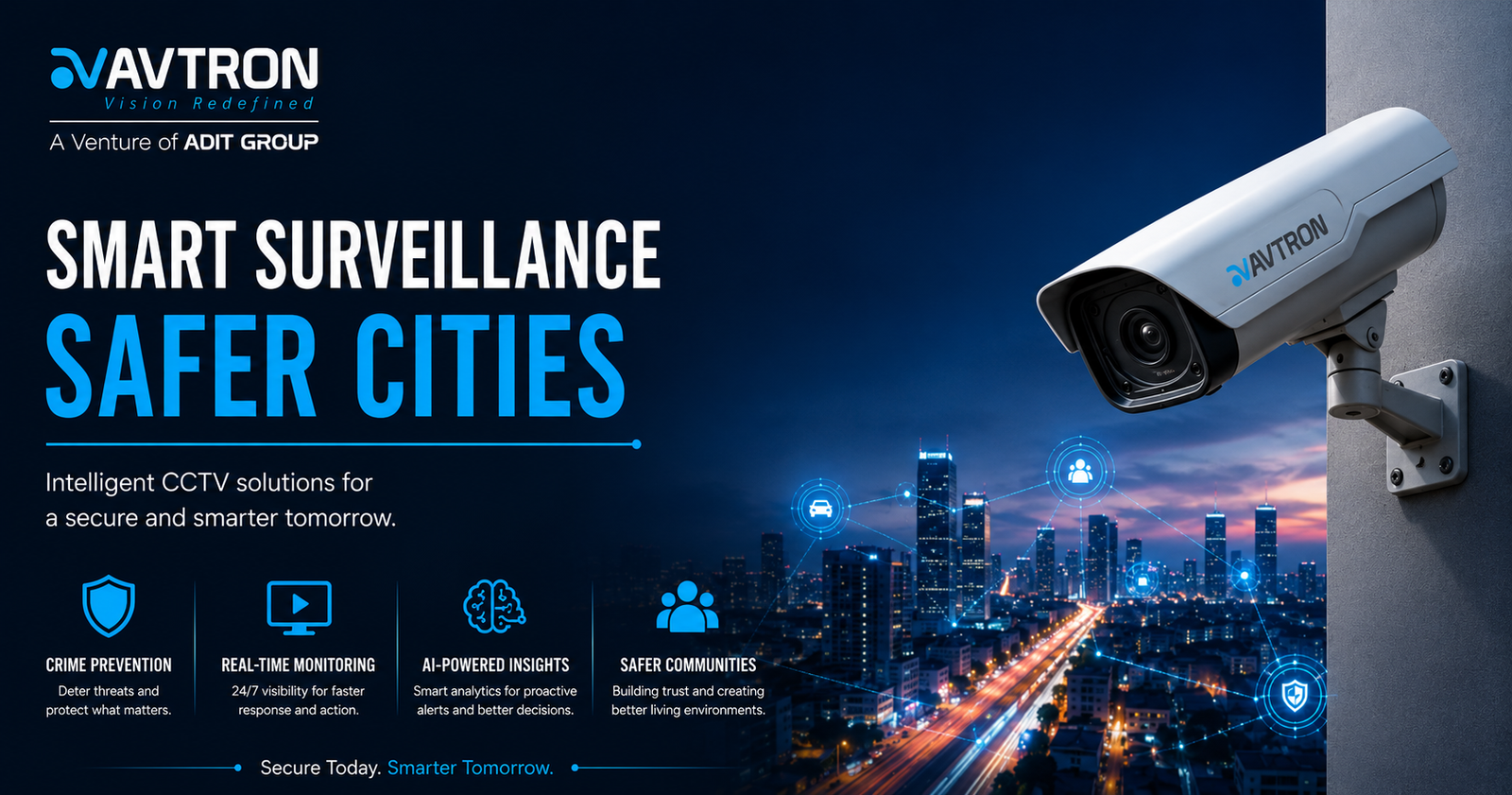
Why CCTV Matters for City Surveillance

AVTRON commercial CCTV surveillance solutions
Urban areas are dynamic and face diverse threats, ranging from crime and vandalism to emergency incidents and infrastructure challenges. Installing commercial CCTV surveillance solutions—especially robust, AI-enabled systems like those from AVTRON—ensures comprehensive monitoring of roads, junctions, transport hubs, parks, and municipal buildings. Their constant watch acts as a digital neighborhood patrol, deterring crime and promoting the safety of citizens.Visible CCTV placements reduce incidents of theft, vandalism, and violent crime, as potential offenders are aware that their actions are being recorded. This omnipresent deterrent effect is especially vital in crowded spaces and commercial districts. Additionally, high-definition video footage becomes invaluable for law enforcement in investigating incidents, providing court-admissible evidence, and speeding up criminal case resolution.AVTRON Commercial CCTV Surveillance Solutions for Smart City Protection

Intelligent Surveillance for Smart Cities

AVTRON leverages state-of-the-art AI analytics to elevate traditional surveillance. With features like real-time facial recognition, perimeter breach alerts, loitering detection, and automated crowd management, AVTRON cameras transform raw footage into actionable intelligence. This empowers urban authorities to quickly respond to suspicious activities, missing object alerts, unauthorized access, and other security breaches—often before incidents escalate.During major events and peak hours, AVTRON’s commercial CCTV surveillance solutions and multi-camera networks enable command centers to monitor crowd flow, identify emergencies, and coordinate evacuation or disaster response. AI-driven insights also help track traffic density, optimize routing, and prevent illegal parking—enabling streamlined urban mobility and safer roads for all.

Municipal Resource Management

Beyond safety, AVTRON cameras support municipalities by monitoring public infrastructure, such as roads, bridges, and street furniture for signs of wear and tear, enabling proactive maintenance. Automated video analysis helps optimize waste collection by detecting overflowing bins or illegal dumping, while monitoring public transportation for efficiency and security.Continuous, fatigue-free surveillance across critical city zones means issues like equipment damage, overcrowding, and environmental hazards can be caught early, keeping city services running smoothly.

Benefits of AVTRON CCTV for Cities

  • Crime Prevention: Strategic placement of AVTRON CCTV deters criminal activity and protects people and assets in public areas.
  • Evidence & Accountability: Recorded footage supports investigations, judicial proceedings, and transparent governance.
  • Faster Response: Real-time alerts inform authorities of incidents, enabling quick intervention and effective disaster management.
  • Resource Optimization: AI analysis streamlines maintenance, waste management, and transport operations.
  • Community Trust: Visible security infrastructure builds public confidence and improves overall quality of life.

AVTRON: The Trusted Brand for Urban Security

With field-proven reliability, international certifications, and dedicated R&D, AVTRON is the surveillance partner of choice for cities evolving into smart communities. Their systems integrate seamlessly with municipal command centers and IoT platforms, future-proofing city investments and ensuring technology scales as urban needs grow.

Take Action to Protect Your City

Empower your city’s safety with AVTRON’s advanced commercial CCTV surveillance solutions. Transform surveillance from passive monitoring to active intelligence, and let security, efficiency, and transparency define the future of your urban landscape. For more details or a consultation, visit AVTRON Technologies LLC online and join the movement toward safer, smarter cities.AVTRON smart surveillance banner showcasing commercial CCTV surveillance solutions with AI-powered PTZ cameras, remote monitoring, and advanced business security.

Unlocking the Full Potential of Surveillance with AVTRON’s Video Management Software (VMS)

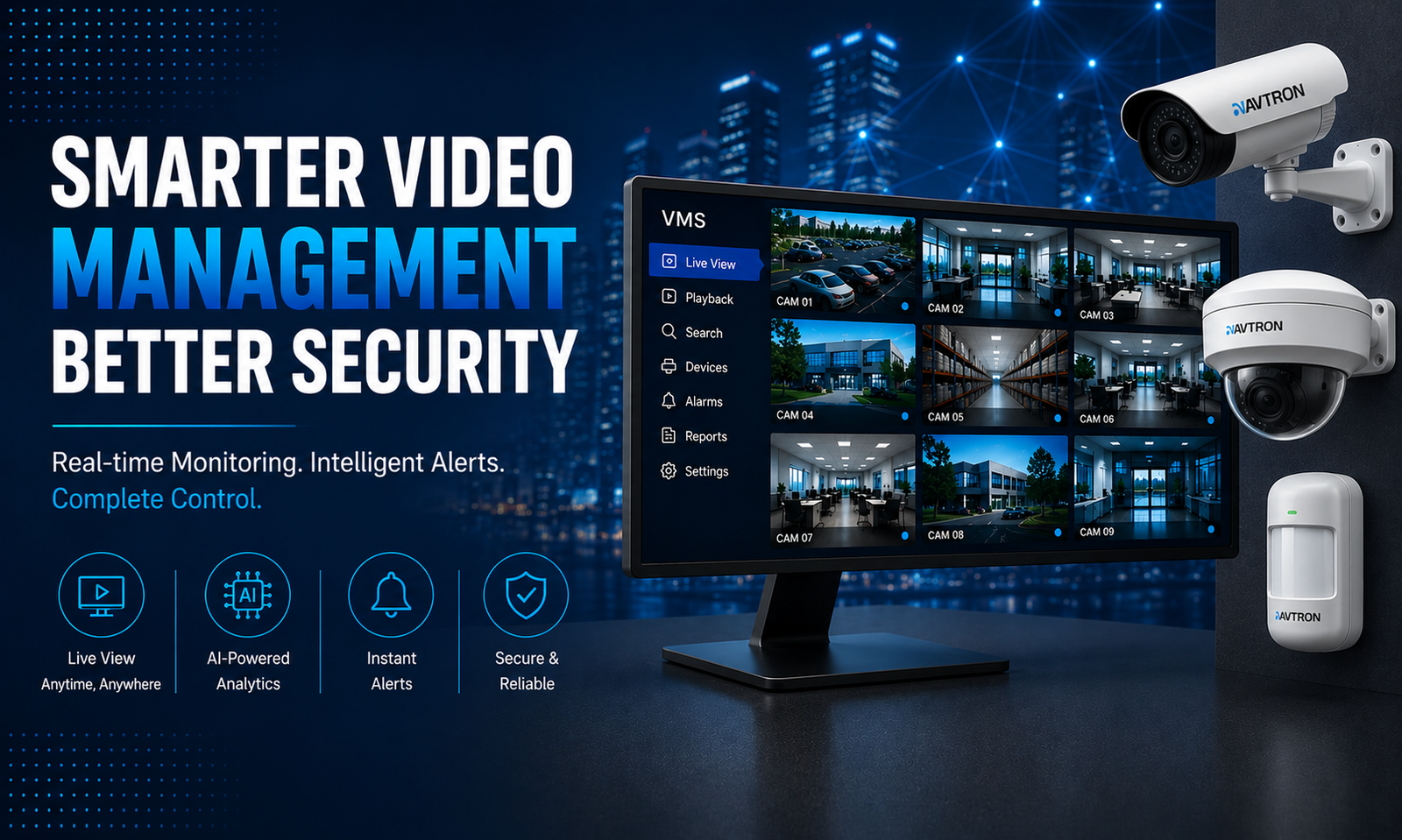
AVTRON Video Management Software (VMS) dashboard displaying multiple CCTV camera feeds with bullet camera, dome camera, AI-powered analytics, real-time monitoring, instant alerts, and centralized security management.
In today’s complex security landscape, CCTV cameras alone are not enough. Harnessing the full power of video surveillance requires sophisticated software that can manage, analyze, and make footage actionable. This is where Video Management Software (VMS) software comes in—a critical component that transforms a collection of cameras into a smart, unified security ecosystem. AVTRON’s cutting-edge VMS solutions empower organizations to maximize safety, efficiency, and responsiveness across any property or cityscape. AVTRON Video Management Software (VMS) dashboard displaying centralized CCTV camera monitoring, AI-powered analytics, real-time alerts, scalable security management, bullet camera surveillance, and intelligent video monitoring solutions.

What Is VMS and Why Does It Matter?

VMS software acts as the central nervous system of a surveillance network. It consolidates feeds from multiple AVTRON cameras into a single platform where users can view live footage, review recordings, configure settings, and receive real-time alerts. Unlike basic video recording solutions, VMS offers advanced analytics, device integration, and centralized control that are essential for managing modern security challenges efficiently.With AVTRON VMS, security teams gain more than just a video viewer—they receive a powerful toolkit to prevent incidents, respond swiftly, and leverage video as concrete evidence.

Key Benefits of AVTRON’s VMS Solutions

  1. Unified Camera Management and Real-Time Monitoring
AVTRON’s VMS allows seamless integration of all surveillance cameras—whether bullet, dome, or motorized—into one intuitive interface. Operators can monitor multiple feeds simultaneously with flexible layouts optimized for any device, from desktop control rooms to mobile smartphones.This centralized control improves situational awareness by bringing critical views into a unified dashboard. Security teams can quickly switch angles, toggle PTZ controls, and zoom in remotely to investigate incidents with precision.
  1. Intelligent Video Analytics for Proactive Security
Modern AVTRON VMS solutions embed AI-powered analytics to automatically detect unusual behaviours and threats in real-time. Features include:
  • Motion detection to trigger instant alerts.
  • Facial and license plate recognition for identifying persons and vehicles.
  • Loitering, intrusion, and object removal detection for enhanced perimeter security.
  • Crowd management for event safety and urban monitoring.
These automated insights mean security personnel can focus on genuine threats, reducing false alarms and improving response times dramatically.
  1. Efficient Video Storage and Playback
Video footage is a critical asset, but managing vast amounts of data can be cumbersome. AVTRON Video Management Software (VMS) optimizes storage using intelligent recording schedules, compression technologies, and retention policies based on user needs. Searching through recorded video is fast and easy with timeline markers, event filters, and clip export options that enable rapid investigation and evidence retrieval.Whether you need to look back minutes or days, AVTRON’s VMS reduces time spent on post-event analysis, accelerating your security workflows.
  1. Seamless Integration with Third-Party Systems
Security ecosystems often include various technologies beyond cameras. AVTRON’s VMS supports integration with access control, alarm systems, fire detection, and building management solutions, creating a holistic safety framework.Integration means alarms can trigger camera recording, access control denials can prompt live monitoring, and video evidence can complement intrusion reports. This synergy significantly enhances operational oversight and incident management.
  1. Remote Accessibility and Cloud Capability
In today’s connected world, security operations cannot be tethered to a physical location. AVTRON’s VMS provides secure remote access via web portals and mobile applications, enabling managers and guards to monitor facilities from anywhere at any time.Cloud-based architectures extend these capabilities with scalable storage, automatic updates, and simplified maintenance—allowing organizations to grow surveillance coverage without infrastructure hassles.
  1. Strong Data Security and Compliance
Handling video data responsibly is paramount. AVTRON VMS incorporates multiple layers of security including user access controls, role-based permissions, encrypted transmissions, and detailed audit logs. These features help meet legal and regulatory requirements such as GDPR and local privacy laws, protecting both organizations and individuals from data breaches or misuse.

Real-World Impact: AVTRON VMS in Action

Across smart cities, educational campuses, hospitals, retail environments, and critical infrastructure sites, AVTRON’s VMS drives unparalleled security results:
  • Law enforcement uses real-time video monitoring and automated alerts to prevent crimes before they escalate.
  • Facility managers access live feeds and recorded evidence remotely, maintaining safety even offsite.
  • Retailers analyze customer flow and detect theft or suspicious behavior quickly.
  • Event coordinators manage crowd control and emergency responses with intelligent video insights.
Each use case highlights the flexibility and effectiveness of AVTRON’s integrated video management approach. AVTRON Video Management Software (VMS) displaying multiple CCTV camera feeds, real-time monitoring, AI-powered analytics, instant alerts, centralized surveillance management, bullet camera, and security monitoring dashboard.

Why AVTRON for Your Video Management System?

AVTRON stands out with its commitment to cutting-edge innovation, reliability, and customer-centric design. Our VMS solutions offer user-friendly interfaces backed by powerful AI and robust cybersecurity. With AVTRON, organizations achieve more secure, efficient, and scalable video surveillance networks tailored to diverse operational needs.Choosing AVTRON VMS means choosing a partner invested in your safety—providing ongoing support, training, and updates to keep your security ecosystem future-proof.

Take the Next Step toward Smarter Surveillance

Don’t settle for disjointed security systems or inefficient video handling. Harness the full power of AVTRON’s Video Management Software to unify, analyze, and secure your surveillance infrastructure. Contact AVTRON Technologies today for a personal consultation and discover how our Video Management software (VMS) can redefine your approach to safety and operational intelligence.Secure your environment. Empower your team. Elevate your surveillance with AVTRON.

10 Key Benefits of Installing AI Security in AVTRON Cameras

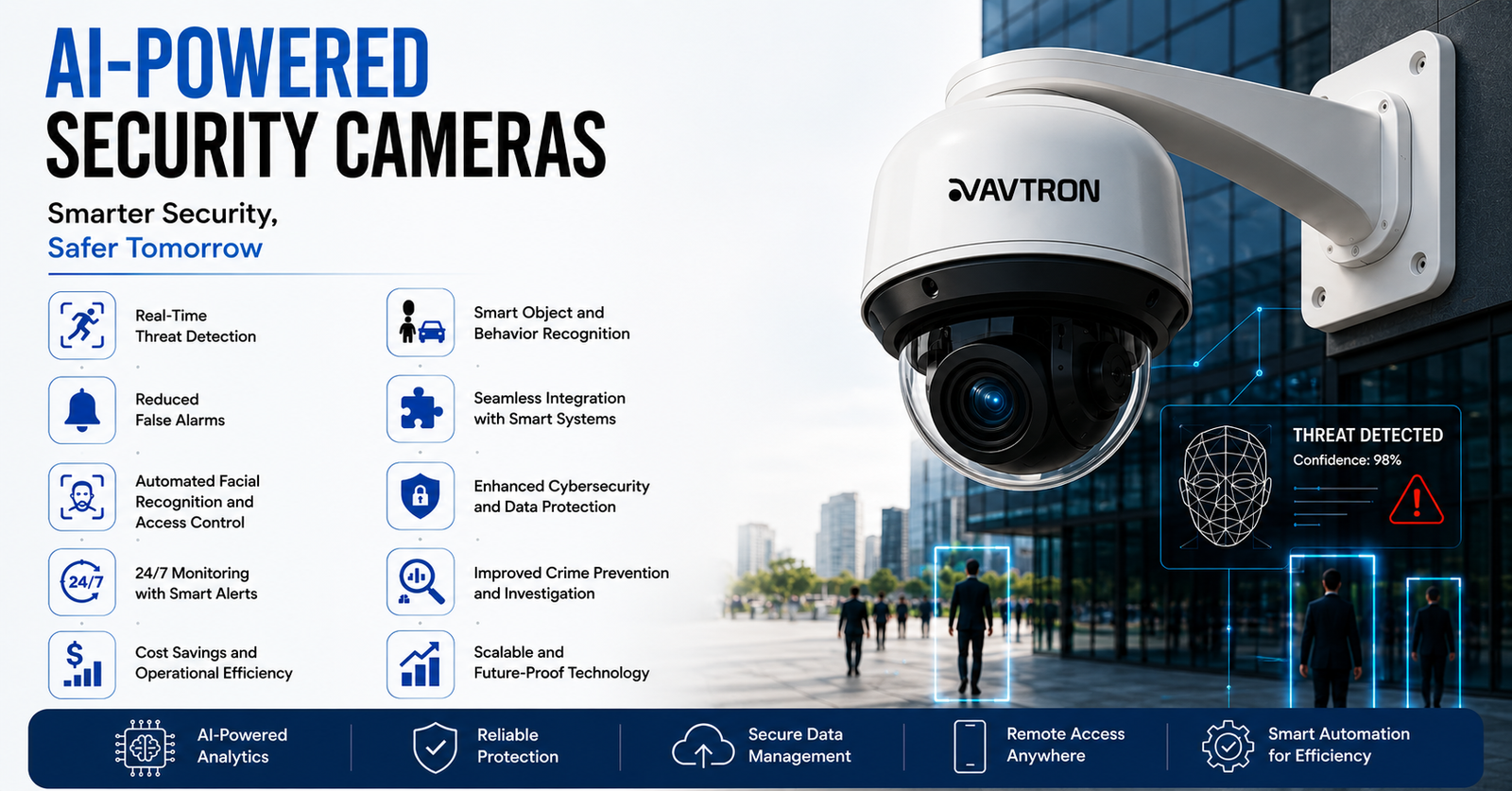
AVTRON AI-powered security camera with real-time threat detection, facial recognition, smart analytics, cybersecurity protection, and advanced video surveillance technology.
Artificial Intelligence (AI) has transformed surveillance systems, making them more advanced, efficient, and proactive. Traditional CCTV cameras were limited to passive recording, requiring human monitoring to identify threats. AI security cameras, however, leverage machine learning, deep learning, and computer vision to analyze footage in real-time, detect anomalies, and provide automated alerts. These intelligent surveillance systems are being widely adopted in homes, businesses, public spaces, and law enforcement.This article explores 10 key benefits of installing AI with AVTRON cameras and how they enhance security, efficiency, and automation. 

Avtron AI-powered PTZ CCTV security camera with motion detection, facial recognition, smart alerts, and advanced video surveillance for commercial security applications.

Real-Time Threat Detection

One of the most significant advantages of AI security cameras is their ability to detect threats instantly. Unlike traditional cameras that only record footage for later review, AI-powered cameras use real-time video analytics to identify:
  • Unauthorized access to restricted areas
  • Suspicious activities, such as loitering or unusual movement
  • Dangerous objects like weapons or abandoned bags in public places
Upon detecting a potential security threat, the system sends instant alerts to security teams, law enforcement, or homeowners, allowing for quick intervention.

Reduced False Alarms

Conventional motion-based CCTV systems often trigger false alarms due to environmental factors like wind, animals, or moving shadows. AI security cameras use smart motion detection and object classification to:
  • Differentiate between humans, animals, and objects
  • Ignore irrelevant movements caused by weather or lighting changes
  • Focus only on real security threats
This significantly reduces unnecessary alerts, ensuring that security teams focus on actual risks rather than false positives.

Automated Facial Recognition and Access Control

AI security cameras equipped with facial recognition technology provide a higher level of security for homes, offices, and public spaces. Benefits include:
  • Identifying authorized personnel for seamless access control
  • Detecting and flagging unauthorized individuals
  • Matching real-time footage against a database of known criminals
This is particularly useful in high-security areas like airports, banks, and government buildings where strict identity verification is required.

24/7 Monitoring with Smart Alerts

AI surveillance cameras offer continuous monitoring without requiring constant human supervision. Advanced features include:
  • AI-powered night vision for low-light surveillance
  • Automated alerts sent to smartphones, tablets, or control centers
  • Integration with alarm systems to trigger sirens or emergency responses
Unlike human operators who may experience fatigue or distractions, AI never stops analyzing footage, ensuring round-the-clock security.

Cost Savings and Operational Efficiency

AI security cameras reduce the need for large security teams, cutting down labor costs while improving surveillance efficiency. Other cost-saving benefits include:
  • Lower maintenance costs due to smart analytics reducing false alarms
  • Efficient storage management by recording only relevant events
  • Minimized security breaches, preventing financial losses caused by theft or vandalism
This makes AI-powered surveillance systems a cost-effective solution for businesses and homeowners alike.

Smart Object and Behavior Recognition

Traditional CCTV systems only capture footage, leaving security teams to manually analyze events. However, AI security cameras use behavioral analytics to understand and interpret behaviors. These systems can:
  • Detect suspicious activities like trespassing, fights, or unattended baggage
  • Identify dangerous objects such as weapons or explosives
  • Recognize aggressive behavior in public places and alert security teams
This makes AI surveillance ideal for crime prevention and proactive security measures.

Seamless Integration with Smart Systems

AI security cameras can integrate with other smart security systems, such as:
  • Alarm systems, triggering an automatic response to detected threats
  • Smart locks, enabling or disabling access based on facial recognition
  • IoT devices, allowing remote control of lights, sirens, or emergency protocols
This enables a fully automated security ecosystem, making buildings, homes, and public spaces safer and more intelligent.

Enhanced Cybersecurity and Data Protection

As surveillance systems become increasingly connected to the internet, cybersecurity threats are a concern. AI-powered security cameras include advanced encryption and security protocols to:
  • Protect video footage from hacking or tampering
  • Secure cloud storage with multi-layer authentication
  • Ensure GDPR and data privacy compliance to protect individuals’ rights
These security measures prevent unauthorized access to surveillance data, ensuring safety and privacy.

Improved Crime Prevention and Investigation

AI surveillance cameras not only record crimes but actively prevent and investigate them more efficiently. Benefits include:
  • Predictive analytics, identifying high-risk areas based on historical data
  • License plate recognition, helping track vehicles involved in criminal activities
  • Facial recognition databases, aiding in suspect identification
Law enforcement agencies can use AI-enhanced footage to solve crimes faster and more accurately.

Scalable and Future-Proof Technology

AI security cameras are highly scalable, making them suitable for both small homes and large-scale enterprises. Benefits include:
  • Easy integration with additional cameras or AI features as security needs grow
  • Regular AI software updates to improve threat detection and analytics
  • Compatibility with future smart city and business automation technologies
This future-proof capability ensures that AI surveillance systems remain effective and relevant as technology advances. Avtron AI security cameras featuring human detection, vehicle detection, smart alerts, data protection, and real-time analytics for intelligent video surveillance and commercial security monitoring

Conclusion

AI-powered security cameras are a major advancement in the field of surveillance. Their ability to detect threats in real-time, minimize false alarms, and provide intelligent automation makes them a superior choice over traditional CCTV systems.From home security and business protection to law enforcement and public safety, AI security cameras offer unmatched security, efficiency, and automation. As AI continues to evolve, these systems will become even more advanced, integrating with smart cities, IoT ecosystems, and predictive analytics to create safer environments.Investing in AI surveillance is not just about security—it’s about building a smarter, more efficient, and future-ready safety infrastructure.

The Evolution of PA Systems: Why IP is the Future for Safety & Communication

The Evolution of PA Systems: Why IP is the Future for Safety & Communication
Hello! Have you ever tried to make an important announcement in a large, noisy space only to have the message sound muffled and unclear? Or perhaps you’ve experienced the frustration of trying to manage a sprawling audio system from one central room?You’re not alone! For decades, the Public Address (PA) system has been the backbone of institutional communication, but the demands of the modern world—especially in terms of safety and real-time communication—have pushed this essential technology to evolve.At AVTRON, we’ve seen this change firsthand, moving from traditional Analog systems to powerful, smart IP-based PA solutions. We’re here to guide you through this technological journey and show you why an IP system is now a strategic investment for your business.

🕰️ From Simple Speakers to Smart Networks: The Public Address System Evolution

The journey of the PA system is a fascinating one!

1. The Legacy: Analog PA Systems

For a long time, the traditional Analog PA system was the standard.
  • How it worked: It operated by sending an electrical audio signal over dedicated speaker wiring. Think of a simple, point-to-point connection—microphone to amplifier, amplifier to speakers.
  • The Pros: They are reliable, simple to set up for small, single-zone areas, and have a lower initial equipment cost.
  • The Cons (The Limitations of Legacy):
    • Signal Degradation: The audio quality often degraded over long cable runs, leading to that common, fuzzy sound you might remember from old schools or factories.
    • Limited Flexibility: Need to add a new speaker or zone? You had to run new, dedicated cables. This made expansion (scalability) difficult and costly.
    • Siloed Management: Management was centralized and purely manual. You couldn’t easily integrate it with other systems like your fire alarm or CCTV.
IP PA System Solution

2. The Revolution: IP-Based PA Solutions

The IP-based PA system (or IP Paging) fundamentally changed the game. It uses the same Internet Protocol (IP) network infrastructure as your computers, phones, and surveillance cameras.
  • How it works: Audio is digitized, broken into data packets, and transmitted over standard Ethernet cables (CAT5e/6). Each speaker or device has its own IP address, just like a computer.
  • The Game Changer: This shift means your audio system becomes a part of your digital network, unlocking incredible flexibility and power.

🛡️ Why IP-Based PA Systems are Better for Safety & Communication

The technical shift from electrical signal (Analog) to digital data (IP) results in massive benefits for any modern facility.

1. Superior Audio Quality—Crystal Clear, Every Time

Do you know what’s useless in an emergency? An announcement you can’t understand.
  • Real Stat: Digital audio transmission maintains pristine quality regardless of the distance from the source. Unlike analog, where signal degradation occurs over long cable runs, IP audio remains consistent. This is vital for safety instructions or evacuation guidance to be perfectly understood.

2. Unmatched Scalability and Flexibility

  • Say Goodbye to Rewiring: Adding a new speaker or an entire zone is as simple as connecting a new device to a network switch. No expensive, disruptive, dedicated audio cabling required!
  • Zone Management: With IP, creating, modifying, or deleting an audio zone is a software function, not a hardware rewire. You can target a message to a single office, a whole floor, or the entire campus with a click.

3. Seamless Integration: The Communication Backbone

This is where IP truly shines, especially for safety. IP systems are designed to talk to other smart systems.
  • Emergency Overrides: Integrate your PA with your Fire Alarm and Security Systems. If a fire alarm is triggered in Zone C, the PA system can automatically broadcast a pre-recorded evacuation message specifically for Zone C, while playing background music in all other zones.
  • Case Study Example: Imagine a large university campus. AVTRON implemented an IP PA system that integrated with their existing VoIP phones. Now, security staff can make a targeted announcement to any building instantly, right from their desk phone. This level of rapid, targeted communication is impossible with a traditional Analog setup.

4. Cost Efficiency & Simplified Maintenance

While the initial equipment investment for IP might be slightly higher, the long-term cost benefits are compelling:
  • Reduced Cabling & Labor: You leverage your existing network infrastructure, saving substantially on new wiring and installation labor. Many IP speakers use Power over Ethernet (PoE), meaning one cable delivers both data and power!
Centralized & Remote Management: You can monitor, manage, and even diagnose system issues from a centralized software interface, even remotely, cutting down on maintenance time and costs.Centralized & Remote Management

🛠️ Complete Setup Guide for an IP-Based PA System

Thinking of making the switch? Here is a simplified look at the core components of an AVTRON IP PA solution:

Step 1: The Core Brain

  • The Controller/Server: This is the heart of the system—often a PC running specialized IP PA Management Software. It’s where you manage zones, schedules, recordings, and integrations.

Step 2: Input Devices

  • IP Paging Microphones: These connect directly to the network. They allow authorized personnel to make announcements from any network point.
  • Integration Points (Encoders): If you need to keep some legacy analog equipment (like an old mixer) or integrate a new audio source, an IP Encoder converts the analog signal into a digital IP data stream.

Step 3: Output Devices (The Speakers)

  • IP Speakers: These are the simplest solution. They have a built-in amplifier and decoder, connecting directly to the network switch via a single Ethernet cable (often using PoE).
  • IP Amplifiers + Standard Speakers: For large coverage areas or outdoor horn speakers, an IP Amplifier connects to the network, converts the digital signal, and drives high-power analog This is great for hybrid setups.

Step 4: The Network Foundation

  • Standard Network Switches (PoE enabled): The system relies on your existing or new data network. PoE switches are highly recommended as they power the IP speakers and devices, eliminating the need for separate power outlets.
AVTRON Advantage: We offer end-to-end solutions, meaning we handle the design, supply of both IP and Analog equipment, and full system integration, ensuring your transition is seamless.PoE switches

❓ IP or CCTV: Which Camera is Better for Night Security?

This is a great question often asked when planning a comprehensive security and communication strategy!When looking for a camera for night security, the choice isn’t so much “IP or CCTV,” but rather “Analog HD or IP (Digital)”—since CCTV can refer to both older analog and newer analog HD systems.The Answer is Clear: IP is Superior for Modern Night Security.
FeatureIP Camera (Digital)Analog Camera (Modern HD-over-Coax)
Video SignalDigital Data (Superior Quality)Analog Signal (Lower Quality Potential)
ResolutionUp to 4K (8MP) and beyond.Typically limited to 1080p (2MP) or 5MP.
Night VisionAdvanced Starlight/DarkFighter Technology for color images in low light; Smart IR.Basic Infrared (IR) that often results in lower-quality, black-and-white images.
IntelligenceBuilt-in Video Analytics (AI): Facial Recognition, Line Crossing, Crowd Detection.Very limited or requires an expensive centralized recorder (DVR).
ConnectivityConnects to the network; easy remote access and integration.Requires dedicated coaxial cable back to the DVR.
Why IP Wins for Night Security:Modern IP cameras are equipped with larger, more sensitive sensors and advanced image processing (like Avtron’s AI CCTV cameras) that can capture usable, even color, video in near-dark conditions. Traditional analog systems simply lack the resolution and low-light technology to provide the critical detail you need when the lights go down.

🔮 Future Trends in PA Technology

The Public Address system is no longer just for making announcements. The future, driven by IP, is all about Intelligent Communication:
  • Text-to-Speech: Converting written alerts into announcements instantly—ideal for quick safety messaging.
  • IoT & Sensor Integration: The PA system being triggered by an environmental sensor (e.g., automatically announcing a high-temperature warning in a server room).
  • Growth in India: As smart city projects and modern infrastructure in India expand, the demand for scalable, integrated IP PA systems is skyrocketing. Companies are prioritizing integrated safety systems, and IP is the key enabler.

Ready to Upgrade Your Communication & Safety?

Whether you are running an aging analog system or planning a new smart facility, the move to an IP-based PA solution offers unparalleled power, flexibility, and safety.AVTRON is your trusted partner. We specialize in providing robust, high-quality IP and Analog PA setups and end-to-end solutions tailored for your industry—from corporate offices and hospitals to large educational campuses.

What is an IP-Based PA System and How Does It Work?

What is an IP-Based PA System and How Does It Work

What is an IP-Based PA System and How Does It Work?

An IP-based PA (public address) system sends announcements as digital audio over a network, unlike traditional analog PA. In simple terms, network speakers connect to switches just like computers. IP speakers receive audio data over Ethernet (often using Power-over-Ethernet) and play it, with built-in amps and DSP. This means one cable carries both power and sound to each speaker. An IP PA system typically includes microphones or audio sources, a central controller (paging console or server), Ethernet switches (and PoE), amplifiers, and IP speakers.For example, AVTRON describes its IP PA as a system with “IP speakers, IP paging microphones and software” for zone announcements over an IP LAN/WAN. Because the audio is packetized, it stays clear over long distances and can be controlled centrally. You just plug IP speakers into the network and they appear in the PA software. There’s no need to run separate audio wiring everywhere, making installation simpler than with wired analog systems.IP speakers, IP paging microphones and software

Why Use an IP PA System in Malls and Industries?

IP PA systems are ideal for large venues like shopping malls, airports, and factories. They bring flexibility, quality and control not possible with old-school PA. Key benefits include:
  • Scalable & Flexible – New speakers just join the network. No new wiring. In a big mall, adding another zone is as easy as plugging in an IP speaker. This flexibility is great when a mall expands or a factory adds buildings.
  • Centralized Control & Monitoring – You can manage all zones remotely. Administrators can trigger any announcement, update music, or test speakers from one console. Each device reports its status back, so you know instantly if a speaker fails. Even across multiple stores, management stays unified.
  • High Audio Quality – Digital signals deliver clear, consistent sound. Background music and ads in a mall sound crisp, and emergency alerts cut through noise without static. IP setups often include digital signal processing (DSP) to equalize and optimize audio.
  • Advanced Messaging – You can schedule BGM and announcements by time or event. For instance, playing welcoming messages on opening, promos at noon, or special reminders on holidays. Zones are easy – tell shoppers in just the food court about a sale, or remind staff in a warehouse area about a break.
  • Emergency Integration – Safety is improved. IP PA easily links with fire alarms, door sensors or intercoms. In a fire, the system can automatically broadcast evacuation instructions with high priority. Malls can install one-touch emergency intercoms at key points so people can call for help instantly. These features ensure clear instructions and fast response when it matters.
In practical terms, businesses see real benefits. For example, a national retail chain can manage all store speakers from headquarters – broadcasting promotions or closing-time bells across locations with a click. Factories use rugged IP horn speakers to warn workers at specific conveyor belts while machines run, ensuring safety without needing extra amplifiers. Even schools can schedule bells and lockdown alerts to precise buildings over the network. Overall, IP PA makes it easy to reach the right people at the right time, and even ties into security systems if needed.Analog vs IP PA Systems: Key Differences

Analog vs IP PA Systems: Key Differences

Choosing between an analog PA and an IP PA comes down to scale and features. Here are the main differences:
FeatureAnalog PA SystemIP PA System
Audio QualityGood, but quality drops over long cable runsHigh-definition audio with minimal loss
ScalabilityLimited – adding zones requires extra wiring & amplifiersHighly scalable – add zones via network
Cabling RequirementsHeavy cabling (speaker wires, loop lines)Single Ethernet cable for power + audio (PoE)
Installation CostLower upfront costHigher initial investment
MaintenanceManual checking; faults hard to traceCentralized monitoring & auto alerts
Control & ZoningBasic zoning; changes require rewiringAdvanced grouping, dynamic zones, instant updates
IntegrationLimited integration with CCTV/FireFully integrates with CCTV, Fire, Access Control
Emergency AnnouncementsWorks but limited automationAutomated alerts, text-to-speech, priority messaging
Remote AccessNot possibleFull remote management via software/app
Audio RoutingFixed wiring pathFlexible routing over LAN/WAN
ReliabilityGood but cable-dependentHigh – network redundancy options
Use Case SuitabilitySmall offices, schools, warehousesMalls, industries, airports, hospitals, smart buildings
Future ProofingLowVery high (IoT-ready)
 

How Can IP PA Systems Enhance Security and Emergency Communication?

IP PA isn’t just for music and announcements; it’s a critical tool for safety. By design, IP systems integrate with emergency infrastructure:
  • Alarm Integration: IP PA can link with fire, gas or intrusion alarms. When an alarm triggers, the system instantly broadcasts pre-recorded evacuation instructions throughout the facility. The digital network ensures even distant speakers get the message without delay or distortion.
  • One-Touch Alerts: In high-risk areas, you can install IP intercom or emergency call terminals. Pressing one button sends a live page or message and may stream video to security staff. For example, a mall could place an intercom at an entrance. Someone needing help presses it and an announcement calls for security immediately.
  • Lockdown & Critical Announcements: In schools or offices, IP PA can disseminate lockdown or shelter-in-place orders across specific zones. Unlike analog bells, these messages can go to exactly the impacted buildings or floors with tailored instructions.
  • Redundancy and Monitoring: Network PA systems often include health checks. If a speaker or network link fails, the system alerts the administrator. This means problems can be fixed before an actual emergency. And because IP PA runs on standard IT gear, it can be tied into backup power and network infrastructure easily.
Regulations also favor IP-based voice alarms. For instance, safety standards like EN 54-16 (Europe) and NFPA 72 (US) set performance requirements for PA/VA (voice alarm) systems during emergencies. Modern IP PA products are designed to meet these codes. The market data shows stringent fire and safety codes are a big driver for PA system upgrades worldwide. In practice, that means choosing IP PA helps building operators comply with laws and keep people safe.Example: A university campus replaced its old PA with IP speakers. Now, staff can broadcast real-time campus alerts from any computer, fire drills simulate actual voice instructions, and officers get alerts on handheld devices if an evacuation tone is triggered. This modern approach greatly improved response time and clarity during drills, compared to the limited buzzer system they had before. (Studies show coordinated emergency paging can cut evacuation times by 30–50%.)Set Up an IP-Based PA System

How to Set Up an IP-Based PA System: A Step-by-Step Guide

Getting an IP PA system running involves planning and the right components. Here are the key steps:
  1. Define Your Needs: Map out the areas to cover and zones needed. Decide if you want separate music channels, which areas need horns or loudspeakers, and where you’ll place microphones or paging stations.
  2. Gather Components: An IP PA typically includes a paging console/controller (this could be a PC with software or a dedicated unit), network switches (PoE switches for power and data), IP speakers (ceiling, wall, horn, etc.), IP amplifiers (if using analog speakers), and microphones or audio players. According to AVTRON’s guidelines, the core parts are sound sources (mics/CD/streaming), a controller, transmission (network), amplifiers, and speakers.
  3. Choose Architecture: For small-to-medium systems, a single network paging console with built-in server can manage up to ~30 IP endpoints. Larger sites might use multiple servers or software on PCs. You can also mix: use IP speakers where needed and drive existing analog 70V speakers with IP amplifiers. For example, one design scenario is “IP Amplifier + Analog Speakers,” where the IP device powers and processes audio, but the emitters are old-school horns or bells.
  4. Install Hardware: Mount speakers in planned locations. Run Ethernet cable from PoE switches to each IP speaker (or amplifier). Connect the network console to the LAN. Ensure switches and core network gear can handle the audio traffic (some systems use VLANs or QoS to prioritize PA audio).
  5. Configure the System: Assign IP addresses to all devices and register them with the controller software. Define zones and assign which speakers belong to each zone. Upload background music tracks if needed, and program scheduled events (e.g. “play music on Store_1 zone from 9am to 11am”). Also set up emergency priority channels: for instance, page on override to all zones when fire alarm input is triggered.
  6. Test and Tweak: Before going live, test each zone’s audio level and clarity. Try paging from each microphone. Verify that remote controls (like web or phone interfaces) work. It’s smart to run a fire drill announcement to check coverage and understand the delay (should be near-instant). Make adjustments to volume or speaker placement as needed.
  7. Train Personnel: Show staff how to use the paging console or software interface. Ensure duty officers know how to trigger emergency messages, change volume, or play recorded alerts. Because it’s software-based, giving multiple admins access (with passwords) is easy.
After installation, maintenance is straightforward. Many IP PA systems include monitoring dashboards that list all speakers and their health. You might see a red warning if one speaker loses power or network connectivity, so you can fix it before it becomes a problem. In short, an IP PA setup is a bit like any network project: plan your layout, hook devices into switches, configure settings, and you’re done – but with powerful software tools at your fingertips.diagram pa system

Why Choose AVTRON for Your PA and Security Solutions?

AVTRON is a leading provider of both IP and analog PA systems. Whether you need to upgrade to IP or maintain an analog setup, AVTRON offers end-to-end solutions – from speakers and amplifiers to paging consoles and software. Their IP-based PA products include IP speakers, paging microphones and management software, all designed to work over your LAN/WAN. And if you prefer analog, AVTRON supplies 70V amplifiers and conventional speakers too. In every case, AVTRON’s team can help design, install and support the system. This means you get professional guidance on choosing the right mix of equipment (IP vs analog), and on setting it up for your malls, factories, schools or hospitals. With AVTRON’s solutions in place, you’ll have clear, reliable announcements and alerts under one roof – today’s networks combined with proven audio technology.  

IP Cameras vs CCTV: A Modern Security Showdown

CCTV system over time can be costly

IP Cameras vs CCTV: A Modern Security Showdown

For years, traditional CCTV (closed-circuit analog cameras) was the standard for home and shop security. But today the trend is clearly shifting. In India, over half of new surveillance systems are now networked (IP) cameras. Avtron has fully embraced this shift – we focus only on IP cameras – because network cameras deliver crisper video and more flexibility than old-school analog CCTV. In this blog, we’ll explain the key differences between IP and analog CCTV, compare costs, and show why IP cameras are usually the better choice.avtron cctv camera image

What is Analog CCTV?

Analog CCTV cameras are the “old guard” of video security. Each camera sends its live video over a coaxial cable to a local recorder or monitor. They work without internet – which means they cannot be hacked online – but this comes at the cost of image quality and convenience.Traditional analog CCTV typically maxes out at standard-definition (around 720×480 pixels, or ~0.4 MP). This looks fine on a security monitor, but zooming into the video (for example to read a license plate) quickly becomes very grainy. Installation is also more complex: each analog camera usually needs a separate cable for video and another for power. Coaxial cables are bulky and heavy, and if audio or pan/tilt control is needed, that adds even more wires. In short, an old-style CCTV setup is sturdy and offline, but offers lower resolution and a cumbersome installation.Analog CCTV cameras

What is an IP (Network) Camera?

  IP cameras are the new generation of CCTV. They are digital cameras that connect to your local network (via Ethernet or Wi-Fi). In other words, they “speak the internet” – each camera is like a mini-computer that streams video over your network or the cloud. The benefits are huge.First, image quality: most IP cameras today deliver high-definition or ultra-HD video. Common resolutions range from 2 MP (Full HD) to 5+ MP (4K), which is 6–20 times higher than old analog CCTV. This means far sharper images; you can zoom in on an IP video and still see detail (faces, license plates) instead of blur.Second, installation: many IP cameras use PoE (Power-over-Ethernet) so one cable carries both power and data. No need for separate power lines. Some IP cams even work wirelessly or on battery for easy placement.Third, features: IP cameras often have built-in intelligence. They can detect motion or sound and send alerts to your phone. They can record to local network video recorders (NVRs) or automatically upload clips to cloud storage. And of course, remote access: you can view live video or recordings from any device (phone, tablet, PC) as long as you’re connected. In short, an IP camera is like having a mini server for each camera: higher resolution, easier install, and lots of smart features.IP Cameras vs CCTV

Key Differences: IP vs Analog CCTV

The main differences between IP (digital) cameras and analog CCTV can be summed up in a few categories: 
CategoryIP CameraAnalog CCTV
Video qualityHigh-definition (2MP–8MP+). Clear detail for ID and zoom.Standard or HD twin-channel. Lower detail; zoom becomes grainy.
Resolution & zoomTrue digital sensors. Zoom and crop without huge quality loss.Limited by sensor; digital zoom loses clarity quickly.
Cabling & powerEthernet (Cat5e/6). PoE option: one cable for power + data.Coaxial for video + separate power cable. More wiring.
Installation time & complexityFaster with PoE and network switches. Easier to add cameras.Slower — run multiple cables and power points for each camera.
Storage & recordingNVR, cloud, or hybrid. Flexible retention and offsite backup.DVR onsite. Limited expansion and fewer cloud options.
Remote access & mobileNative remote viewing via apps and web portals. Easy sharing.Remote access is clunkier; often needs special DVR setup or VPN.
ScalabilityPlug new cameras into network. Scales smoothly.Adding cameras often needs new DVR channels and extra wiring.
Smart features & analyticsBuilt-in motion, line crossing, people/vehicle detection, VMS integration.Requires external software/hardware for advanced analytics.
Night & low-light performanceModern sensors + IR/wide dynamic range and noise reduction. Better detail at night.IR works but lower resolution limits usable night detail.
Security (data)Supports encryption, secure logins, firmware updates. Network security features.Unencrypted analog signal by default. Physical tampering easier.
Maintenance & updatesRemote firmware updates. Easier troubleshooting via network.Firmware/feature updates are limited; more hardware swaps.
Bandwidth & latencyUses network bandwidth; adjustable bitrates. Minor latency on streaming.Low network impact (direct feed), but limited feature throughput.
Cost: initial vs long-termSlightly higher initial camera cost often offset by lower cabling/labor and better features long term.Lower initial hardware cost for basic setups; higher wiring and upgrade costs over time.
Future-proofingDesigned to evolve — software upgrades, analytics, higher resolutions.Aging standard. Limited headroom for new features and integrations.
Best use casesHomes, shops, campuses, smart city, remote monitoring, analytics-driven security.Very small, budget-constrained sites with no need for remote access or high detail.
 

Benefits of Switching from Analog CCTV to IP

If you’re still on analog CCTV, upgrading to IP cameras unlocks many benefits:
  • Sharper Images: As noted, higher megapixels mean clear identification of faces and details. A 5MP IP camera covers far more area and detail than a 0.4MP CCTV camera.
  • Real-Time Alerts: IP cameras often have onboard analytics. For instance, they can send a push notification if motion is detected. Traditional CCTV needs extra software or human watching to alert you.
  • Mobile Monitoring: With IP cameras, you (or your staff) can check the security feeds anytime from a smartphone app or web portal. This is great for shop owners who want to keep an eye on their store when offsite, or parents monitoring a baby at home.
  • Flexible Storage: Cloud storage options (or hybrid storage) mean you don’t need to manage local DVR disks. You get safer offsite backups and can watch old footage on-demand.
  • Advanced Features: Modern IP cameras offer features like digital zoom, pan/tilt/zoom (motorized), two-way audio, and integration with smart-home or POS systems.
  • Longevity and Updates: IP cameras are more “future proof.” You can often update their firmware or software to get new features. If your network improves (like getting a faster switch), the cameras automatically benefit.
  • Ease of Expansion: As your needs grow (a new shop location, or adding a gate camera at home), adding an IP camera is straightforward: just plug it in. No need to rewire the entire system.
  • Compliance and Analytics: In many industries, regulations now require higher video standards (e.g. clear facial images for security). IP systems can meet these needs. They also can include analytics like face recognition or intrusion detection – tools almost impossible on classic analog CCTV.

Installation and Cost Comparison

You might wonder: is IP really more expensive? Here’s the breakdown for an installation in India:
  • Equipment Cost: A pack of analog cameras and DVR might be slightly cheaper up front. However, IP camera prices have dropped significantly. One report highlights that entry-level IP cameras now cost only about 15% more than comparable HD analog cameras. With falling prices, that premium is minimal, especially for higher-end benefits.
  • Cabling Cost: Analog CCTV needs separate power lines. Often, an electrician has to be hired to run wiring for each camera. IP PoE cameras can run over one Ethernet cable (and sometimes via existing network wiring). This can cut labor costs. In fact, using PoE can eliminate a second electrician on site, since you only need a network technician or just plug-and-play.
  • Installation Labor: Analog systems usually require careful cable routing (coax, power, audio). IP systems are more plug-and-play; you may even self-install small IP cameras. Expanding a network is easier too. A BlackBox comparison notes that IP cameras “require less cabling” and can carry power, video, audio and control on one cable, whereas analog needs separate cables for each function.
  • Maintenance: Over time, analog DVRs might fail or need reformatting. With IP/cloud recording, maintenance is often simpler. You also avoid “forklift upgrades” – you can upgrade cameras or add analytics without ripping out old gear.
  • Long-Term Costs: While a CCTV kit may be cheaper for a few cameras, costs can climb if you need high-res, remote access, or to cover large areas. One industry analysis points out that CCTV is “more affordable at the initial purchase stage” but “expanding a CCTV system over time can be costly”. IP systems, by contrast, may have a higher initial price tag but scale inexpensively. With IP, you can leverage existing network hardware and avoid costly new DVRs for each expansion.
CCTV system over time can be costly

Night Security: IP or CCTV?

A common question is: Which camera is better for night vision, IP or analog CCTV? The answer is that modern IP cameras generally have the edge. Both analog and IP cameras can use infrared (IR) illumination to see in the dark, but IP cameras tend to have more advanced sensors and processing. For instance, Axis network cameras deployed at the Mysore Palace in Karnataka were chosen for their night capabilities: they used “Lightfinder” technology, enabling “extreme low light visibility.” These cameras captured color video in very dark conditions and delivered clear images. In practice, new IP cameras often come with powerful IR LEDs and noise-reduction algorithms, so they can pick out details even under moonlight.By contrast, many older analog CCTV units had weaker IR and lower resolution, so night images could be grainy and low-detail. (Some analog cameras were actually tuned for better low-light grayscale performance, but they still lacked the megapixels to zoom in.) In short, if night-time detail is crucial (e.g. a guardhouse camera or a dark backyard), a modern IP camera with enhanced night vision will usually be the better choice.IP or CCTV

Real-World Examples and Case Studies

Smart City Traffic Cameras: In Mohali, Punjab, the local authorities installed networked IP cameras at traffic intersections. On just the first day, the system automatically detected and logged 1,150 traffic violations (e-challans). This example shows how IP cameras feed into smart analytics: they watched for speeders and rule-breakers and instantly issued fines. An analog system could not have processed that many incidents in real time.Heritage Site Security: As mentioned, the Mysore Palace – a busy 72-acre complex – upgraded its old cameras to 125+ IP cameras. The new system covered entrances, parking, and crowd areas, all with remote monitoring. The palace’s security chief reported that with IP cameras, they now “monitor the entire palace and grounds even at night,” and guards get instant alerts for any breach. In other words, switching from analog to IP gave them full 24/7 coverage and much sharper night-time footage.Regulatory Compliance: Sometimes switching to IP is driven by rules. For example, the Reserve Bank of India now requires ATMs to have continuous high-resolution recording and clear facial images. Meeting those standards is basically impossible with legacy CCTV – it needs modern IP cameras. Many banks and offices in India have moved to IP simply to comply with such mandates.Home & Business Surveillance: For a typical house or small shop, IP cameras allow owners to watch video from anywhere via smartphone. Imagine a shop owner in Delhi who can open an app and see every corner of his store after hours. That kind of convenience is what IP provides. In surveys, homeowners report that remote mobile access and higher video quality are the top reasons they switched to IP security.

Frequently Asked Questions

  • Which is better for home/shop security: IP cameras or analog CCTV? In most cases, IP cameras are better. They give you HD video and let you watch remotely. Analog CCTV might suffice for a very simple, fixed setup, but it can’t match the clarity or convenience of IP.
  • How do IP cameras provide better image quality than CCTV? IP cameras use higher megapixel sensors (often 1080p or 4K). A black-box comparison notes that IP cameras transmit “truly digital signals” and therefore capture much more detail. If you zoom in on an analog camera image, it quickly looks grainy. With IP, you can zoom in on a 5MP frame and still see details clearly.
  • Is it more expensive to install IP cameras vs CCTV? The camera hardware for IP is slightly more expensive (about 10-20% more). But installation can be cheaper. IP cameras often use PoE, so you only run one Ethernet cable (and you may already have Ethernet wiring in place). An analog setup needs separate cables and sometimes an electrician for power lines. Also, adding extra cameras later is usually easier (and cheaper) with IP.
  • Can I switch my existing analog system to IP? Yes – many systems are hybrid. You can replace just one or two cameras with IP models and use a new IP recorder (NVR) that also accepts analog inputs. Eventually, you can phase out analog completely. In fact, hybrid recorders exist that digitize analog feeds so you can keep old cameras working on a network while you upgrade step by step.
  • Which camera is better at night security: IP or analog CCTV? Modern IP cameras generally win for night vision. They often have advanced low-light sensors and IR LEDs. For example, the Axis cameras at Mysore Palace provided “extreme low light visibility”. Many new IP models include features like WDR (wide dynamic range) and high-sensitivity modes that let them see in near-darkness. Analog cameras do record in the dark too, but their lower resolution limits how much detail you can see.

Conclusion

In conclusion, analog CCTV still works, but it’s becoming outdated. IP (digital) cameras deliver real, practical advantages: much higher video quality, flexible installation, smart alerts, and easy remote viewing. These benefits explain why Indian markets are rapidly moving toward networked systems.For Avtron, the choice is clear: we focus 100% on IP cameras because that’s where security is headed. Whether you’re securing a home, shop, or an entire campus, IP cameras give you sharper images and smarter features for nearly the same cost. In the long run, switching from analog to IP means better security and simpler expansion. If you’re planning a new system or upgrading an old one, Avtron’s IP camera solutions are designed to meet these needs — from bright daylight to dark nights.

DVR vs NVR CCTV Guide: Choosing the Right System for Your Needs

DVR vs NVR CCTV Guide: Choosing the Right System for Your Needs

In CCTV systems, DVR (Digital Video Recorder) and NVR (Network Video Recorder) recorders play central roles. DVRs connect to analog cameras (over coax cables) and digitize the video, while NVRs work with IP cameras over a network. For example, a DVR is “generally used with analog security cameras”, whereas an NVR (Network Video Recorder) is used with digital IP cameras. Understanding their differences helps you pick the best system. Below we explore DVRs, NVRs, their pros and cons, setup basics, and how brands like Avtron support NVR.  
FeatureDVR (Old Tech)NVR (New Tech)
Camera TypeAnalog CCTVIP Digital Cameras
CableCoax + PowerPoE (Power + Data in 1 cable)
Video QualityLow to Basic HDFull HD, 2K, 4K+
AnalyticsRecorder-basedAI built into camera
InstallationHarder (bulky coax)Easier (Ethernet/PoE)
ScalabilityLimitedHighly scalable
Recommended ForLegacy systemsAll modern installations
   

What is a DVR and How Does it Work?

A DVR (Digital Video Recorder) is the classic recorder for analog CCTV cameras. It takes the analog video feed (over coaxial cable) and converts it into digital files for storage and playback. DVRs often have multiple BNC ports (one per camera). For example, an 8-channel DVR can record eight analog cameras simultaneously. DVRs typically use older compression (H.264, H.265) to save space, and output video to monitors via HDMI or VGA. Many DVRs also support remote viewing over the internet.
  • Example: Avtron’s 8-channel DVR (model AT 0808V-L) supports H.264 compression, full D1 (960×480) recording on each channel, HDMI/VGA outputs, up to 4TB HDD storage, and remote web/mobile access. This lets a small business record 8 analog CCTV cams in real time and view them live on a monitor or smartphone.
DVRs are straightforward for existing analog setups. However, note the limitations: the thick coax cables can be hard to install in tight spaces, each camera needs a nearby power outlet, and analog video quality is lower than modern IP cameras. If budget is tight or you have legacy cameras, a DVR system is a “good fit”. But for new, high-definition CCTV projects, NVRs are generally preferred.

What is an NVR and How Does it Work?

A NVR (Network Video Recorder) records IP camera streams. Each IP camera digitizes and compresses the video itself, then sends the data to the NVR over Ethernet or Wi-Fi. The NVR simply stores and manages these digital files. As the  guide notes, “an NVR system is used with IP cameras” and records digital video over a network. In practice, an NVR has Ethernet ports (often PoE-enabled) or a WiFi radio to connect cameras.
  • Set Up (Wired IP Cameras): Connect your router or PoE switch to the NVR’s network port. Then link each IP camera via Ethernet to the same network (or to the NVR’s PoE ports). Plug a monitor into the NVR via HDMI/VGA and attach a USB mouse. Finally, power on and use the NVR’s interface to auto-detect and add cameras. This streamlined PoE setup means you only need one cable per camera (carrying power and data).
  • Set Up (WiFi Cameras): Wireless IP cameras can also work with NVRs. The cameras are battery- or adapter-powered and “video and audio transmission to the network video recorder takes place over WiFi”. In this case, connect the NVR to your router as usual, and ensure the cameras are on the same WiFi network. This allows flexible camera placement without running cables, though stability depends on your wireless signal.

DVR vs NVR: Key Differences

How are DVR and NVR systems different? Here are the main points of comparison:
  • Camera type: DVRs work with analog CCTV cameras (traditional coax cameras). NVRs work with IP/digital cameras over Ethernet/WiFi.
  • Signal processing: In a DVR, the recorder does the encoding and compression; in an NVR, each camera encodes the video before sending it.
  • Cabling: DVRs require coaxial video cables (one per camera) plus separate power lines. NVRs use Ethernet/PoE cables (one cable per camera for data+power) or WiFi. Ethernet is thinner, can carry power, and has no fixed length limit. Analog coax is bulky and limited (~90 m max).
  • Video quality: NVR/IP systems generally support higher resolution (1080p, 4K) and higher frame rates, because modern IP cameras are HD and encode on-board. DVRs, limited by analog camera sensors, usually max out at 720×480 (D1) or 1080p if using newer HD-over-coax tech.
  • Features: IP cameras (with NVR) often include smart features (motion analytics, PTZ, night vision, AI detection) built into the camera. DVR systems rely on add-on features from the recorder, and analog cams have fewer built-in capabilities.
  • Installation distance: Ethernet cables allow very long runs (hundreds of meters with switches, no signal loss). Analog DVRs are limited by cable length.
  • Scalability: Adding cameras is usually easier on an NVR – just plug another PoE cable or add a WiFi camera on the network. A DVR system may require a new recorder or infrastructure changes to expand beyond its fixed channels.
  • Cost: DVR systems (analog technology) often cost less up front, since analog cams and recorders are cheaper. NVR/IP systems have higher initial cost (cameras and PoE switches) but offer more flexibility and future-proofing. Some guides note DVR can be “good value for older systems”, but NVRs provide better long-term value.
  • Compatibility: DVRs using analog standards are quite universal with any analog cam. NVR/IP systems can face compatibility issues if cameras use proprietary protocols – check ONVIF compliance when mixing brands.
DVR vs NVR

CCTV Camera with DVR: Analog Systems Explained

If you have an older CCTV setup, it likely uses analog cameras feeding a DVR. A “CCTV camera with DVR” setup means each camera (with a video BNC output) is connected via coax to the DVR’s input ports. The DVR digitizes and records the feed.
  • Example: A small office with 4 analog dome cameras could use an 4-channel DVR to record continuously. Even older systems can output up to 1080p via HD-over-coax on compatible DVRs.
Analog DVR setups are simple but limited. They often have wired connections (no wireless option unless using analog wireless transmitters). DVR setups require a power source at each camera. Because  notes, “coaxial cables are difficult to install in tight spaces”, upgrades often involve running new cable or converters.DVR Cable Note: DVR installations require careful planning of cable runs. Each camera’s coax and power cable must reach the DVR and a power outlet (or PoE injector). ’s guide warns that DVR systems “are forced to design around nearby power outlets and a maximum cable length of 90 m”. This is why many installers nowadays switch to IP systems.In many modern homes, people upgrade to IP cameras with an NVR for higher resolution and easier setup. But in scenarios where analog cameras are already installed or the budget is tight, a DVR remains “a good fit”. Top DVRs for CCTV (for example Avtron’s models) offer up to 16 channels and features like 3G/WiFi connectivity.

What is an NVR Rack and Channel NVR?

When planning an IP-camera system, two key terms are “channels” and “rack” design:
  • Channel NVR: The number of channels indicates how many cameras the NVR can handle. A 4-channel NVR supports 4 cameras, an 8-channel supports 8, and so on. For example, a “16-channel NVR” lets you connect up to 16 IP cameras. This scales to large systems – 32, 64, or more channels in professional recorders. Manufacturers (like Avtron) offer NVRs in these channel counts: 8, 16, 32, etc., so you pick one matching your camera count.  notes many DVR/NVR systems come in 4, 8, 16, 32 channel versions.
  • NVR Rack: In enterprise setups, NVRs are often rack-mountable (1U, 2U height). A rack-mounted NVR fits into a standard 19-inch server rack or cabinet alongside switches and storage. Rack NVRs usually have extra fans and connectors. Using a rack keeps cables organized and allows multiple NVRs or HDD arrays to stack neatly. For example, a large retailer might mount a 16- or 32-channel PoE NVR in a secured 2U rack with RAID drives for redundancy. Even if you use a standalone box NVR, it can be secured on a shelf or in a lockable cabinet (sometimes called a “DVR/NVR rack cabinet”).
Choosing channel count: Think ahead – leave room for extra cams. If you have 10 cameras now but may add more, a 16-channel NVR or DVR is wise. Avtron, for instance, offers dedicated 8-, 16-, and 32-channel NVRs so you can match the system to your site size. 8-channel models suit small offices/homes; 16-channel works for medium businesses; 32-channel and above fit large venues. 

How to Set Up a Network Video Recorder

Setup Steps (Wired IP NVR): 1. Place the NVR: Mount the NVR in a safe, ventilated spot. If it’s rack-mountable and you have a rack, secure it on a rack shelf or mount rails. 2. Network Connection: Use an Ethernet cable to connect your router (or PoE switch) to the NVR’s network port. Power up the NVR. 3. Connect Cameras: Plug each PoE IP camera into a PoE switch or the NVR’s PoE ports (if available) via Ethernet. The NVR and all cameras must be on the same local network. 4. Display & Control: Attach a monitor to the NVR via HDMI or VGA. Connect a USB mouse to the NVR. Power on the monitor. 5. Initialize Software: Log into the NVR using default credentials. In the NVR menu, go to the Camera/Device Search section and let the NVR find cameras on the network. Add each camera to the system. 6. Configure: Set the recording schedule, motion detection zones, and storage (HDD) in the NVR settings.Wireless Setup (WiFi Cameras): If using wireless IP cameras, simply ensure each camera is configured to your WiFi network (via its own setup). The NVR doesn’t need a cable for those cameras – it will see them over the network. The main steps still apply: connect NVR to router, then pair the cameras by adding their IP addresses in the NVR’s interface. This wireless approach “makes installation very simple”, but be mindful of WiFi reliability.Tips: Always update the NVR firmware and change default passwords. Ensure sufficient hard drive space (e.g. RAID or multiple HDDs for high camera counts). Take advantage of remote features: most NVRs (including Avtron models) support mobile apps or web login for live view and alerts.

NVR WiFi – Using Wireless Cameras

Can NVRs work with WiFi cameras? Yes. Modern NVRs can record streams from WiFi/IP cameras the same as wired ones. As  explains, wireless cameras send their video over WiFi to the recorder. In this case, you power the cameras with batteries or adapters, and the NVR only needs to connect to your network.
  • Example: A warehouse might install 6 wireless IP cams around the premises. An Avtron NVR with WiFi capability can receive and store all six feeds. This avoids trenching cables but requires strong WiFi coverage. Keep in mind: if the WiFi signal drops, you risk missing footage. For critical systems, a PoE/WiFi hybrid approach (some wired, some wireless) is often safest.
Whether wired or wireless, the key is the network. Make sure cameras and NVR are on the same subnet/VLAN. The setup is largely the same: just add the wireless cameras’ IP addresses in the NVR’s setup menu. Some NVRs even list wireless cameras automatically if they support protocols like ONVIF.NVR vs Cloud: Note that NVR systems store video locally (on-site), unlike some cloud-based cameras. This ensures no monthly fees and faster local access. If using wireless cams, you still benefit from local storage – the NVR becomes a private cloud for your cameras.

Best DVR and NVR for CCTV

Best DVR for CCTV: Look for DVRs that match your CCTV needs: adequate channels, high resolution support, and reliable storage. Key features include: – Channels: Pick DVRs with enough channels (8, 16, etc) for your cameras. Avtron, for example, makes 8- and 16-channel DVRs for most setups. – Video Format: Choose H.265 or H.264 compression for better storage efficiency. – Remote Access: Ensure the DVR has mobile app or web login for remote viewing (Avtron DVRs support this). – Outputs: HDMI and VGA outputs allow modern and older monitors to connect. – Storage: Built-in HDD bays (check maximum TB). Some DVRs offer RAID or expansion (rare for DVRs). – Extras: Motion alerts, email snapshots, alarm I/O, and multi-language support are useful.A top-notch DVR combines reliability and ease of use. For example, the Avtron AT 0416V-D DVR supports 16 channels, Full HD recording, dual-streaming, remote viewing, and even WiFi connectivity. That kind of spec sheet (8ch, 16ch models) is considered among the best for CCTV DVR systems.Best NVR for CCTV: Similarly, a good NVR should have: – PoE Ports: For simplicity, a PoE NVR with built-in switches (e.g. 8 or 16 PoE ports) lets you plug cameras directly. – Resolution & Analytics: Support for 4K cameras, H.265+, and AI features (face detection, VCA) improves security. – Storage & RAID: Multiple HDD bays or RAID support ensure you can keep weeks of footage safely. – Network Bandwidth: High total throughput (e.g. 100+ Mbps) to handle all camera feeds smoothly. – Compatibility: ONVIF support for third-party cameras, in case you mix brands. – Ease of Use: Intuitive UI, smart search, and app support.According to industry reviews, the best NVRs allow you to build powerful CCTV without fees. DigitalCameraWorld notes that NVRs are “hubs” for IP cameras and avoid monthly storage fees. Brands like Avtron produce NVRs in the same 8/16/32 channel range. For example, Avtron’s “Monarch” series NVRs boast 4K inputs and AI, making them strong candidates for demanding CCTV.In practice, many recommend PoE NVR kits (camera + NVR bundles) for best value. However, if you want flexibility to choose your cameras and NVR separately, go for reputable models (Hikvision, Dahua, Avtron, Reolink, etc) and compare specs. Real stats show more CCTV systems are IP-based: over 1 billion surveillance cameras were installed in 2023, driving the NVR market up. So modern CCTV designs almost always lean NVR/IP.

Best NVR in India – Context for Avtron

India’s CCTV market is booming. One industry report says the Indian CCTV surveillance sector is worth about ₹9,000 crore (around $1.1 billion) and growing ~30% per year. That means lots of businesses and homeowners are buying NVR/IP systems. Leading suppliers in India include global names (CP Plus, Hikvision, Dahua, Honeywell, TP-Link) and homegrown brands like Avtron. Avtron, for example, has been innovating with AI-enabled CCTV and NVRs tailored for India.

What Does “Channel NVR” Mean?

A “channel” in an NVR name refers to how many camera inputs it has. For example: – 8-channel NVR: can connect 8 cameras. – 16-channel NVR: can connect 16 cameras. – 32-channel NVR: can connect 32 cameras. This is why Avtron and other brands sell models labeled “8-channel NVR”, “16-channel NVR”, etc. For instance, Avtron NVR 8 Channel is an NVR that supports 8 IP cameras, Avtron NVR 16 Channel supports 16 cameras, and Avtron NVR 32 Channel supports 32. Basically, each “channel” equals one camera input. As the Reolink guide points out, “a 16 channel DVR [or NVR] enables you to have up to 16 cameras connected to the system”.Tip: Always choose a few extra channels above your current camera count, for future expansion. If you have 10 cameras now, a 16-channel NVR/DVR is safer than an 8-channel.

Avtron NVR Models – 8, 16, 32 Channels

Avtron offers NVRs in multiple channel configurations:
  • Avtron NVR 8 Channel: Ideal for small offices or shops. Supports 8 IP cameras (often up to 4K), with H.265+ compression, PoE ports, and local storage up to several TB. Smaller rack-mount (1U) or desktop boxes.
  • Avtron NVR 16 Channel: For larger homes or mid-size businesses. Handles 16 cameras, often at Full HD or 4K. Usually comes with more features like RAID support or AI search, and rack-mountable design.
  • Avtron NVR 32 Channel: For big projects (factories, large campuses, malls). Can record 32 cameras simultaneously. These are typically rack-mount units (2U or more) with enterprise features (redundant power, RAID10, etc).

Why Choose Avtron for DVR/NVR?

As a brand, Avtron specializes in video surveillance (AI cameras, DVRs, NVRs, PA systems). In the context of DVR vs NVR, Avtron covers both: they offer analog DVRs (8/16-ch) and IP NVRs (8/16/32-ch). By reading this guide, you should feel confident: – If you need analog CCTV, Avtron has DVRs with features like HDMI output, dual streaming, and WiFi connectivity. – If you want IP cameras, Avtron’s NVRs provide the scalability and quality discussed above. – Avtron’s focus on AI means their NVRs often come with smart functions (e.g. facial detection, analytics) that enhance a modern security setup. – For the Indian market, Avtron is geared toward local needs (ease of setup, value pricing, multilingual support, 24×7 service centers).Case in point: In India’s rapid CCTV growth, Avtron serves many retail and educational projects. For example, a 9-acre university campus was secured end-to-end with Avtron AI cameras and NVRs (source: Avtron case studies). Smaller businesses rely on Avtron’s 8-channel NVRs to easily monitor their premises from smartphones. The point is, Avtron NVRs and DVRs are built with the same features our guide highlights: multiple channels, network connectivity, and advanced video quality.

Optimizing Your CCTV System

  • Network Video Recorder Setup: As outlined, set up your NVR by connecting it to your router, linking cameras via PoE/WiFi, and configuring in the menu.
  • WiFi vs Wired: Use WiFi cameras for flexibility, but favor wired for critical coverage to avoid signal loss.
  • Monitoring: Modern NVRs (like Avtron’s) often support dual-screen outputs, mobile apps, and email alerts on motion. Ensure these are enabled for instant awareness.
  • Storage Planning: A rule of thumb – more cameras and higher resolution need more storage. Consider 1–4 TB HDDs per 8 channels for 30+ days of video at 1080p.

Frequently Asked Questions

  • How many cameras do I need per channel? One camera per channel. An 8-channel NVR/DVR = up to 8 cameras.
  • Can I use my old analog cameras on an NVR? Not directly. NVRs record IP streams. You’d need video encoders or converters to turn analog into digital streams.
  • Can wireless cameras work with Avtron NVRs? Yes – Avtron NVRs will accept streams from any WiFi-capable IP camera on the same network.
  • What if I have both analog and IP cameras? You could run two systems (DVR+NVR) or use hybrid recorders (some HVRs can take both, but Avtron focuses on dedicated DVR or NVR models).
  • Do NVRs require internet? No, internet is not needed for basic recording/viewing. Local NVRs store to internal HDD. Internet is only needed for remote access or firmware updates.

Conclusion

Choosing between DVR and NVR depends on your camera type and goals. DVRs are solid for existing analog systems and budget constraints. NVRs are better for new, high-definition CCTV with remote access and analytics. Channels indicate how many cameras you can attach – Avtron offers 8, 16, 32-channel NVRs to match any scale. Wireless NVR setups work too, as long as WiFi is stable.With CCTV market growth booming in India, investing in the right recorder is crucial. Hopefully this guide has helped you understand DVR vs NVR, network setups, and what features to look for (or keyword-search). If you choose an NVR, Avtron’s product line covers NVR with modern capabilities. For example, Avtron’s 8/16/32-channel NVRs come packed with the qualities we discussed: clear video, remote viewing, easy setup, and support for future expansion.