Server & Network Racks Simplified: How to Choose the Right Size from 2U to 42U

Why Rack Selection Is an Infrastructure Decision, Not a Hardware Decision

A server rack or network rack is not simply a shelf for equipment. It is a structured housing system that determines how equipment is organized, cooled, powered, cabled, accessed, and expanded over the life of the installation.The consequences of a rack that is the wrong size, the wrong depth, or the wrong type for the environment are not immediately visible. They accumulate. Equipment gets stacked outside the rack because internal space ran out. Cable management becomes a tangle that makes troubleshooting difficult. Airflow is blocked by oversized or incorrectly positioned equipment. Expansion requires either a second rack or a complete reorganization of the first one.These are not minor inconveniences. In a server room or network closet supporting CCTV, PA systems, access control, and other ELV infrastructure, a poorly organized rack is a maintenance liability and a fault-diagnosis challenge.This guide covers rack sizing from 2U to 42U, what the specifications mean in practical terms, how to match rack size and type to the equipment it will house, and what to account for when planning a rack installation in an Indian building environment.Avtron Technology server and network racks in 2U to 42U sizes, showcasing different rack sizes in a modern blue-and-white setting.

What the U Measurement Means and Why It Matters

U stands for rack unit. It is the standard unit of measurement for the height of rack-mounted equipment and for the internal space available within a rack enclosure.One rack unit, abbreviated as 1U, is equal to 44.45 millimeters or 1.75 inches. This measurement defines the height of a single horizontal slot within a 19-inch rack frame. Equipment designed for rack mounting is manufactured in multiples of this unit height: a 1U device occupies one slot, a 2U device occupies two slots, and so on.The total rack height is expressed in the same unit. A 12U rack has 12 rack units of usable internal space. A 42U rack has 42. When planning a rack installation, the total U count of the equipment to be housed must be calculated and matched to a rack with sufficient internal space, with headroom for future additions.The U measurement is standardized across manufacturers. A 1U device from any manufacturer will physically fit in a 1U slot in a rack from any other manufacturer that meets the 19-inch standard, assuming the device width and depth are within the rack’s specifications.

The Standard Form Factor: What 19 Inch Means in Practice

The 19-inch rack standard refers to the width of the mounting rails within the rack, measured between the inner edges of the two vertical mounting rails. This is the width that rack-mounted equipment is designed to fit.The external width of the rack cabinet itself is wider than 19 inches, typically 600 mm to 700 mm, to accommodate the mounting rails, side panels, and any additional features such as cable management panels or ventilation. When planning rack placement in a server room or network closet, the external rack dimensions are what determine whether the cabinet physically fits in the available space.The 19-inch standard is the dominant form factor for server, network, and ELV equipment. Almost all commercial switches, patch panels, NVRs, PA amplifiers, UPS units, and server equipment are manufactured to fit this standard. Equipment that does not conform to the 19-inch form factor requires shelf-mounted or free-standing placement rather than rack mounting.

Rack Types and Where Each One Belongs

Open Frame Racks: An open frame rack consists of two or four vertical mounting rails without enclosing side panels, front doors, or rear doors. Equipment is accessible from all sides. Open frame racks are suited to network closets and server rooms with controlled access, where security and dust protection are managed at the room level rather than the rack level. They provide excellent airflow and easy cable access.Enclosed Rack Cabinets: An enclosed rack cabinet adds front and rear doors, side panels, and typically top and base panels to the open frame design. The enclosure provides physical security for the equipment, dust protection, and a more organised appearance. Enclosed cabinets are the standard choice for server rooms, data rooms, and any location where the rack is accessible to personnel beyond the technical team.Wall Mount Racks: Wall mount racks are fixed directly to a structural wall, eliminating the floor footprint of a floor-standing cabinet. They are available in shallow depths and small U counts, typically 4U to 16U, and are suited to network distribution points, small branch office network closets, and ELV equipment rooms where floor space is limited. They are not appropriate for heavy server equipment or deep UPS units.Floor Standing Racks: Floor standing racks are free-standing cabinet structures, typically ranging from 18U to 47U, designed to house server, storage, network, and ELV equipment in server rooms, data centers, and large network equipment rooms. They support significantly higher equipment weights than wall mount racks and accommodate the depth required for servers, patch panel arrays, and large UPS units.
Rack TypeTypical U RangeBest Application
Open frame rack12U to 47UControlled-access server rooms, network rooms
Enclosed rack cabinet6U to 47UServer rooms, data rooms, general equipment rooms
Wall mount rack4U to 16UNetwork closets, branch offices, ELV distribution points
Floor standing cabinet18U to 47UServer rooms, data centers, large ELV installations

Choosing the Right Rack Size: From 2U to 42U

Rack size selection should be based on a counted equipment inventory, not an estimate. Every device to be rack-mounted has a defined U height. The total of all device heights, plus allowance for patch panels, cable management units, blank panels, and future expansion, determines the minimum rack U count required.Small installations: 4U to 12U A small network closet serving a single floor or a branch office, housing a network switch, a patch panel, a small NVR, and a PoE injector, typically falls within the 4U to 12U range. Wall mount racks are appropriate at this scale.Medium installations: 12U to 24U A medium installation serving a complete office floor, a small data room, or a building ELV equipment room, housing multiple switches, a patch panel array, a firewall, NVR units, and a small UPS, typically requires 12U to 24U. A floor-standing enclosed cabinet of this size occupies a manageable floor footprint and provides room for structured cable management.Large installations: 24U to 42U A large server room or data room housing servers, storage arrays, multiple network switches, a full patch panel installation, UPS units, and ELV system equipment requires 24U to 42U Rack. At this scale, multiple racks organized in a defined layout are often more practical than a single large rack, allowing equipment to be logically grouped and independently managed.
Rack SizeApproximate Use Case
4U to 6USingle-purpose network point, small ELV closet
6U to 12UBranch office, floor-level network distribution
12U to 18USmall server room, building ELV equipment room
18U to 24UMedium office or multi-floor network room
24U to 36ULarge office, hospital or hotel network room
36U to 42UData center row, large enterprise server room

What Goes Inside a Rack and How Much Space It Uses

Understanding the U height of common rack-mounted equipment helps in planning rack capacity accurately.
Equipment TypeTypical U Height
1G network switch (24 port)1U
10G core switch1U to 2U
Patch panel (24 port)1U
Cable management panel1U
NVR (4 to 8 bay)1U to 2U
NVR (16 bay and above)2U to 4U
1U server1U
Tower server on shelf2U to 4U
Rack-mount UPS (1kVA)2U
Rack-mount UPS (3kVA)4U to 6U
PA amplifier rack unit1U to 2U
KVM switch1U
Blank filler panel1U per blank
Blank filler panels should be counted in the equipment inventory. Empty rack slots without filler panels disrupt front-to-rear airflow, creating hot spots within the rack that degrade equipment performance and service life.

Depth, Load Capacity and Ventilation: The Specifications That Are Often Overlooked

Depth Rack internal depth is as important as U count. Standard enclosed rack cabinets are available in depths of 600 mm, 800 mm, and 1000 mm. Servers and UPS units with deep chassis require racks of 900 mm to 1000 mm internal depth. Network switches and patch panels fit within 600 mm. A rack that is too shallow for the equipment it houses forces cables to be routed externally and may prevent rear door closure.Load Capacity: Every rack has a rated static load capacity. A 42U rack loaded with servers, storage arrays, and a large UPS can weigh several hundred kilograms. Confirm that the rack’s load rating exceeds the combined weight of all equipment to be installed, with a safety margin. Wall mount racks have significantly lower load ratings than floor standing cabinets and should not be used for heavy equipment.Ventilation: Rack-mounted equipment generates heat. Ventilation in an enclosed rack cabinet is managed through perforated front and rear doors, roof-mounted exhaust fans, and the maintenance of cold aisle and hot aisle separation in multi-rack installations. A rack with solid front and rear doors and no active ventilation will accumulate heat that reduces equipment reliability and service life.

Power Distribution and Cable Management Inside the Rack

Power Distribution Units: A rack-mounted power distribution unit (PDU) distributes mains power to multiple rack-mounted devices from a single connection point. PDUs are available in basic strip format and in metered or switched variants that allow individual outlet monitoring and remote control. For server rooms and data rooms where power visibility is a requirement, a metered PDU provides consumption data per outlet.Cable Management: Horizontal cable management panels route and organize patch cables between patch panels and switches. Vertical cable management channels route power cables and structured cabling along the sides of the rack interior without blocking equipment airflow. Cable management is not an aesthetic consideration. A rack with unmanaged cabling is a fault-diagnosis and maintenance challenge that increases downtime when a cable needs to be traced or replaced.Labelling: Every patch panel port, every cable, and every power outlet in a rack should be labelled consistently with the device or location it connects to. This is the single most time-saving practice in rack management and the one most frequently skipped during initial installation.

Rack Placement and Environmental Requirements

Floor Loading: A fully loaded 42U rack can weigh 500 kg or more. Confirm that the floor in the proposed rack location can support this load before installation. Raised floors in server rooms are rated for specific distributed and point loads. Rack base spreader plates distribute point loads over a larger floor area and are recommended for heavy installations on raised floors.Clearance: Allow a minimum of 1 meter of clearance at the front of each rack for equipment installation and servicing. Rear clearance of 600 mm to 1 meter allows access for cable management and rear-mounted connections. Racks placed against walls without rear clearance create cable management problems and restrict maintenance access.Ambient Temperature: Rack equipment operates within defined temperature ranges. The room ambient temperature should be maintained within the operating range of the most temperature-sensitive device in the rack. For most server and network equipment, a room temperature of 18 to 27 degrees Celsius is the standard operating range.Avtron is a technology manufacturing organization with established presence across security, surveillance, and communication infrastructure in India. For ELV security projects that include rack and structured cabling infrastructure, Avtron’s technical team and ADIT’s integration capability support end-to-end project planning and deployment.

What Indian Server Room and Network Closet Deployments Must Account for

Cooling reliability: Server rooms in India operate in an environment where ambient temperatures outside the room are frequently high. Air conditioning in the server room is not a comfort provision. It is a critical infrastructure requirement. A server room without reliable cooling will experience equipment failures that are not recoverable through rack or equipment specification changes.Power supply quality: Voltage fluctuations, brief outages, and frequency variations affect rack-mounted equipment across many Indian cities and industrial areas. A rack-mounted UPS providing clean, regulated power to all critical equipment in the rack is a standard requirement, not an optional addition.Dust management: In construction-phase installations and in industrial or semi-urban environments, dust ingress into the server room and rack enclosure accelerates fan bearing wear and causes thermal issues on circuit boards over time. Enclosed rack cabinets with filtered front panels provide a practical level of dust protection in these environments.Earthing and bonding: Improper earthing of rack enclosures is a common source of equipment damage and data integrity issues in Indian installations. The rack frame, all equipment chassis, and the building earth should be properly bonded. This is a safety and equipment protection requirement that should be confirmed during installation commissioning.

Avtron’s Rack and ELV Infrastructure Range

Avtron supplies rack cabinets, open frame racks, and wall mount racks alongside its AI camera, NVR, VMS, IP PA, and EVAC/PAVA product range for complete ELV infrastructure deployments. Whether a project requires a small wall mount rack for a network distribution point or a floor-standing 42U cabinet for a full server room, Avtron’s rack range supports the physical infrastructure layer on which ELV security systems are housed and managed.

Avtron Technology rack size guide featuring server and network racks from 2U to 42U, highlighting equipment capacity, depth and load, airflow, and expansion.

Planning a Rack Installation for Your Server Room or Network Closet?

Selecting the right rack for a server room, network equipment room, or ELV security installation requires a counted equipment inventory, an understanding of depth and load requirements, and an environmental assessment of the space. Getting these decisions right at the planning stage prevents the reorganization, expansion problems, and maintenance challenges that result from a rack specification that does not match the installation it is meant to support.If you are planning a rack installation as part of a new build, a fit-out, or an ELV security project, Avtron’s technical team can provide product guidance and specification support.

Frequently Asked Questions

Q1. What does 1U mean in a server rack? 1U equals 44.45 mm, the standard height of one rack-mounted equipment slot.Q2. What rack size is right for a small office network room? A 12U to 18U floor-standing or wall-mount rack suits most small office installations.Q3. Can a wall mount rack hold a server? Only if the server weight is within the rack’s rated load capacity, typically limited.Q4. Why are blank panels important in a rack? Blank panels maintain airflow direction and prevent hot spots inside the rack.Q5. What is the standard internal width of a 19-inch rack? The mounting rail spacing is 19 inches, with external cabinet width typically 600 mm.

Why Cat6 Cabling Matters: How the Right Structured Cabling Prevents CCTV & PA Failures

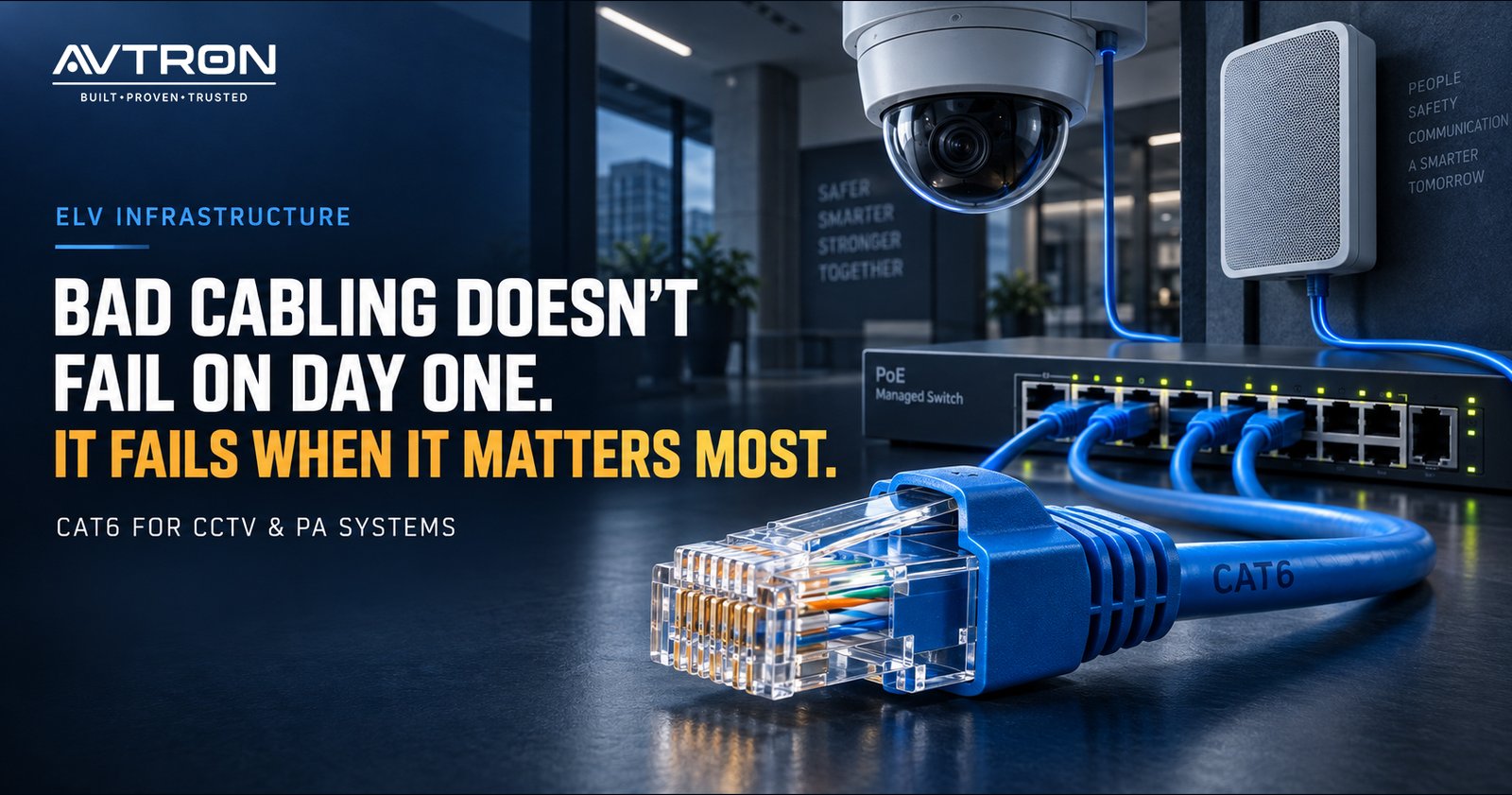
AVTRON Cat6 structured cabling for CCTV and PA systems, showing a blue Cat6 Ethernet cable with RJ45 connector connected to a PoE managed switch, CCTV dome camera, and wall-mounted PA speaker.

The Infrastructure Problem Nobody Talks About

When a CCTV camera produces intermittent footage, the camera is replaced. When a PA speaker drops audio, the amplifier is checked. When an IP PA system loses connection to a zone, the network switch is restarted. In most cases, the investigation stops there.

What is less often examined is the cable connecting these devices to the infrastructure that powers and networks them. Cabling is invisible once installed. It sits inside walls, above ceiling tiles, and under raised floors. It is not easy to inspect, not easy to replace, and not easy to diagnose as the source of a problem when a device at one end and a switch at the other both appear to be functioning.

Yet structured cabling is the layer on which every IP-based CCTV camera, every IP PA speaker, every access control reader, and every networked ELV device depends. When it is planned and installed correctly, it provides a reliable, long-service infrastructure that supports the security systems above it. When it is not, the consequences appear gradually and are expensive to resolve.

This guide addresses why Cat6 cable is the appropriate specification for modern ELV security deployments, how cabling quality directly affects CCTV and PA system performance, and what to account for when planning cabling infrastructure for a new or upgraded installation.

CAT6 cables connected to network switches in a structured cabling setup, supporting reliable CCTV and PA system connectivity.

What Structured Cabling Is and What It Is Not

Structured cabling is a standardized approach to designing and installing the physical cabling infrastructure of a building or facility. It defines how cables are routed, terminated, labelled, and managed, and it specifies the performance standards that cables and connectors must meet.

The defining characteristic of structured cabling is that it is planned and installed as a system, not as a collection of individual point-to-point cable runs assembled over time. A structured cabling system has a defined architecture, a logical cable management scheme, and a documentation standard that allows any connection in the system to be traced, tested, and serviced.

What structured cabling is not is ad hoc cabling. Many facilities accumulate cabling infrastructure over years, with devices connected as they are added, cables run without a routing plan, and no consistent documentation of where cables go or what they connect. This approach produces an installation that functions at first and degrades over time, with faults that are difficult to locate and a physical infrastructure that cannot easily accommodate expansion or upgrade.

For ELV security systems, which include CCTV cameras, IP PA speakers, access control readers, fire alarm panels, and intercoms, a structured cabling approach is not optional for installations above a minimal scale. It is the foundation on which reliable system performance depends.

Why Cat6 Is the Relevant Standard for Modern ELV Systems

Category 6 (Cat6) cable is a twisted pair copper cable standard that supports data transmission at up to 10 Gbps over distances up to 55 metres, and 1 Gbps over the standard 100-metre horizontal cable run. It meets the performance requirements of IEEE 802.3 PoE and PoE+ standards and provides sufficient bandwidth headroom for high-resolution video streams, IP audio delivery, and simultaneous data and power delivery over a single cable.

For modern ELV security deployments, the relevant question is not whether Cat6 is adequate. It is whether a lower specification cable will create problems now or in the near future.

Cat5e, the previous generation standard, supports 1 Gbps at 100 metres and meets basic PoE requirements. In a CCTV deployment with a small number of standard-definition cameras, Cat5e may perform adequately at the time of installation. In a deployment with multiple high-resolution AI cameras, a Cat5e installation under full network load may begin to exhibit packet loss, latency, and PoE instability that is difficult to attribute to the cable without systematic testing.

The cost difference between Cat5e and Cat6 cable in a standard installation is modest. The cost of recabling a facility because the original specification was inadequate is not.

How Poor Cabling Causes CCTV System Failures

CCTV system failures that originate from cabling are among the most difficult to diagnose because they manifest as device or network problems rather than cable problems.

Intermittent video loss: A camera that drops its video feed periodically and reconnects without manual intervention is a common symptom of a marginal cable connection or a cable that is performing at the edge of its rated specification. The camera appears to function normally when tested in isolation. The problem recurs under load or under temperature conditions that affect cable performance.

Image quality degradation: High-resolution IP cameras transmit large data streams. A cable that is performing below its rated throughput, due to poor terminations, excessive length, or physical damage from bending or pinching during installation, may support the camera connection while dropping enough data to produce visible image degradation, including artefacts, pixelation, and motion blur.

POE instability: IP cameras are typically powered through the same Cat6 cable that carries their data, using Power over Ethernet. A cable with high resistance due to poor conductor quality, substandard terminations, or excessive length causes a voltage drop along the cable that reduces the power available at the camera end. This produces symptoms including cameras that restart unexpectedly, cameras that fail to initialize in cold conditions, and cameras that operate normally on the bench but intermittently in the installed position.

NVR disconnections: A network video recorder that periodically loses connection to one or more cameras, requiring a network restart or camera reboot to restore, is often attributed to NVR software or switch configuration. In many cases, the root cause is a cable that is marginally within specification under normal conditions but outside it under peak load or adverse temperature conditions.

How Poor Cabling Causes PA System Failures

IP PA and SIP-based PA systems are network-connected devices that face the same cabling dependencies as CCTV cameras, with additional sensitivity to latency and jitter that does not apply to video in the same way.

Audio dropout and interruption: An IP PA speaker or SIP horn speaker that experiences periodic audio dropout during an announcement is almost always experiencing packet loss on its network connection. Audio streams are sensitive to packet loss in a way that web browsing and file transfers are not. A cable that drops a small proportion of packets may not impair general network use noticeably while producing audible dropout in an IP audio stream.

Announcement delay: Network latency caused by a marginal cable connection or a poorly terminated patch panel introduces delay into the announcement delivery chain. In a zoned PA system where the same announcement is being delivered to multiple speakers simultaneously, inconsistent latency across cable runs of different quality causes announcements to arrive at different speakers at slightly different times, producing an echo or phasing effect across the coverage area.

Speaker offline status: An IP PA speaker or SIP horn speaker that appears offline on the management interface but is physically present and powered is frequently the result of a POE issue on the cable serving that speaker. The speaker does not receive adequate power to complete its initialization sequence and therefore does not register on the network.

Cat5e vs Cat6 vs Cat6A: What the Difference Means in Practice

SpecificationCat5eCat6Cat6A
Maximum data rate1 Gbps10 Gbps (55m) / 1 Gbps (100m)10 Gbps (100m)
Bandwidth100 MHz250 MHz500 MHz
PoE support802.3af (15.4W)802.3at PoE+ (30W)802.3bt PoE++ (60W to 90W)
Crosstalk performanceAdequate for standard useImproved alien crosstalk reductionFull alien crosstalk shielding
Recommended forLegacy upgrades and low-density standard-def CCTVStandard ELV security deploymentsHigh-density AI camera and PoE++ deployments
Cable diameterThin, easy to routeStandardLarger, requires more conduit space

For most ELV security deployments including AI cameras, IP PA systems, access control, and intercoms, Cat6 is the appropriate standard. Cat6A is relevant for high-density deployments where multiple high-power PoE devices share cable bundles and alien crosstalk between adjacent cables becomes a practical concern.

PoE and Why Cable Quality Determines Whether It Works

Power over Ethernet is the delivery of DC electrical power along the same Cat6 cable that carries network data. It allows a CCTV camera, IP PA speaker, access control reader, or VoIP phone to be powered from the network switch rather than from a separate power supply at the device location.

PoE depends on the cable’s resistance characteristics. Every meter of cable introduces a small amount of resistance. Over a 100-metre cable run, this resistance results in a voltage drop between the switch and the device. The PoE standard accounts for this drop within defined limits — but only if the cable meets its rated specification.

Cable that uses copper-clad aluminum (CCA) conductors rather than solid copper conductors has significantly higher resistance than the standard specifies. CCA cable is less expensive than solid copper and is available from a range of suppliers. It may pass a basic continuity test but fails to meet the resistance specification that POE depends on. In a CCTV or PA installation using CCA cable on longer runs, POE instability, device restarts, and inconsistent performance are predictable outcomes.

Specifying solid copper Cat6 cable from a supplier with verifiable conductor material is not a preference. It is a requirement for a POE-dependent ELV installation to perform reliably over its service life.

Planning a Structured Cabling System for ELV Security Deployments

Define the device inventory first: Before routing a single cable, establish the complete inventory of ELV devices to be installed. Every camera, every PA speaker, every access control reader, and every intercom requires a dedicated cable run. The device inventory determines the number of cable runs, the location of distribution points, and the size of the patch panels and switches required.

Design cable routing before construction is complete: Cable routing should be designed during the construction or fit-out planning stage, not after walls are closed and ceilings are installed. Retrofitting cable routes through a completed building is expensive and often results in compromises in cable quality due to tight bends, improper support, and excessive pull tension during installation.

Use dedicated conduit for ELV cabling: ELV security cables should be routed in dedicated conduits separate from power cables. Running Cat6 data cables parallel to 230V power cables for extended distances introduces electromagnetic interference that degrades signal quality and can affect POE performance.

Label and document every cable run: Every cable run should be labelled at both ends with a consistent identification scheme, and the routing, length, and termination point of every cable should be documented. This documentation allows faults to be located systematically and supports future expansion without requiring physical cable tracing.

Test every cable run after installation: A cable that passes a visual inspection may still fail to meet Cat6 performance standards if it was damaged during installation through excessive pulling tension, tight bend radii, or compression damage. Every cable run should be tested with a cable certifier against the Cat6 standard before the ELV devices are connected.

Avtron is a technology manufacturing organization with established presence across security, surveillance, and communication infrastructure in India. For structured cabling projects supporting Avtron ELV security system deployments, Avtron’s technical team and ADIT’s installation capability provide end-to-end project support from cabling design through to device commissioning.

Common Cabling Mistakes That Create Long-Term Problems

Using substandard cable to reduce cost: The cable itself is a small proportion of the total cost of an ELV security installation when labour, devices, and commissioning are accounted for. Using substandard cable to reduce material cost while leaving labour and device costs unchanged is a poor trade-off that creates long-term reliability problems for a marginal initial saving.

Exceeding maximum cable run length: The 100-metre maximum cable run for Cat6 includes the patch cords at both ends. A cable run of 95 metres plus two 3-metre patch cords exceeds the standard. In a CCTV installation, this may not cause an immediate visible problem but creates a marginal connection that degrades under temperature variation and load.

Over-bending cable during installation: Cat6 cable has a minimum bend radius that must not be exceeded during installation. Cables pulled sharply around corners, through tight conduit bends, or secured with over-tightened cable ties may pass an initial test but develop increased crosstalk and signal loss over time as the twisted pair geometry is distorted.

Leaving cable runs unterminated or improperly terminated: A cable that is not terminated correctly at the patch panel or wall outlet will not meet Cat6 performance specifications regardless of the cable quality. Termination technique, pair untwisting length, and connector type all affect the final performance of the cable run.

Not accounting for future expansion: An installation that uses exactly the number of cable runs required for the current device count provides no capacity for future expansion. Installing spare cable runs to potential device locations during the initial installation, while walls and ceilings are accessible, is significantly less expensive than adding them later.

What Indian Installations Must Account for Specifically

Temperature variation in cable performance: Cable performance degrades at elevated temperatures. In non-climate-controlled facilities across India where ambient temperatures can reach 45 to 50 degrees Celsius, cable resistance increases and POE efficiency decreases relative to performance at standard test conditions. This makes the margin between a marginal cable run and a failing one narrower in Indian summer conditions than laboratory specifications suggest.

Humidity and moisture ingress: In coastal locations and high-humidity environments, moisture ingress into improperly sealed cable terminations and wall outlets causes corrosion over time. This manifests as increasing contact resistance at termination points, producing intermittent connectivity that worsens over years.

Rodent damage in industrial and semi-urban locations: Warehouses, industrial facilities, and buildings in semi-urban locations are subject to rodent damage to cabling routed without adequate physical protection. Cable routes in these environments should use steel conduit or armoured cable trunking rather than plastic conduit or open cable trays.

Counterfeit and substandard cable in the supply chain: The Indian cable market includes a proportion of cable that does not meet the Cat6 standard it is labelled as, including CCA conductor cable sold as pure copper Cat6. Specifying cable from verified suppliers with test documentation, and testing every cable run after installation, is the practical safeguard against this risk.

Avtron’s ELV Systems and the Cabling Infrastructure They Depend On

Avtron manufactures AI cameras, PTZ cameras, NVR systems, video management software, IP PA systems, SIP horn speakers, PA amplifiers, and EVAC/PAVA systems for deployment across commercial, institutional, and industrial premises in India. Every IP-based device in Avtron’s product range depends on a correctly specified and installed structured cabling infrastructure to perform as designed.

A Cat6 installation that meets the standard for conductor material, cable performance, termination quality, run length, and bend radius provides the foundation on which Avtron’s ELV security systems deliver reliable performance. A cabling installation that does not meet that standard creates conditions where device performance will be inconsistent, faults will be difficult to diagnose, and the investment in security hardware will not produce the outcome it was designed for.

Planning a Structured Cabling Infrastructure for Your ELV Security Project?

The cabling infrastructure of an ELV security installation is not a variable that can be addressed after the security systems are specified and the devices are selected. It is a design decision that must be made at the planning stage, because the cable specification, routing architecture, and installation quality determine whether the CCTV and PA systems above it perform reliably throughout their operational life.

If you are planning a new ELV security installation or reviewing the cabling infrastructure of an existing one, Avtron’s technical team can provide guidance on cabling requirements specific to the ELV systems being deployed.

AVTRON Cat6 structured cabling comparison showing poor cabling with packet loss and unstable PoE versus organized Cat6 cabling delivering stable PoE, reliable data, and consistent performance.

Frequently Asked Questions

Q1. Is Cat6 cabling necessary for CCTV cameras or will Cat5e work? Cat5e is adequate for low-density standard-definition CCTV at short cable runs. For AI cameras, high-resolution IP cameras, and PoE+ powered devices, Cat6 is the appropriate specification for reliable long-term performance.

Q2. What is the maximum cable run length for Cat6 in a CCTV installation? The maximum horizontal cable run is 100 metres including patch cords at both ends. Runs approaching this limit should be tested after installation to confirm they meet Cat6 performance standards.

Q3. Why does cable quality affect PoE performance for cameras and PA speakers? PoE delivers power over the cable’s copper conductors. Substandard cable, particularly CCA conductor cable, has higher resistance than specified, causing voltage drop that reduces the power available at the device and produces instability.

Q4. How can I tell if my CCTV or PA failures are caused by cabling rather than the devices? Intermittent connectivity that resolves without device replacement, symptoms that worsen in summer heat, and problems that appear on longer cable runs first are indicators of cabling rather than device failure. Cable certification testing confirms whether runs meet the Cat6 standard.

Q5. Should ELV security cabling be run separately from power cables? Yes. ELV Cat6 cabling should be routed in separate conduits from 230V power cables to prevent electromagnetic interference that degrades signal quality and can affect PoE performance.

How Voice Evacuation System Save Lives in Commercial Buildings: What Every Facility Manager Should Know

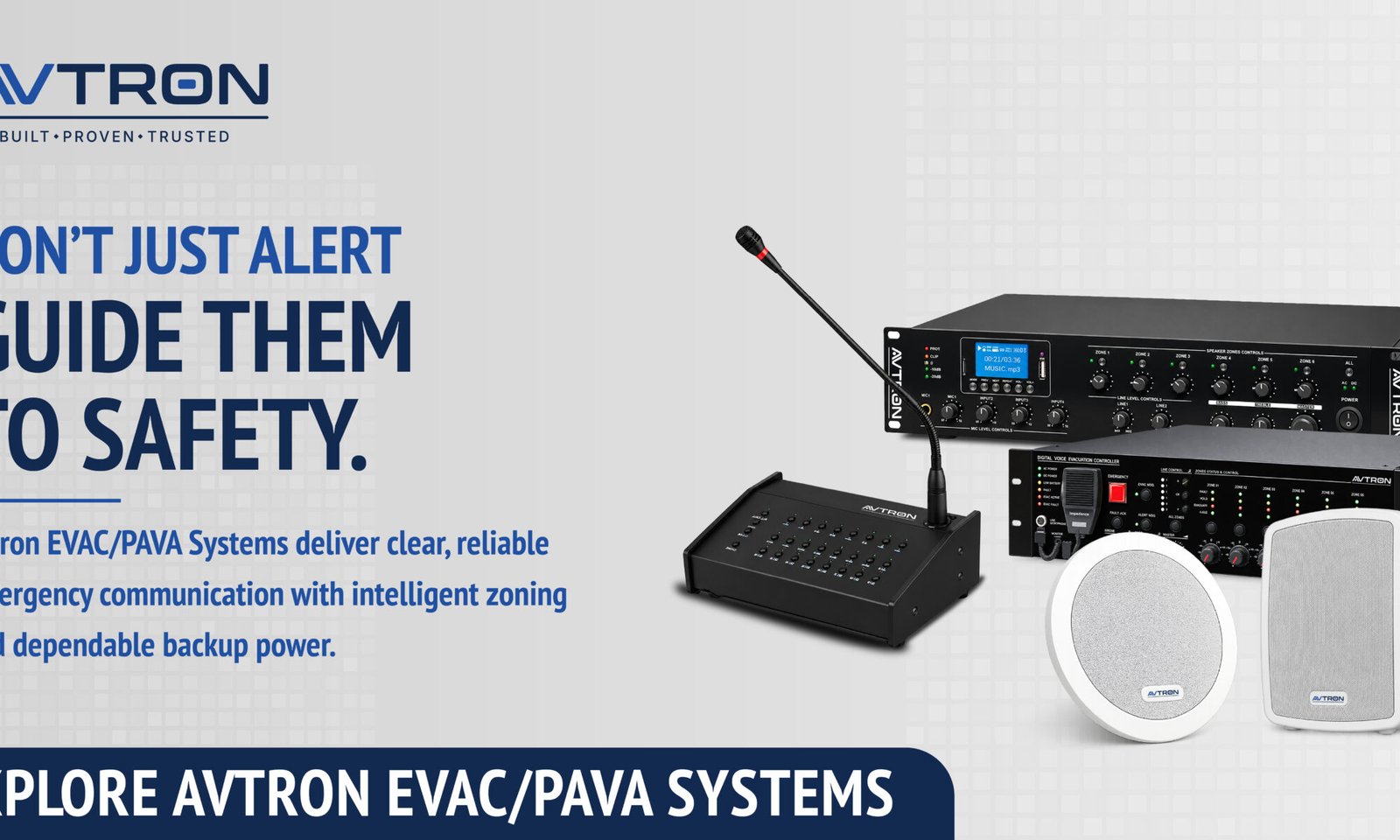
AVTRON voice evacuation system with PAVA controller, microphone, amplifiers, and speakers for emergency communication.

The Gap Most Buildings Don’t Know They Have

A fire alarm goes off in a large commercial building. Hundreds of people hear the alert. But nobody knows which floor is affected, which exit to use, or whether to evacuate immediately or wait.

In this situation, the sound of an alarm is not enough. People need instructions.

This is the gap that voice evacuation systems address — and it is a gap that exists in more commercial buildings across India than most facility managers realise.

According to the National Fire Protection Association (NFPA), buildings equipped with voice evacuation systems experience significantly faster and more orderly evacuations compared to those using tone-only alarm systems.

The difference is not technical. It is human. People respond to voices. They follow instructions. And in an emergency, that response can determine outcomes.

What Is a Voice Evacuation System?

A voice evacuation system — also referred to as a PAVA (Public Address and Voice Alarm) system or EVAC system — is an engineered audio communication infrastructure designed specifically for emergency scenarios.

Unlike a general PA system, a voice evacuation system is built to:

  1. Deliver clear, intelligible spoken instructions during fire, evacuation, or emergency events
  2. Operate reliably under adverse conditions including power failure
  3. Activate automatically in response to fire alarm triggers or manually by trained personnel
  4. Broadcast zoned announcements — targeting specific floors, wings, or areas independently
  5. Meet defined standards for speech intelligibility, reliability, and backup power

The system consists of three core components: a control unit or amplifier, strategically placed loudspeakers, and an emergency microphone or pre-recorded message library. These work together to ensure that every occupant in every part of a building receives clear, timely instructions.

AVTRON voice evacuation system for clear emergency announcements in a modern office building.

How It Works: From Trigger to Safe Exit

Understanding how a voice evacuation system operates helps facility managers make better decisions about installation, zoning, and maintenance.

Trigger The system activates either automatically — via integration with a fire detection panel — or manually through an emergency microphone at a control station. In most commercial installations, both modes are available.

Zoned Announcement Rather than broadcasting a single message to the entire building simultaneously, a well-designed EVAC/PAVA system divides the building into zones. In a fire event on the fourth floor, the system may immediately announce evacuation on floors three, four, and five — while broadcasting a standby alert to other floors. This prevents simultaneous evacuation panic across a large building.

Message Delivery Pre-recorded messages in the required language or combination of languages are stored in the system. These messages are designed to be calm, clear, and instruction-specific — guiding people to exit routes, stairwells, or assembly points.

Backup Power EVAC/PAVA systems are required to operate independently of the main power supply. Battery backup — typically ensuring a minimum of 30 minutes of continuous operation — is a mandatory design requirement.

Fault Monitoring The system continuously self-monitors for faults — including speaker line failures, amplifier issues, and battery status — and alerts the facility team before a failure can affect emergency readiness.

System StageWhat Happens
DetectionFire panel triggers EVAC system automatically
ZoningAffected and adjacent zones identified
Message BroadcastPre-recorded evacuation instructions played
Parallel MonitoringFault checks run simultaneously
Backup ActivationBattery supply maintains operation if main power fails

Why a Standard PA System Is Not a Substitute

This is a distinction that matters. Many commercial buildings in India have a general-purpose PA system — used for routine announcements, background music, or paging. Facility managers often assume this provides adequate emergency communication capability.It does not — for several reasons.
Standard PA SystemVoice Evacuation (EVAC/PAVA) System
Designed for routine communicationEngineered specifically for emergencies
No mandatory backup power requirementBattery backup is a core design requirement
No fire panel integration as standardIntegrates directly with fire detection systems
No fault self-monitoringContinuous self-monitoring and fault alerts
Speech intelligibility not certifiedMeets defined speech intelligibility standards (STI-PA)
Not compliant with fire safety regulationsMeets NBC 2016 and NFPA 72 requirements
A standard PA system may be functional in normal operations. In an emergency, however, it may fail precisely when it is needed most — due to power loss, lack of zoning capability, or absence of automatic activation.A voice evacuation system is not an upgraded PA system. It is a dedicated life-safety system — engineered, tested, and certified differently.

What Indian Regulations Say (NBC & Fire NOC)

The National Building Code of India 2016 (NBC 2016) includes provisions for public address and voice alarm systems in buildings meeting specific occupancy and height thresholds. Fire NOC requirements issued by state fire departments are increasingly specifying EVAC/PAVA systems as a condition of approval, particularly for:
  1. High-rise commercial and residential buildings
  2. Shopping malls and multiplexes
  3. Hospitals and healthcare facilities
  4. Hotels with above-threshold room counts
  5. Educational institutions and large assembly halls
  6. Industrial and manufacturing facilities above defined floor areas
Facility managers and building owners should verify applicable requirements with their state fire authority and structural consultant — particularly for new builds, major renovations, or occupancy changes. Non-compliance can affect fire NOC renewal, insurance validity, and building use certification.Note: Regulatory requirements vary by state and building type. Always refer to your local fire authority and consult a qualified fire safety consultant for project-specific guidance.

What to Evaluate Before Specifying a System

For facility managers overseeing a new installation or system upgrade, the following parameters are worth reviewing during the specification and procurement process:

Speech Intelligibility Rating (STI-PA) Every loudspeaker and amplifier in the system contributes to how clearly messages are heard in a real environment — with background noise, reverb, and distance factored in. Ask for STI-PA test data for the specific configuration proposed.

Number of Zones Evaluate whether the proposed system supports the number of independent zones your building requires. Larger or multi-wing buildings require more granular zoning.

Backup Power Duration Confirm the system’s battery backup capacity and whether it meets the minimum standby and operational duration specified by applicable codes.

Fire Panel Integration Check which fire detection panels the EVAC system is compatible with — particularly if an existing fire alarm system is already installed in the building.

Self-Monitoring and Fault Reporting A system that detects and reports its own faults allows your team to address issues before an emergency. Confirm how faults are logged, displayed, and communicated.

IP Rating for Speaker Units For installations in parking areas, outdoor zones, or mechanically harsh environments, confirm the IP rating of speaker units to ensure they perform in those conditions.

Avtron’s EVAC/PAVA Systems — Built for Real Conditions

Avtron Technologies manufactures a range of EVAC/PAVA and PA systems designed for deployment in commercial buildings, hospitals, educational institutions, hotels, and industrial facilities across India.

The EVAC/PAVA product range includes digital series evacuation systems, IP PA solutions, analog and IP amplifiers, and a selection of speaker types — including ceiling speakers, horn speakers, fire-resistant speakers, and IP speakers — each designed for specific installation environments.

Avtron’s approach to voice evacuation is grounded in the same principle that governs all its product development: a system must perform reliably in real-world conditions — not just in a demonstration environment.

Avtron is a broader technology manufacturing organization with established presence across security, surveillance, and communication infrastructure in India.

For facility managers and consultants evaluating EVAC/PAVA systems, Avtron’s technical team is available to provide system configuration guidance, zone planning support, and product-specific documentation for project proposals.

Ready to Evaluate a Voice Evacuation System for Your Building?

The information in this guide is intended to help facility managers, building owners, and consultants approach EVAC/PAVA system selection with greater clarity. Every building has a distinct occupancy profile, floor plan, and regulatory context — and the right system configuration depends on those specifics.

If you are in the process of evaluating a voice evacuation system, Avtron’s technical team can provide configuration support, product documentation, and project-specific guidance based on your building type and requirements.

AVTRON voice evacuation system speaker for clear emergency announcements in a hospital corridor.

Frequently Asked Questions

Q1. What is a voice evacuation system, and how is it different from a fire alarm? A fire alarm signals danger through a tone. A voice evacuation system deliver spoken instructions, guiding occupants to specific exits or assembly points calmly and clearly.

Q2. Is a PAVA system mandatory in commercial buildings in India? NBC 2016 and state fire NOC conditions increasingly require it in high-rise buildings, malls, hospitals, and hotels above defined thresholds.

Q3. Can an existing PA system be converted into a voice evacuation system? In some cases, integration units can connect existing PA infrastructure to a compliant EVAC control system, subject to a technical assessment.

Q4. How many zones does a commercial building typically need? Zone count depends on building size, floor count, and occupancy type — typically between 4 and 20 zones for a standard commercial building.

Q5. How often should a voice evacuation system be tested and maintained? A functional test every six months and a full system audit annually is the general recommendation, subject to your supplier’s guidelines and applicable standards.

Unlocking the Future of Surveillance: Edge-Based Analytics in AVTRON CCTV Cameras

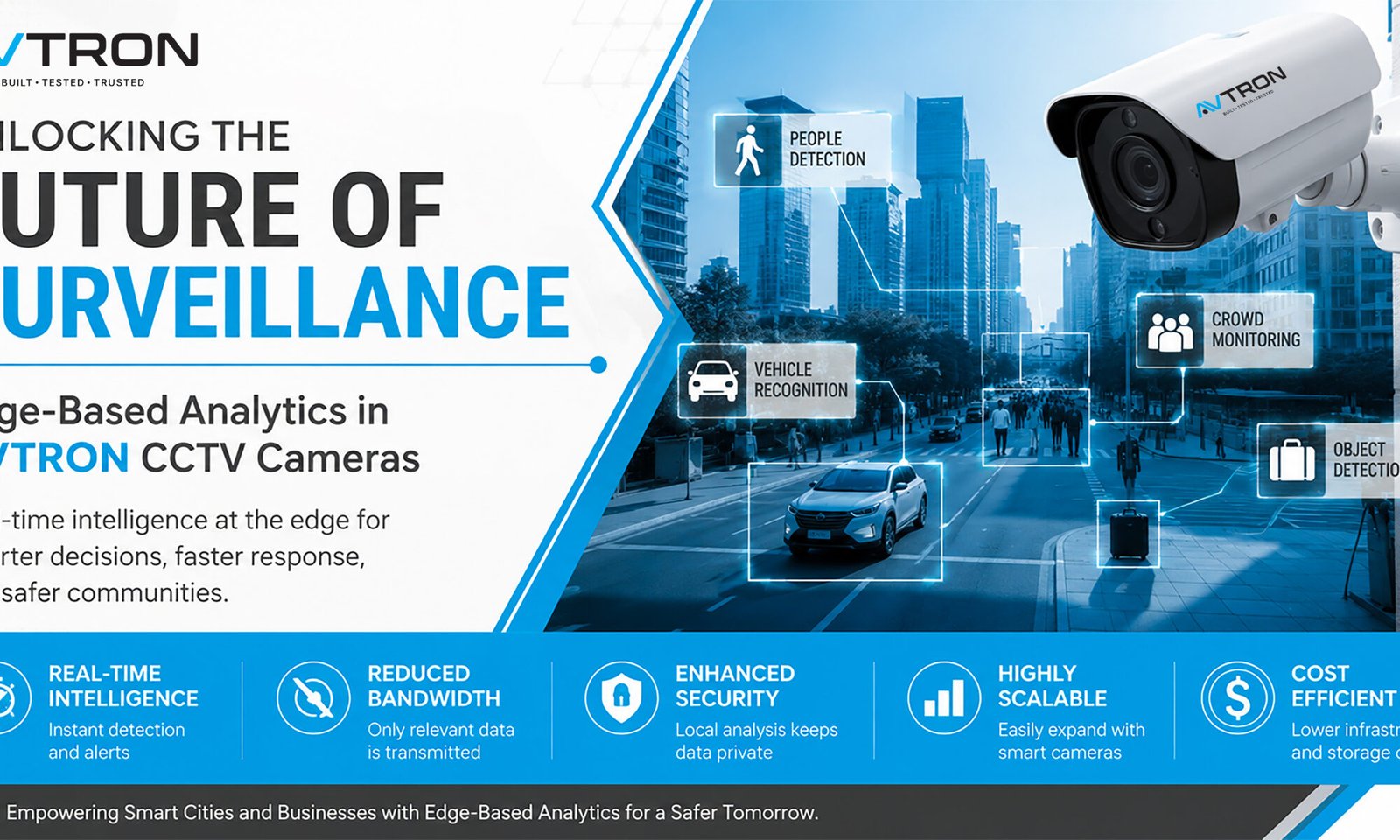
Edge-Based Analytics in CCTV Cameras with AVTRON AI camera showcasing real-time people detection, vehicle recognition, crowd monitoring, object detection, enhanced security, and intelligent video surveillance for smart cities and commercial applications.
Modern cities and enterprises are experiencing an explosion in data from surveillance cameras. As urban areas grow and safety needs intensify, traditional video analytics—where footage is sent to central servers for processing—can strain bandwidth, introduce delays, and limit real-time response capability. Enter Edge-Based Analytics in CCTV Cameras, a transformative shift in CCTV technology that AVTRON has made central to its newest camera range.

What Is Edge-Based Analytics?

Edge-based analytics refers to the process of analyzing video data directly on the device itself, such as inside the camera, encoder, or a local recording unit, rather than relying solely on distant servers or the cloud. This paradigm leverage advanced processors and AI models embedded in the device, allowing the camera to review footage, detect incidents, and generate actionable insights—all locally, as data is captured. Edge-Based Analytics in CCTV Cameras with AVTRON AI camera featuring real-time people detection, vehicle recognition, crowd monitoring, object detection, and intelligent video surveillance. 

Key advantages of edge analytics include:

  • Reduced latency: Cameras process footage in real-time, enabling instant detection and alerts without the delay of sending data to a server.
  • Bandwidth savings: Only metadata, tags, or brief video clips relevant to incidents are transmitted; routine footage remains stored locally, cutting backhaul costs dramatically.
  • Enhanced privacy and security: Sensitive footage can be analyzed and redacted before it ever leaves the device, reducing exposure and supporting compliance.
  • Scalability: Deploying smart cameras spreads processing loads across the network, making it easier and more affordable to add coverage.

How Edge Analytics Works in AVTRON Devices

AVTRON’s edge-powered cameras are equipped with AI chipsets and algorithms designed to handle video analysis tasks that previously required heavy server infrastructure. The cameras can:
  • Detect motion, recognize faces or license plates, spot loitering, count people, flag objects left behind, and monitor crowd density—all autonomously at the source.
  • Create real-time notifications for the security team as soon as a problem is identified, so they can take action before things get worse.
  • Store HD footage locally for later review, while sending incident clips and metadata to a central dashboard for oversight and coordination.

Practical Use Cases for AVTRON Edge Analytics

  • Smart City Surveillance: Monitor public squares, traffic intersections, and transportation hubs with little network infrastructure. Real-time analytics help direct law enforcement resources as events unfold, optimizing public safety.
  • Critical Infrastructure: Edge analytics protect vital sites like power substations, water treatment plants, and telecom towers, where unreliable connectivity demands local, autonomous security.
  • Retail & Commercial: Analyze foot traffic patterns, suspicious behaviour, or queue lengths—improving both security and operations insights for managers.
  • Event Security: Temporary deployments at stadiums, festivals, and rallies can rapidly scale up without burdensome servers, thanks to edge analytics.

Advantages Over Traditional Analytics

Centralized (traditional) analytics send all footage to a main server or cloud, offering unified management but raising costs and complexity for large deployments. Edge analytics, by contrast, excel where fast reaction, local privacy control, or low connectivity matter most. This model is ideal for expanding networks, pop-up sites, or mission-critical infrastructure—where seconds can make a difference, and bandwidth may be at a premium.

Why Choose AVTRON Edge Analytics?

AVTRON’s edge-enabled cameras deliver:
  • Real-time intelligence: Local processing and instant alerting for quick incident response.
  • Operational efficiency: Lower bandwidth usage and storage requirements, reducing long-term expenditure.
  • Scalable architecture: Add smart cameras easily as needs expand, without overhauling server infrastructure.
  • Data security: Local analysis and customizable retention policies ensure sensitive footage is protected.

Edge-Based Analytics in CCTV Cameras for smart cities, commercial buildings, and critical infrastructure using AVTRON AI surveillance solutions.

Future proofing Urban Security

AVTRON is dedicated to supporting the smart cities and businesses of the future using edge-based analytics in CCTV Cameras. Our technology empowers rapid decision-making, cost-effective deployments, and safe, reliable monitoring—even in challenging environments. Whether your organization is mapping out a citywide surveillance grid, safeguarding remote assets, or optimizing retail environments, AVTRON’s edge-powered solutions put actionable intelligence right where you need it.

Conclusion:

Ready to transform your security operations? Contact AVTRON today to learn how edge analytics unlocks smarter surveillance and greater peace of mind. Discover our full range of AI-driven cameras and take the next step toward an intelligent, connected future.

Best AI for CCTV Surveillance: Technology, Usage, and Applications

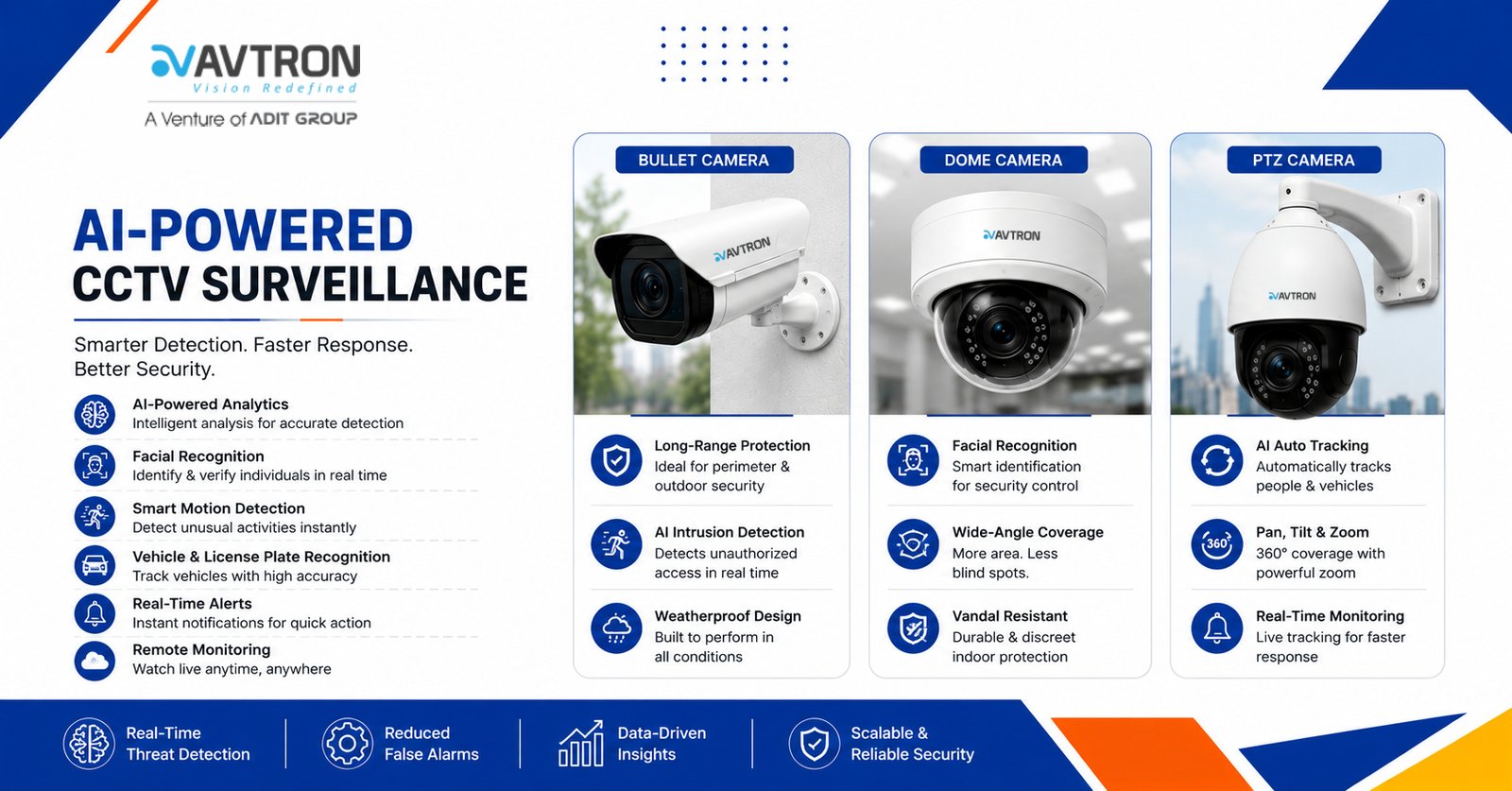
AVTRON AICCTV surveillance System featuring bullet, dome, and PTZ cameras with facial recognition, motion detection, intrusion alerts, and real-time monitoring.
Artificial Intelligence (AI) has significantly transformed CCTV surveillance, making security systems smarter, more efficient, and proactive. Conventional CCTV systems required continuous human observation, which frequently resulted in mistakes and inefficiencies. AI CCTV surveillance system, however, enables real-time analysis, automated threat detection, facial recognition, behavioral analytics, and anomaly detection without human intervention.This article explores the best AI technologies used in CCTV surveillance, how they function, and their real-world applications.

AVTRON AI CCTV surveillance system featuring a smart security camera with facial recognition, motion detection, real-time alerts, and vehicle monitoring.

AI Technologies for CCTV Surveillance

Modern AVTRON AI-powered CCTV systems integrate various technologies to enhance surveillance capabilities. The most effective AI models used in surveillance include:
  1. Deep Learning and Neural Networks
Deep learning, a subset of machine learning, enables CCTV cameras to recognize patterns, identify faces, detect objects, and analyze movement with high accuracy. Convolutional Neural Networks (CNNs) process video feeds in real-time, distinguishing between humans, vehicles, and objects while reducing false alarms.
  1. Computer Vision
Computer vision allows AI-powered surveillance systems to interpret and analyze visual data from CCTV footage. It enables:
  • Facial recognition to identify individuals
  • License plate recognition for vehicle tracking
  • Behavior analysis to detect suspicious activities such as loitering or sudden movements
  • Crowd density monitoring for public safety
  1. Edge AI Processing
Instead of relying solely on cloud-based AI, Edge AI processes data directly on CCTV cameras or local devices, reducing response time and bandwidth usage. This is essential for real-time threat detection in locations with limited internet access.
  1. Natural Language Processing (NLP) and Audio Analytics
AI in CCTV systems is increasingly integrating audio recognition to detect suspicious sounds such as gunshots, screams, breaking glass, or alarms. NLP enables the AI to analyze spoken words in monitored areas, adding another layer of security.
  1. Anomaly Detection with AI Algorithms
AI-powered CCTV systems can learn typical patterns of behavior and identify anomalies, such as:
  • Unusual movements in restricted areas
  • People lingering for extended periods in sensitive locations
  • Unauthorized access to certain zones
  • Detection of unattended objects
  1. AI-Powered Motion Detection and Object Tracking
Traditional motion detection often triggers false alarms from minor movements like falling leaves or small animals. AI-based motion detection improves accuracy by differentiating between relevant and irrelevant motion, ensuring only real threats trigger alerts. AI-based object tracking continuously follows an individual or object across multiple camera feeds.

Usage of AI in AVTRON CCTV Surveillance

AI-enhanced CCTV cameras are widely used for various security and monitoring purposes. Below are the key ways AI is utilized in surveillance systems:
  1. Facial Recognition for Identity Verification
AI-based facial recognition is used in security-sensitive environments such as airports, banks, government buildings, and corporate offices. It helps:
  • Identify authorized personnel and grant them access
  • If someone is trying to enter a restricted location without authorisation, flag immediately.
  • Match real-time footage against a database of known criminals
  1. Perimeter Security and Intrusion Detection
AI-driven surveillance improves security by spotting attacks in areas that are restricted. The system can:
  • Monitor fences, gates, and perimeters for unauthorized entry
  • Send instant alerts to security teams when an intruder is detected
  • Integrate with alarm systems and access control for an automated security response
  1. Traffic and Vehicle Monitoring
AI-based surveillance is widely used in traffic management and vehicle tracking. It can:
  • Recognize and read license plates
  • Identify speeding and reckless driving
  • Detect vehicles in no-parking zones
  • Monitor traffic congestion and provide insights for urban planning
  1. Smart City and Public Safety Surveillance
In smart cities, AI-powered CCTV cameras are being utilised more often to increase public safety. Applications include:
  • Monitoring large crowds to prevent stampedes or security threats
  • Detecting unattended bags or suspicious objects in public places
  • Surveillance in public transport hubs to ensure passenger safety
  1. Workplace and Industrial Surveillance
AI enhances workplace security by:
  • Monitoring employee behavior for compliance with safety protocols
  • Detecting potential workplace hazards such as spills or fire risks
  • Ensuring secure access control in restricted areas
  • Enhancing warehouse security by tracking inventory movements
  1. Home and Small Business Security
For homeowners and small businesses, AI-powered CCTV cameras provide:
  • Smart motion detection that differentiates between humans and animals
  • Automatic alerts to mobile devices in case of unusual activity
  • Integration with smart home systems for enhanced security
  1. Crime Prevention and Law Enforcement
Law enforcement agencies use AI surveillance for:
  • Tracking criminals in real-time
  • Analyzing crime patterns for predictive policing
  • Providing video evidence for legal proceedings
  • Monitoring high-risk areas to prevent illegal activities
  1. Healthcare and Patient Monitoring
AI-powered CCTV systems are also used in healthcare facilities to:
  • Monitor patient movement in hospitals and nursing homes
  • Detect falls or unusual behavior in elderly care facilities
  • Ensure compliance with hygiene protocols in medical environments

Advantages of AI-Powered AVTRON CCTV Surveillance

  • Real-Time Threat Detection: AI instantly identifies security threats, reducing response time.
  • Reduced False Alarms: Advanced motion detection and object classification minimize unnecessary alerts.
  • Cost-effective security: lowers operating costs by eliminating the need for sizable security staff.
  • Scalability: AI-powered CCTV systems can be expanded and integrated with other security technologies.
  • Data-Driven Insights: AI analytics provide valuable insights for crime prevention and urban planning.

 Advanced AI CCTV surveillance System for Intelligent Security, face recognition, human detection, smart tracking, cloud connectivity, and remote monitoring for enhanced security.

Conclusion

AI has transformed AVTRON CCTV surveillance, making it more efficient, accurate, and intelligent. AI CCTV surveillance system improve security in residences, workplaces, public areas, and law enforcement by utilizing deep learning, computer vision, and real-time analytics. The ability to detect threats in real-time, analyze human behavior, and integrate with smart technologies makes AI an indispensable tool for modern security. However, ethical considerations and regulatory compliance must be prioritized to ensure a balance between safety and privacy.As AI technology continues to evolve, CCTV surveillance will become even more advanced, offering improved security solutions for individuals, businesses, and governments worldwide.

Why CCTV Matters for City Surveillance

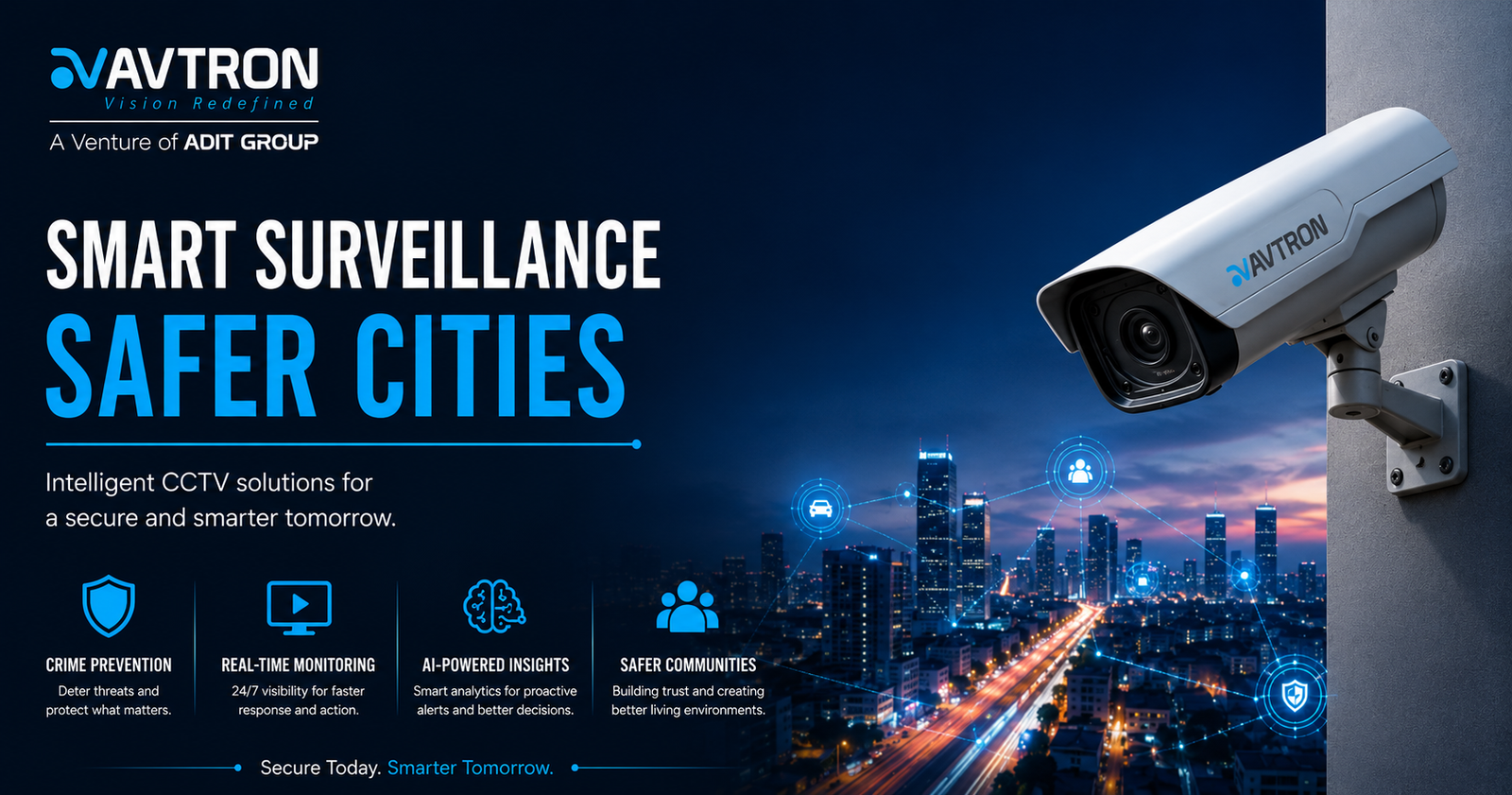
AVTRON commercial CCTV surveillance solutions
Urban areas are dynamic and face diverse threats, ranging from crime and vandalism to emergency incidents and infrastructure challenges. Installing commercial CCTV surveillance solutions—especially robust, AI-enabled systems like those from AVTRON—ensures comprehensive monitoring of roads, junctions, transport hubs, parks, and municipal buildings. Their constant watch acts as a digital neighborhood patrol, deterring crime and promoting the safety of citizens.Visible CCTV placements reduce incidents of theft, vandalism, and violent crime, as potential offenders are aware that their actions are being recorded. This omnipresent deterrent effect is especially vital in crowded spaces and commercial districts. Additionally, high-definition video footage becomes invaluable for law enforcement in investigating incidents, providing court-admissible evidence, and speeding up criminal case resolution.AVTRON Commercial CCTV Surveillance Solutions for Smart City Protection

Intelligent Surveillance for Smart Cities

AVTRON leverages state-of-the-art AI analytics to elevate traditional surveillance. With features like real-time facial recognition, perimeter breach alerts, loitering detection, and automated crowd management, AVTRON cameras transform raw footage into actionable intelligence. This empowers urban authorities to quickly respond to suspicious activities, missing object alerts, unauthorized access, and other security breaches—often before incidents escalate.During major events and peak hours, AVTRON’s commercial CCTV surveillance solutions and multi-camera networks enable command centers to monitor crowd flow, identify emergencies, and coordinate evacuation or disaster response. AI-driven insights also help track traffic density, optimize routing, and prevent illegal parking—enabling streamlined urban mobility and safer roads for all.

Municipal Resource Management

Beyond safety, AVTRON cameras support municipalities by monitoring public infrastructure, such as roads, bridges, and street furniture for signs of wear and tear, enabling proactive maintenance. Automated video analysis helps optimize waste collection by detecting overflowing bins or illegal dumping, while monitoring public transportation for efficiency and security.Continuous, fatigue-free surveillance across critical city zones means issues like equipment damage, overcrowding, and environmental hazards can be caught early, keeping city services running smoothly.

Benefits of AVTRON CCTV for Cities

  • Crime Prevention: Strategic placement of AVTRON CCTV deters criminal activity and protects people and assets in public areas.
  • Evidence & Accountability: Recorded footage supports investigations, judicial proceedings, and transparent governance.
  • Faster Response: Real-time alerts inform authorities of incidents, enabling quick intervention and effective disaster management.
  • Resource Optimization: AI analysis streamlines maintenance, waste management, and transport operations.
  • Community Trust: Visible security infrastructure builds public confidence and improves overall quality of life.

AVTRON: The Trusted Brand for Urban Security

With field-proven reliability, international certifications, and dedicated R&D, AVTRON is the surveillance partner of choice for cities evolving into smart communities. Their systems integrate seamlessly with municipal command centers and IoT platforms, future-proofing city investments and ensuring technology scales as urban needs grow.

Take Action to Protect Your City

Empower your city’s safety with AVTRON’s advanced commercial CCTV surveillance solutions. Transform surveillance from passive monitoring to active intelligence, and let security, efficiency, and transparency define the future of your urban landscape. For more details or a consultation, visit AVTRON Technologies LLC online and join the movement toward safer, smarter cities.AVTRON smart surveillance banner showcasing commercial CCTV surveillance solutions with AI-powered PTZ cameras, remote monitoring, and advanced business security.

Unlocking the Full Potential of Surveillance with AVTRON’s Video Management Software (VMS)

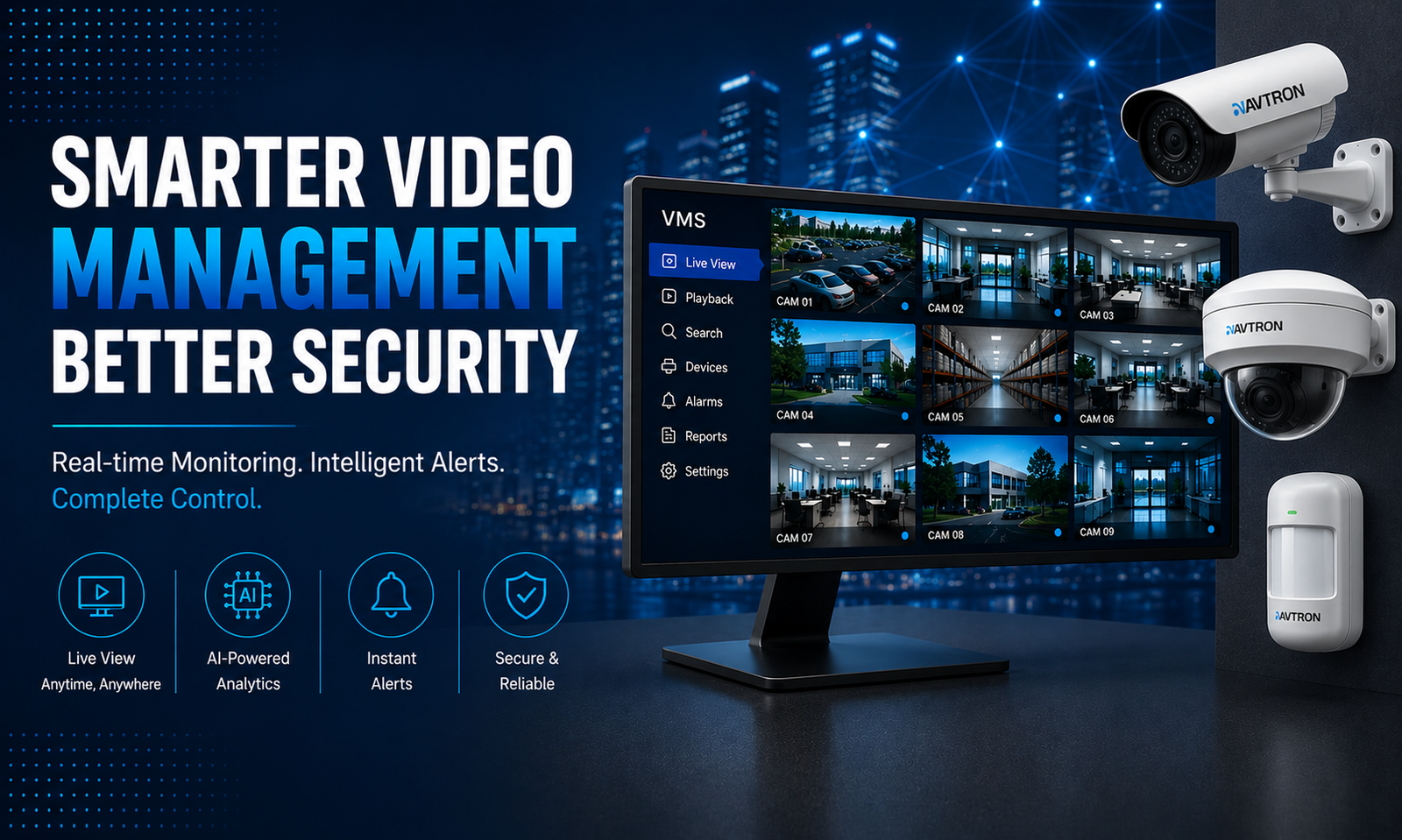
AVTRON Video Management Software (VMS) dashboard displaying multiple CCTV camera feeds with bullet camera, dome camera, AI-powered analytics, real-time monitoring, instant alerts, and centralized security management.
In today’s complex security landscape, CCTV cameras alone are not enough. Harnessing the full power of video surveillance requires sophisticated software that can manage, analyze, and make footage actionable. This is where Video Management Software (VMS) software comes in—a critical component that transforms a collection of cameras into a smart, unified security ecosystem. AVTRON’s cutting-edge VMS solutions empower organizations to maximize safety, efficiency, and responsiveness across any property or cityscape. AVTRON Video Management Software (VMS) dashboard displaying centralized CCTV camera monitoring, AI-powered analytics, real-time alerts, scalable security management, bullet camera surveillance, and intelligent video monitoring solutions.

What Is VMS and Why Does It Matter?

VMS software acts as the central nervous system of a surveillance network. It consolidates feeds from multiple AVTRON cameras into a single platform where users can view live footage, review recordings, configure settings, and receive real-time alerts. Unlike basic video recording solutions, VMS offers advanced analytics, device integration, and centralized control that are essential for managing modern security challenges efficiently.With AVTRON VMS, security teams gain more than just a video viewer—they receive a powerful toolkit to prevent incidents, respond swiftly, and leverage video as concrete evidence.

Key Benefits of AVTRON’s VMS Solutions

  1. Unified Camera Management and Real-Time Monitoring
AVTRON’s VMS allows seamless integration of all surveillance cameras—whether bullet, dome, or motorized—into one intuitive interface. Operators can monitor multiple feeds simultaneously with flexible layouts optimized for any device, from desktop control rooms to mobile smartphones.This centralized control improves situational awareness by bringing critical views into a unified dashboard. Security teams can quickly switch angles, toggle PTZ controls, and zoom in remotely to investigate incidents with precision.
  1. Intelligent Video Analytics for Proactive Security
Modern AVTRON VMS solutions embed AI-powered analytics to automatically detect unusual behaviours and threats in real-time. Features include:
  • Motion detection to trigger instant alerts.
  • Facial and license plate recognition for identifying persons and vehicles.
  • Loitering, intrusion, and object removal detection for enhanced perimeter security.
  • Crowd management for event safety and urban monitoring.
These automated insights mean security personnel can focus on genuine threats, reducing false alarms and improving response times dramatically.
  1. Efficient Video Storage and Playback
Video footage is a critical asset, but managing vast amounts of data can be cumbersome. AVTRON Video Management Software (VMS) optimizes storage using intelligent recording schedules, compression technologies, and retention policies based on user needs. Searching through recorded video is fast and easy with timeline markers, event filters, and clip export options that enable rapid investigation and evidence retrieval.Whether you need to look back minutes or days, AVTRON’s VMS reduces time spent on post-event analysis, accelerating your security workflows.
  1. Seamless Integration with Third-Party Systems
Security ecosystems often include various technologies beyond cameras. AVTRON’s VMS supports integration with access control, alarm systems, fire detection, and building management solutions, creating a holistic safety framework.Integration means alarms can trigger camera recording, access control denials can prompt live monitoring, and video evidence can complement intrusion reports. This synergy significantly enhances operational oversight and incident management.
  1. Remote Accessibility and Cloud Capability
In today’s connected world, security operations cannot be tethered to a physical location. AVTRON’s VMS provides secure remote access via web portals and mobile applications, enabling managers and guards to monitor facilities from anywhere at any time.Cloud-based architectures extend these capabilities with scalable storage, automatic updates, and simplified maintenance—allowing organizations to grow surveillance coverage without infrastructure hassles.
  1. Strong Data Security and Compliance
Handling video data responsibly is paramount. AVTRON VMS incorporates multiple layers of security including user access controls, role-based permissions, encrypted transmissions, and detailed audit logs. These features help meet legal and regulatory requirements such as GDPR and local privacy laws, protecting both organizations and individuals from data breaches or misuse.

Real-World Impact: AVTRON VMS in Action

Across smart cities, educational campuses, hospitals, retail environments, and critical infrastructure sites, AVTRON’s VMS drives unparalleled security results:
  • Law enforcement uses real-time video monitoring and automated alerts to prevent crimes before they escalate.
  • Facility managers access live feeds and recorded evidence remotely, maintaining safety even offsite.
  • Retailers analyze customer flow and detect theft or suspicious behavior quickly.
  • Event coordinators manage crowd control and emergency responses with intelligent video insights.
Each use case highlights the flexibility and effectiveness of AVTRON’s integrated video management approach. AVTRON Video Management Software (VMS) displaying multiple CCTV camera feeds, real-time monitoring, AI-powered analytics, instant alerts, centralized surveillance management, bullet camera, and security monitoring dashboard.

Why AVTRON for Your Video Management System?

AVTRON stands out with its commitment to cutting-edge innovation, reliability, and customer-centric design. Our VMS solutions offer user-friendly interfaces backed by powerful AI and robust cybersecurity. With AVTRON, organizations achieve more secure, efficient, and scalable video surveillance networks tailored to diverse operational needs.Choosing AVTRON VMS means choosing a partner invested in your safety—providing ongoing support, training, and updates to keep your security ecosystem future-proof.

Take the Next Step toward Smarter Surveillance

Don’t settle for disjointed security systems or inefficient video handling. Harness the full power of AVTRON’s Video Management Software to unify, analyze, and secure your surveillance infrastructure. Contact AVTRON Technologies today for a personal consultation and discover how our Video Management software (VMS) can redefine your approach to safety and operational intelligence.Secure your environment. Empower your team. Elevate your surveillance with AVTRON.

10 Key Benefits of Installing AI Security in AVTRON Cameras

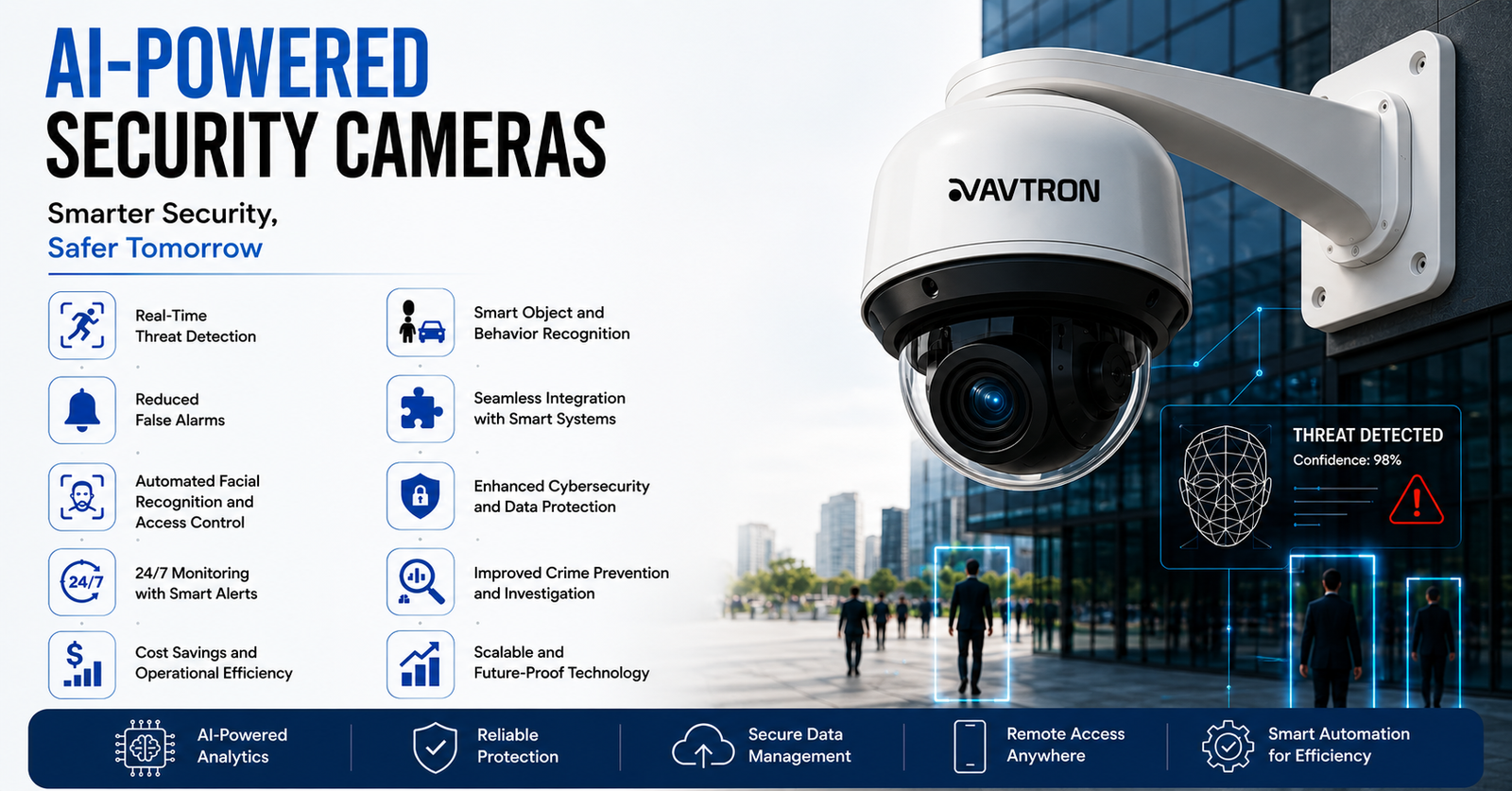
AVTRON AI-powered security camera with real-time threat detection, facial recognition, smart analytics, cybersecurity protection, and advanced video surveillance technology.
Artificial Intelligence (AI) has transformed surveillance systems, making them more advanced, efficient, and proactive. Traditional CCTV cameras were limited to passive recording, requiring human monitoring to identify threats. AI security cameras, however, leverage machine learning, deep learning, and computer vision to analyze footage in real-time, detect anomalies, and provide automated alerts. These intelligent surveillance systems are being widely adopted in homes, businesses, public spaces, and law enforcement.This article explores 10 key benefits of installing AI with AVTRON cameras and how they enhance security, efficiency, and automation. 

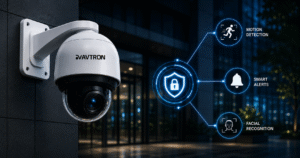
Avtron AI-powered PTZ CCTV security camera with motion detection, facial recognition, smart alerts, and advanced video surveillance for commercial security applications.

Real-Time Threat Detection

One of the most significant advantages of AI security cameras is their ability to detect threats instantly. Unlike traditional cameras that only record footage for later review, AI-powered cameras use real-time video analytics to identify:
  • Unauthorized access to restricted areas
  • Suspicious activities, such as loitering or unusual movement
  • Dangerous objects like weapons or abandoned bags in public places
Upon detecting a potential security threat, the system sends instant alerts to security teams, law enforcement, or homeowners, allowing for quick intervention.

Reduced False Alarms

Conventional motion-based CCTV systems often trigger false alarms due to environmental factors like wind, animals, or moving shadows. AI security cameras use smart motion detection and object classification to:
  • Differentiate between humans, animals, and objects
  • Ignore irrelevant movements caused by weather or lighting changes
  • Focus only on real security threats
This significantly reduces unnecessary alerts, ensuring that security teams focus on actual risks rather than false positives.

Automated Facial Recognition and Access Control

AI security cameras equipped with facial recognition technology provide a higher level of security for homes, offices, and public spaces. Benefits include:
  • Identifying authorized personnel for seamless access control
  • Detecting and flagging unauthorized individuals
  • Matching real-time footage against a database of known criminals
This is particularly useful in high-security areas like airports, banks, and government buildings where strict identity verification is required.

24/7 Monitoring with Smart Alerts

AI surveillance cameras offer continuous monitoring without requiring constant human supervision. Advanced features include:
  • AI-powered night vision for low-light surveillance
  • Automated alerts sent to smartphones, tablets, or control centers
  • Integration with alarm systems to trigger sirens or emergency responses
Unlike human operators who may experience fatigue or distractions, AI never stops analyzing footage, ensuring round-the-clock security.

Cost Savings and Operational Efficiency

AI security cameras reduce the need for large security teams, cutting down labor costs while improving surveillance efficiency. Other cost-saving benefits include:
  • Lower maintenance costs due to smart analytics reducing false alarms
  • Efficient storage management by recording only relevant events
  • Minimized security breaches, preventing financial losses caused by theft or vandalism
This makes AI-powered surveillance systems a cost-effective solution for businesses and homeowners alike.

Smart Object and Behavior Recognition

Traditional CCTV systems only capture footage, leaving security teams to manually analyze events. However, AI security cameras use behavioral analytics to understand and interpret behaviors. These systems can:
  • Detect suspicious activities like trespassing, fights, or unattended baggage
  • Identify dangerous objects such as weapons or explosives
  • Recognize aggressive behavior in public places and alert security teams
This makes AI surveillance ideal for crime prevention and proactive security measures.

Seamless Integration with Smart Systems

AI security cameras can integrate with other smart security systems, such as:
  • Alarm systems, triggering an automatic response to detected threats
  • Smart locks, enabling or disabling access based on facial recognition
  • IoT devices, allowing remote control of lights, sirens, or emergency protocols
This enables a fully automated security ecosystem, making buildings, homes, and public spaces safer and more intelligent.

Enhanced Cybersecurity and Data Protection

As surveillance systems become increasingly connected to the internet, cybersecurity threats are a concern. AI-powered security cameras include advanced encryption and security protocols to:
  • Protect video footage from hacking or tampering
  • Secure cloud storage with multi-layer authentication
  • Ensure GDPR and data privacy compliance to protect individuals’ rights
These security measures prevent unauthorized access to surveillance data, ensuring safety and privacy.

Improved Crime Prevention and Investigation

AI surveillance cameras not only record crimes but actively prevent and investigate them more efficiently. Benefits include:
  • Predictive analytics, identifying high-risk areas based on historical data
  • License plate recognition, helping track vehicles involved in criminal activities
  • Facial recognition databases, aiding in suspect identification
Law enforcement agencies can use AI-enhanced footage to solve crimes faster and more accurately.

Scalable and Future-Proof Technology

AI security cameras are highly scalable, making them suitable for both small homes and large-scale enterprises. Benefits include:
  • Easy integration with additional cameras or AI features as security needs grow
  • Regular AI software updates to improve threat detection and analytics
  • Compatibility with future smart city and business automation technologies
This future-proof capability ensures that AI surveillance systems remain effective and relevant as technology advances. Avtron AI security cameras featuring human detection, vehicle detection, smart alerts, data protection, and real-time analytics for intelligent video surveillance and commercial security monitoring

Conclusion

AI-powered security cameras are a major advancement in the field of surveillance. Their ability to detect threats in real-time, minimize false alarms, and provide intelligent automation makes them a superior choice over traditional CCTV systems.From home security and business protection to law enforcement and public safety, AI security cameras offer unmatched security, efficiency, and automation. As AI continues to evolve, these systems will become even more advanced, integrating with smart cities, IoT ecosystems, and predictive analytics to create safer environments.Investing in AI surveillance is not just about security—it’s about building a smarter, more efficient, and future-ready safety infrastructure.